New Trade Zone
Trade Zone is now live
Use the new Trade Zone for auctions and instant-price trades so Pokemon and item offers are easy to find.

Shusuii
Registered User
-
Joined
-
Last visited
Everything posted by Shusuii
-
3m800k
-
Hello, no srry
-
Bump
-
Green Susanoo - Exclusive PvP Chest Reward 14m Insta

-
hey im online and added u 🙂
-
Congratulations you won the auction, i get back from work in about 9 hours. Ill add you for trade 🙂
-
Auction Details Start Price: 200k End Point: 3 Hours (after start) No Insta Minimum Raise: 50k If a bid is received in the final 15 minutes of the auction, the end point will be delayed by 15 minutes from that bid, and will be delayed by 15 minutes for each new bid thereafter, until the current offer has been held for a full 15 minutes. Accepted Payments: Poke dollars , cc=500k Server Name: silver

-
thx to all the bidders!
-
Auction ended, sold to Zxti
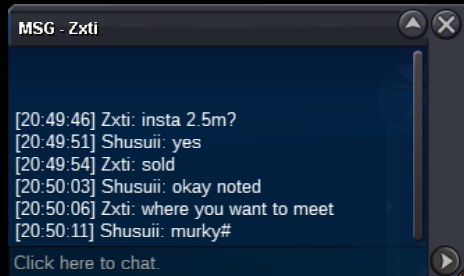
-
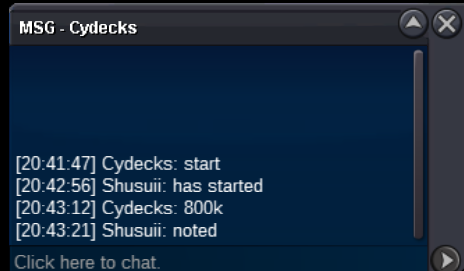
800k by cydecks
-
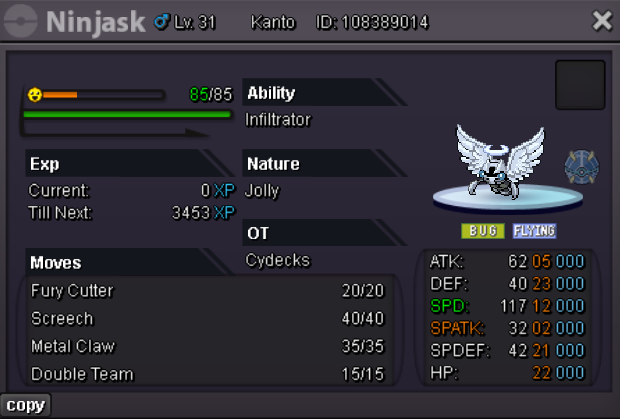
Auction Details Start Price: 500k End Point: 3 Hours (after start) Insta Price: 2.5m Minimum Raise: 100k If a bid is received in the final 15 minutes of the auction, the end point will be delayed by 15 minutes from that bid, and will be delayed by 15 minutes for each new bid thereafter, until the current offer has been held for a full 15 minutes. Accepted Payments: Poke dollars , cc=500k Server Name: silver (This Pokemon can still be used for a boss team if u build it with agility. it will take a little extra step but will work)
-
-
2.2m for gren
-
Selling cheap cosmetics on gold server! ID: Shusuii Charizard & Ditto mount SOLD
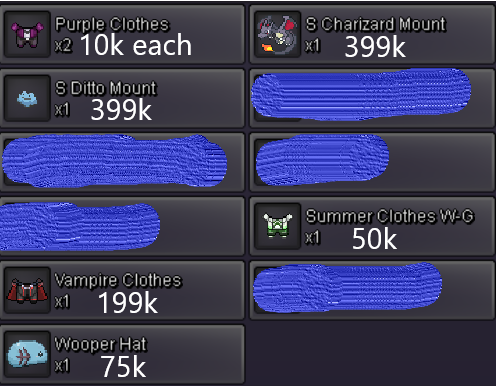
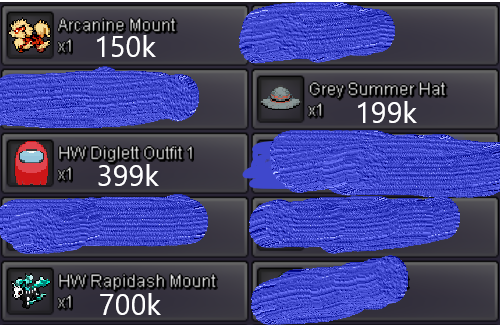 390k400k