




New Trade Zone
Trade Zone is now live
Use the new Trade Zone for auctions and instant-price trades so Pokemon and item offers are easy to find.


Shusuii
Registered User
-
Joined
-
Last visited
Everything posted by Shusuii
-
Solicitud para Revenant ¡Hola Revenant! Me gustaría unirme a Revenant porque soy un jugador muy activo y juego bastante. Soy principalmente cazador de Pokémon, así que me encantaría poder cazar en la isla del gremio y formar parte de una comunidad activa. También tengo algunos Pokémon bastante fuertes y me gustaría empezar a jugar más PvP en el futuro. Soy un trader con bastante experiencia y conozco bien el mercado de Pokémon, así que puedo ayudar a los miembros del gremio con precios, intercambios y saber si un trade merece la pena. También estoy bastante establecido y tengo buena cantidad de recursos dentro del juego, por lo que puedo aportar experiencia y cierto estatus al gremio. Sobre todo, soy una persona amable y tranquila, me gusta ayudar a los demás y formar parte de una buena comunidad. Aunque esta aplicación está en español, hablo principalmente inglés, así que mi español no es perfecto. Busco un gremio en el que pueda ser activo a largo plazo, y creo que Revenant podría ser una muy buena opción para mí. ¡Gracias por considerar mi solicitud! Saludos cordiales, Shusuii
-
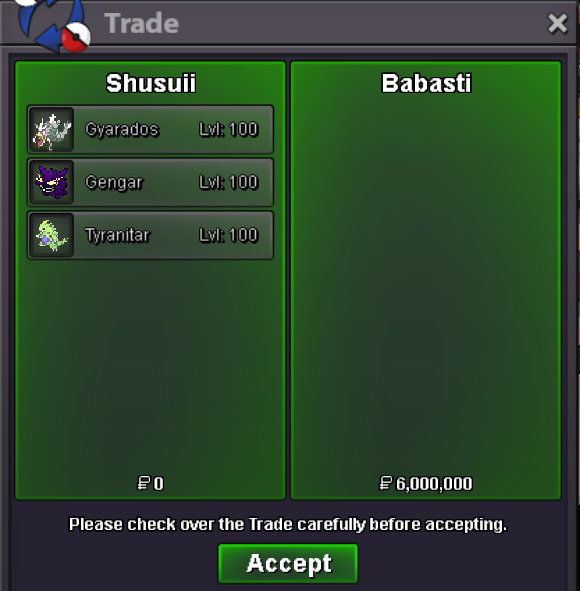
@Babasti won the auction! gz!
-
Bump! 19 min left!
-
Bump
-
Thank you very much for the Information, I have it noted for the future 🙂 and happy new year ❤️
-
Thanks for your bid 🙂 I just want to inform you that this pokemon is in silver (not in gold) it says "server name: silver" but I had a sentence regarding the bid from other server that was wrong, i edited it and put a note in the edit 🙂 conclusion: these pokemon are in silver but you can bid from any server!
-
Auction Details Start Price: 4m End Point: 72 hours after start Insta Price: no insta Minimum Raise: 100k Accepted Payments: Pokedollars, cc= 500k, IV Reroll Tickets (x1 IV Reroll Ticket = 700k) Server Name: Silver Important Reminders If you intend to purchase with an alternate account or from other server, please specify the account name and/or server name alongside your bid. 15 minutes rule is applied. (If a bid is received in the final 15 minutes of the auction, the end point will be delayed by 15 minutes from that bid, and will be delayed by 15 minutes for each new bid thereafter, until the current offer has been held for a full 15 minutes)
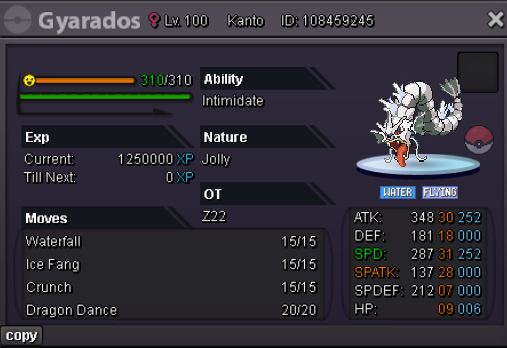
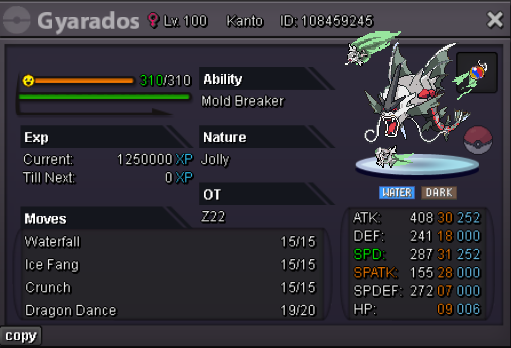
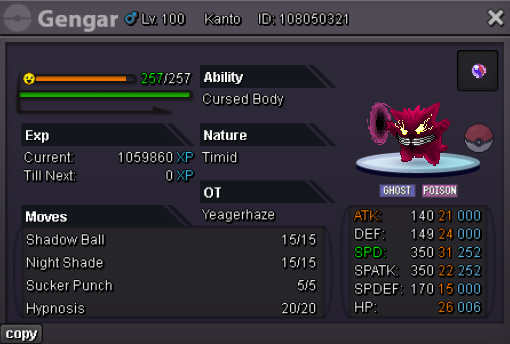
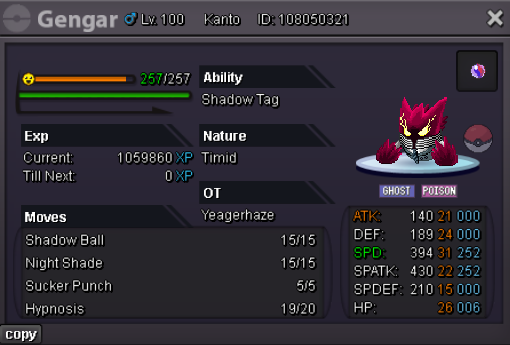
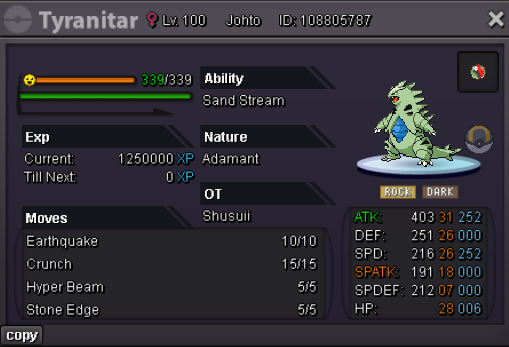
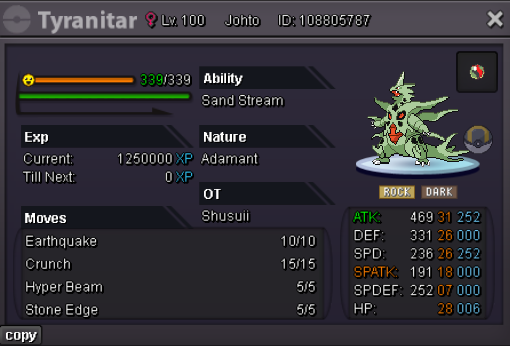
-
where can we meet? ingame: Shusuii Discord: yt_shusui
-
-
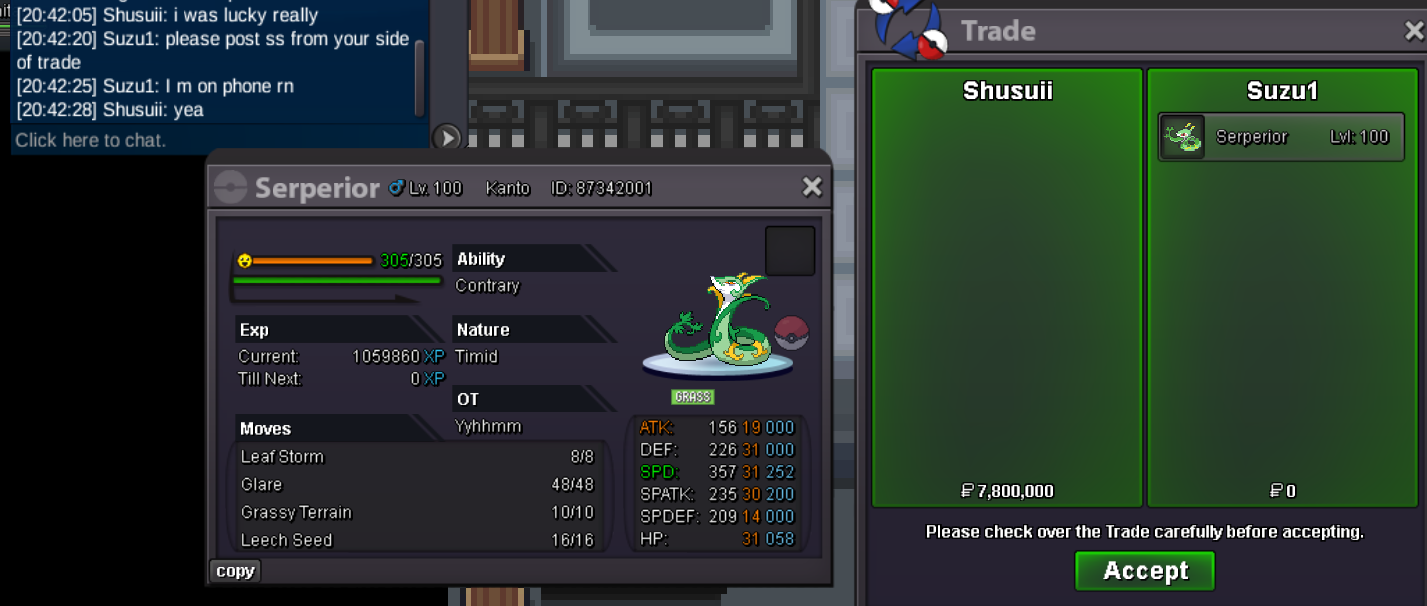
trade completed!
-
Hey im online where to meet? Discord: yt_shusui
-
7.8m
-
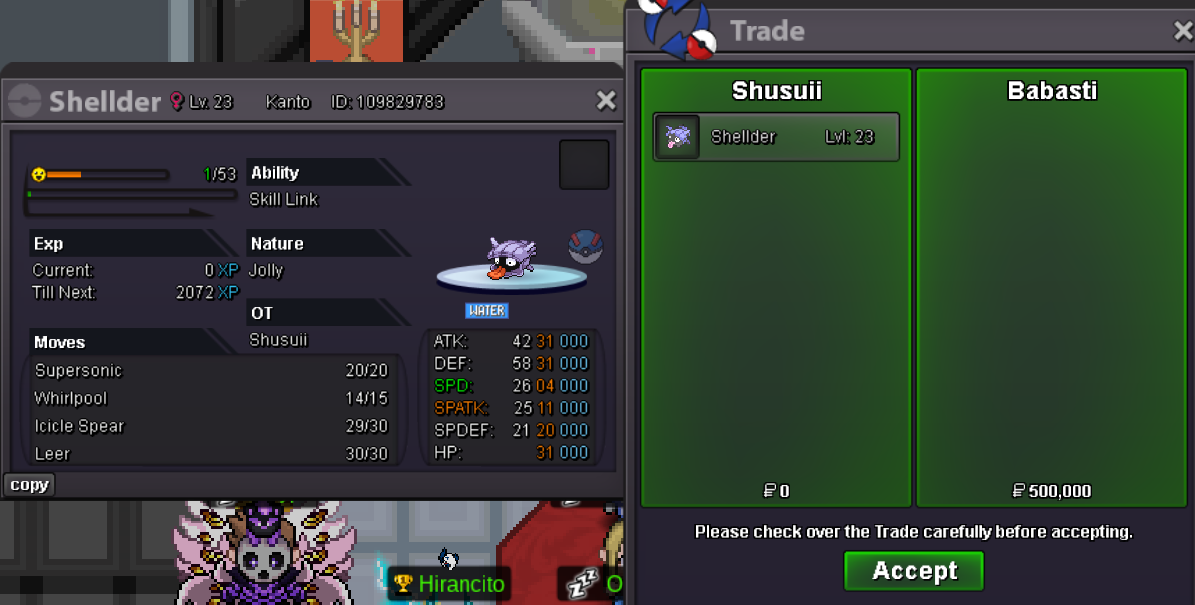
Auction closed, won by Babasti!:)
-
Babasti has won the auction! dm in game @Babasti
-
Bump (only 2 hours left)
-
-
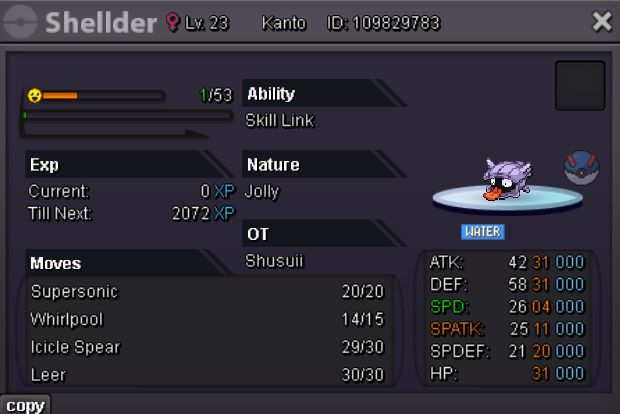
Auction Details: Start Price: 500k End Point: 24 hours (after start price is met) Insta Price: N/A Minimum Raise: 100k Accepted Payments: Pokedollars, Coin Capsules (x1 Coin Capsule = 500k), IV Reroll Tickets (x1 IV Reroll Ticket = 700k) Important Reminders: This is a Cross Server auction. You may bid from any server but you need to transfer. (This Poke is in silver) If you intend to purchase with an alt account, specify the account alongside your bid. If a bid is received in the final 15 minutes of the auction, the end point will be delayed by 15 minutes from that bid, and will be delayed by 15 minutes for each new bid thereafter, until the current offer has been held for a full 15 minutes. Happy Bidding!
-
1.5m (i wooon) i have u added in game
-
+1 pls Walross ❤️
-
Bump
-
Bump
-
Bump
-
Bump
-
Bump
-
Bump
