




New Trade Zone
Trade Zone is now live
Use the new Trade Zone for auctions and instant-price trades so Pokemon and item offers are easy to find.

Jayrod
Registered User
-
Joined
-
Last visited
Everything posted by Jayrod
-
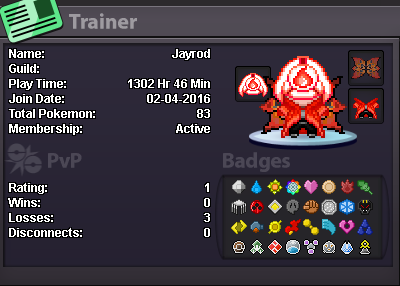
- Why do i want to join NoMercy I Want to join because i want to meet new people and get advise at pvp and what are the best teams you can run. - Have i ever been banned No i have not been banned. - Other than having fun playing the game, what are your goals in PRO My goals in pro are to get the best Pokemon out there and climb the latter in pvp learn all the comps u can run. - How old are you and other than English, what languages do you speak? I am 26 years old and i have no other language than English. -Discord As for discord im always in discord and can join your channel. - Trainer Card
-
Yep he is there now thank you.
-
Any1 please
-
Hello in lilycove the boat transport guy isnt there for me he is there in all the other transport places but here in lilycove. I would like to have this fixed please and thank you.
-
-Why do I want to join NoMercy? Because I am currently in Immortals and would like to join my buddy Cowtippingmafia. He is going to teach me the ways of pvp. - My goals on pro is to get better at pvping and meet new people. -My age is 25 years old and i only speak english.
-
as the title says its not coded i just found 1 would like for it to be updated please and ty.