New Trade Zone
Trade Zone is now live
Use the new Trade Zone for auctions and instant-price trades so Pokemon and item offers are easy to find.

Hast
Registered User
-
Joined
-
Last visited
-
Sad
-
Mods close the thread please...The deal is done.
-
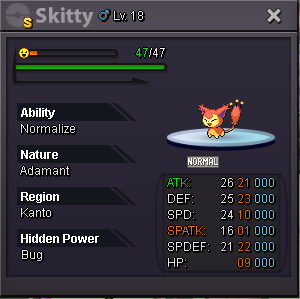
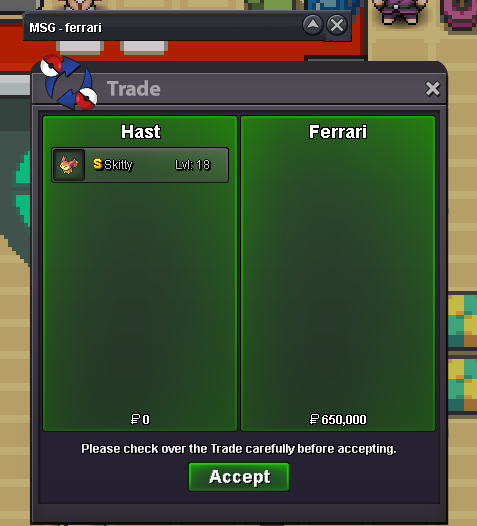
If Ferrari doesnt talk to me in game or here on forum 24 hours after the auction ended, the winner will be Gnirvin as a second best offer. Thank you.Auction ended. Winner is Ferrari with 650k offer. Pm me in game.Current best offer 650k by Ferrari. Min bid is 20k as it was changed before,im not experienced on forum trades so please be patient.Alright, bo from Mihawk95 610k . The min bid is 20k just to be clear. :)I didnt remember and thought it wasnt that much of a difference,and then i changed the min bid. If you have a problem with that change i dont know exactly what the rules are. Do you accept the 20k min bid? (BTW now u offered 10k more :P )[Poke6]Few hours left(02:52 gmt)! b.o Gnirvin 590k
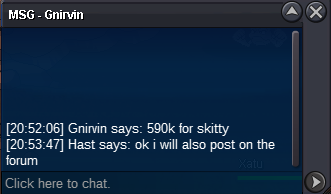 Few hours left! b.o @DavidS28 570kOk,auction will last until May 8 (02:52 GMT) since it started May 5 (02:52 GMT).Where is the list with the winners?HastStarting price 500k, min bid 20k, auction starts after the first bid, auction lasts 72 hours. Insta 2m. (cc=250k, choice items=100k)