




New Trade Zone
Trade Zone is now live
Use the new Trade Zone for auctions and instant-price trades so Pokemon and item offers are easy to find.

Dan33
Registered User
-
Joined
-
Last visited
Everything posted by Dan33
-
-
-
-
Starting price : 100k (each) Minimum raise : 100k No insta Auction ends 72h after the first bid : Bold Rotom auction ends 22 november at 8.24PM (GMT+1 Rome) I accept ccs (350k each) Good luck! Rotom 1 Rotom 2
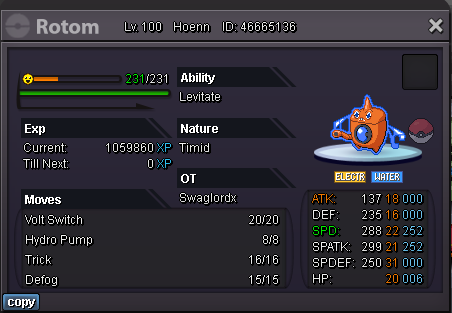


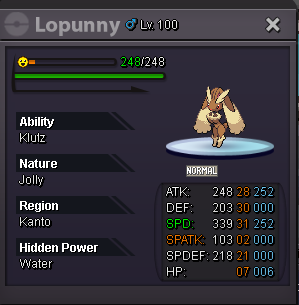
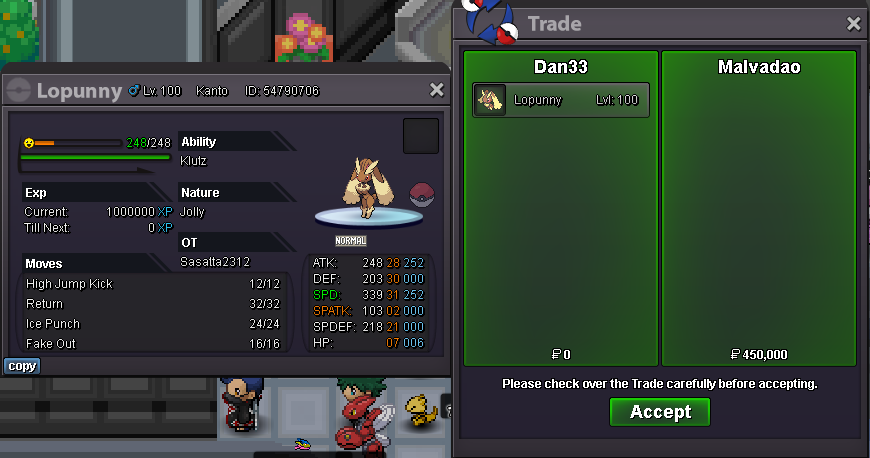
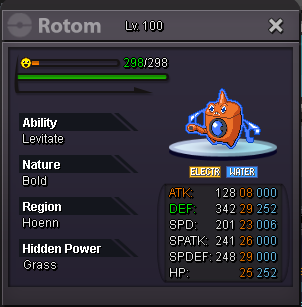 Perfect, @Malvadao and @Mxp1 you can contact me to redeem the mons, i'll be around.So, auction has ended but i think the last @Mourad offer isn't valid cause slighlty out of time... @Malvadao won the Lopunny for sure, and i think @Mxp1 won the Chomp. I'll ask @Zoruami to please clarify the situation before giving you guys the mons.Around 4h left!i'm online right now we can meet in vermi5,6 rotom5,3 rotom5,1 rotom4,9 rotomStarting offer : 50k (each) Min raise : 50k No insta Auction ends 48h after the first bid -> 19 nov at 6.22 PM (GMT+1 Rome) Good luck!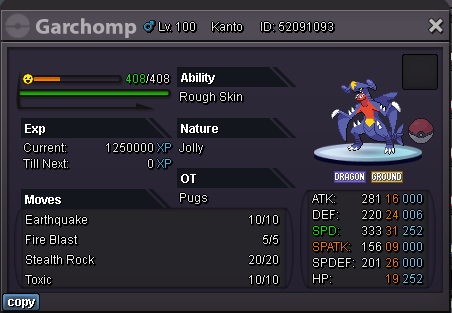


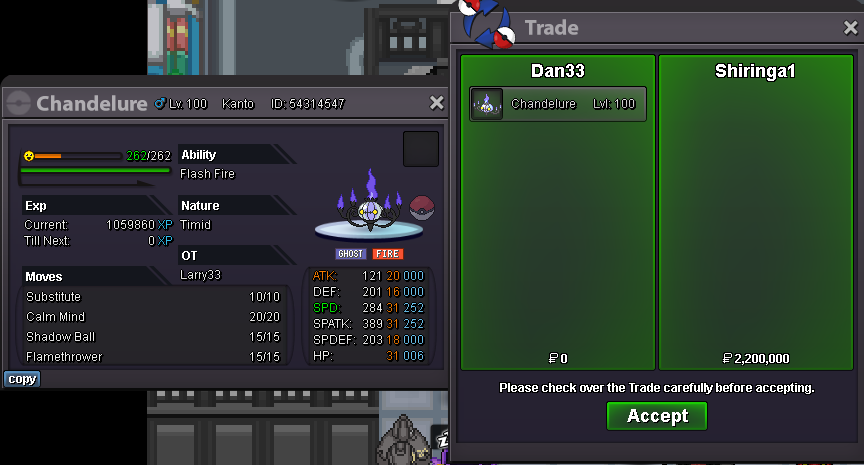
 @Shiringa you won, let me know when you're avaliable to redeem the mon, congratz.Starting offer : 100k Min bid : 100k No insta 48h after first bid https://countingdownto.com/?c=5129689 Good luck!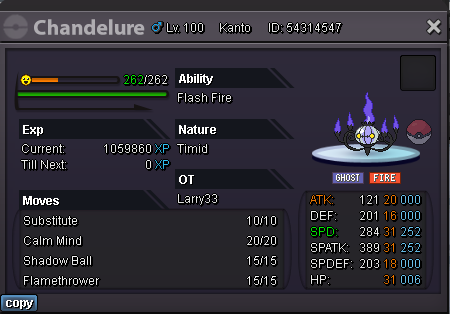
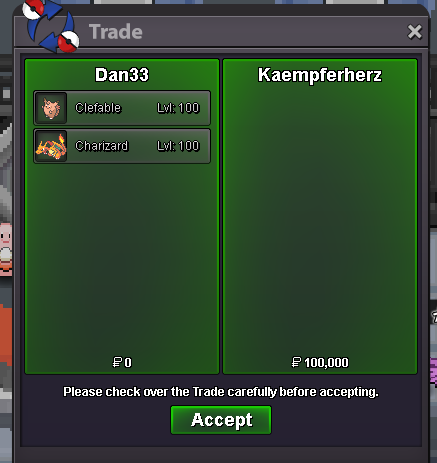
 Starting offer 10k Min bid 10k 24h after first bid
 you guys won, contact me whenever you want1day and 9h left!



Account
Navigation
Search
Configure browser push notifications
Chrome (Android)
- Tap the lock icon next to the address bar.
- Tap Permissions → Notifications.
- Adjust your preference.
Chrome (Desktop)
- Click the padlock icon in the address bar.
- Select Site settings.
- Find Notifications and adjust your preference.
Safari (iOS 16.4+)
- Ensure the site is installed via Add to Home Screen.
- Open Settings App → Notifications.
- Find your app name and adjust your preference.
Safari (macOS)
- Go to Safari → Preferences.
- Click the Websites tab.
- Select Notifications in the sidebar.
- Find this website and adjust your preference.
Edge (Android)
- Tap the lock icon next to the address bar.
- Tap Permissions.
- Find Notifications and adjust your preference.
Edge (Desktop)
- Click the padlock icon in the address bar.
- Click Permissions for this site.
- Find Notifications and adjust your preference.
Firefox (Android)
- Go to Settings → Site permissions.
- Tap Notifications.
- Find this site in the list and adjust your preference.
Firefox (Desktop)
- Open Firefox Settings.
- Search for Notifications.
- Find this site in the list and adjust your preference.