




New Trade Zone
Trade Zone is now live
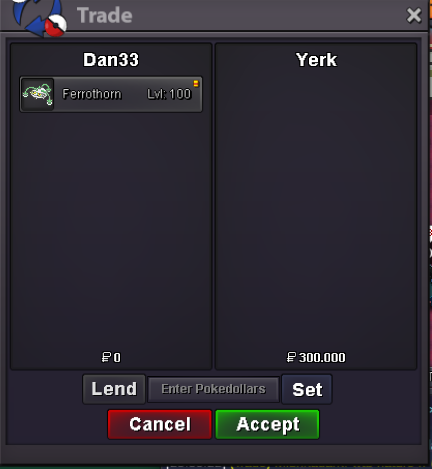
Use the new Trade Zone for auctions and instant-price trades so Pokemon and item offers are easy to find.

Dan33
Registered User
-
Joined
-
Last visited
Everything posted by Dan33
-
2.52.11,7Can we have some info about the auction? like min bid, duration etc. thanksNew pokes added, some prices reduced!I overall enjoyed the event, not gonna lie, either the quest and spawns were okay; the only thing i didn't really like was the fee to enter the event map, players that invest their money in the 'train ticket' should't pay anything more to travel in my opinion. Thanks for the content, hope we will get more and better in the future!I think that classic 'types' could be decent sets, like fire, water, grass etc. Also an 'hidden ability spot' would be so cool, where you could indeed hunt mons that prefer to have the h.a.Hello, when i try to submit a pokemon for the Xmas event i got this message What i can do?
 +1 i have the same problem+1 I agree that it should be free for people who bought the train ticket; for the ticketless, 5k is legit to sail, but the 5k for coming back is unfair. If we look at it for 2-3 uses it's not a big number indeed, but xmas map will stay for a long time, so we are talking about way bigger numbers for players that do daily activities.Some prices reduced, new pokes added.Hope everything is okay for you, i did sell the rotom as u can see in the comment above. Sorry dude


Account
Navigation
Search
Configure browser push notifications
Chrome (Android)
- Tap the lock icon next to the address bar.
- Tap Permissions → Notifications.
- Adjust your preference.
Chrome (Desktop)
- Click the padlock icon in the address bar.
- Select Site settings.
- Find Notifications and adjust your preference.
Safari (iOS 16.4+)
- Ensure the site is installed via Add to Home Screen.
- Open Settings App → Notifications.
- Find your app name and adjust your preference.
Safari (macOS)
- Go to Safari → Preferences.
- Click the Websites tab.
- Select Notifications in the sidebar.
- Find this website and adjust your preference.
Edge (Android)
- Tap the lock icon next to the address bar.
- Tap Permissions.
- Find Notifications and adjust your preference.
Edge (Desktop)
- Click the padlock icon in the address bar.
- Click Permissions for this site.
- Find Notifications and adjust your preference.
Firefox (Android)
- Go to Settings → Site permissions.
- Tap Notifications.
- Find this site in the list and adjust your preference.
Firefox (Desktop)
- Open Firefox Settings.
- Search for Notifications.
- Find this site in the list and adjust your preference.