




New Trade Zone
Trade Zone is now live
Use the new Trade Zone for auctions and instant-price trades so Pokemon and item offers are easy to find.


Sabetha
Registered User
-
Joined
-
Last visited
Everything posted by Sabetha
-
This makes sense--didn't think to ask him about box capacity. I'll talk to Ragnacalcifer when I next see him online and make sure he saw this and gets the wurmple. Thanks for your help! SabethaWurmple is back. I think I am cursed. The irony is not lost on me that this is (quite literally) a bug. Screenshot attached.
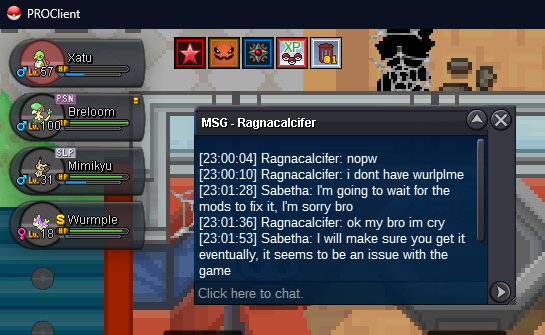 Update: He said he didn't have it, so we traded again. Screenshot below. But now he says he doesn't have wurmple, and I don't seem to have it either. Screenshots attached.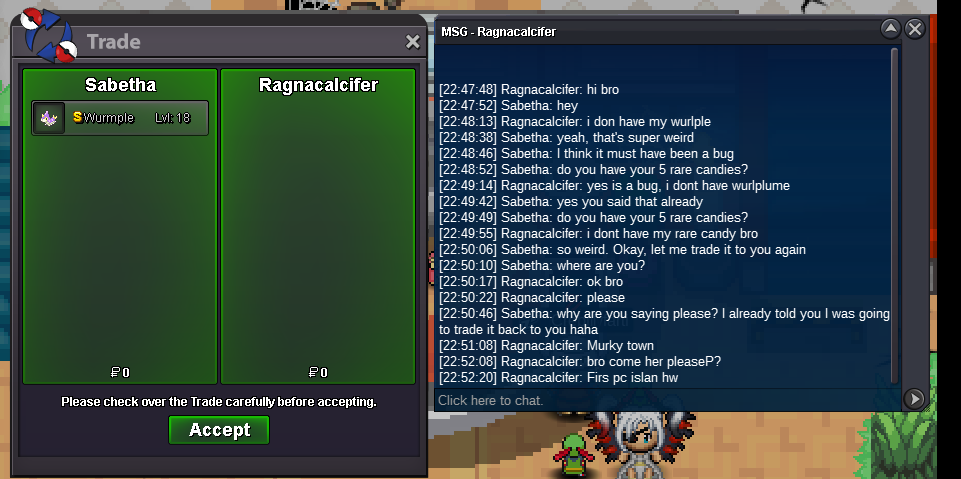
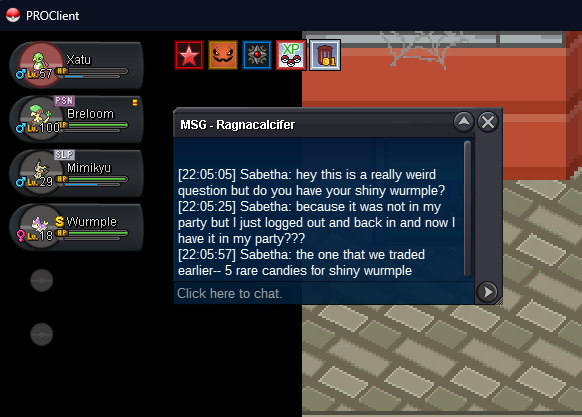
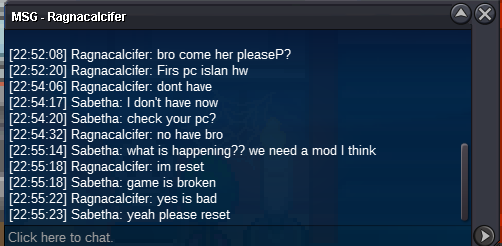 I made a trade with Ragnacalcifer earlier today-- a shiny level 18 wurmple for 5 rare candies. Attached is the screenshot of the trade. Just now, I logged out and back in, and the shiny wurmple is now back in my party. Other information: -I have the same amount of rare candies as I did before, I did not lose 5 rare candies from my inventory. -I have not been able to confirm what happened with Ragnacalcifer (see second screenshot). -It was not a loan (see first screenshot). -I did not catch another shiny wurmple, this is the same one with the same OT.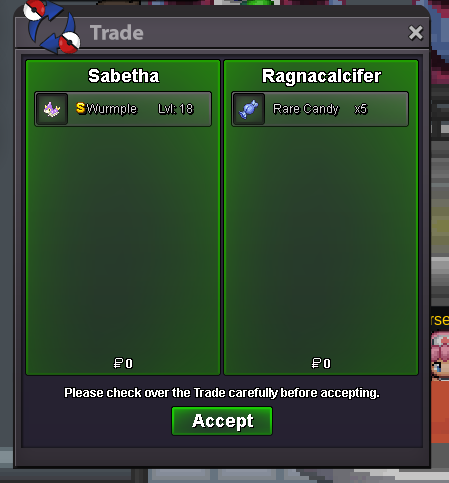
 Just FYI to any players still using this guide, for the second method (where first slot is the sync pokemon of the required level)-- it can in fact be fainted with another pokemon after. So the setup would be: 1. (Fainted) Sync at the correct level 2. Your catcher, a pokemon with trace, or anything else of your choice. Repel tricking will still work and the sync ability will also be active on the pokemon you encounter.I believe @Firebatt has won. Congratulations! I'll pm you shortly to retrieve your Azumarill.15 minute rule applies Forum: If a bid is received in the final 15 minutes of the auction, the end point will be delayed by 15 minutes from that bid, and will be delayed by 15 minutes for each new bid thereafter, until the current offer has been held for a full 15 minutes. Must be accurate to the minute that the auction is set to end. › e.g. If the auction ends at 15:00, it will end at 15:00:00. If a late bid is received in the final 15 minutes, at 14:46, the auction will end at 15:01. If another user bids at 15:00, the auction will be extended again, and will end at 15:15, this will be repeated until the current offer has been held for a full 15 minutes. There are approximately 13 minutes remaining.Start: 1 Min bid: 1 Duration: 1 hour (after the first bid) Payment: Pokedollars, rc=8k No Insta
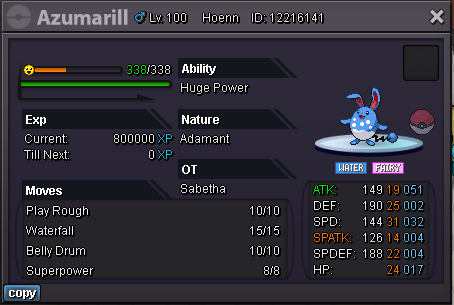 Closed. Thank you all for participating!
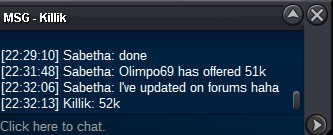
 By my clock @Olimpo69 has won the auction.
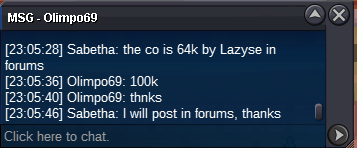 co 100k by Olimpo69, see below
co 63k by Olimpo69, see below
co 100k by Olimpo69, see below
co 63k by Olimpo69, see below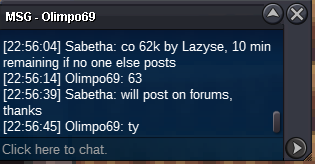 co 61k by Olimpo69, see below
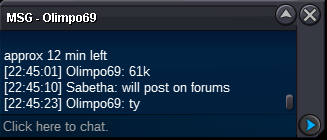 co 60k by Killik, see below
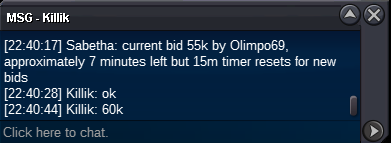 co 51k by Olimpo69, see below
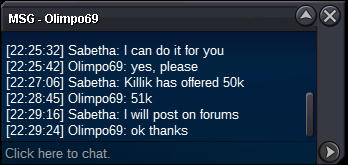 co 50k by Killik, see below
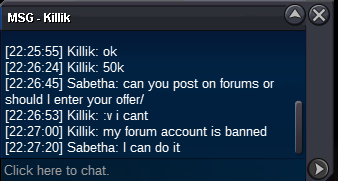 co 36k by Olimpo69, see below
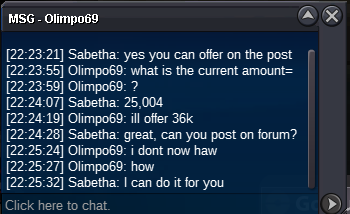 current offer 25k by Gaers, see below
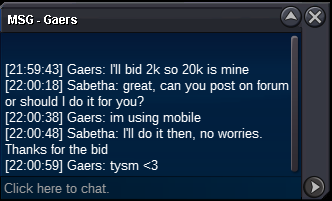
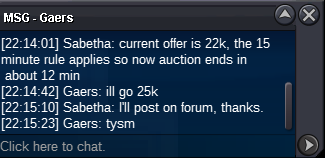 15 minute rule applies - Forum: If a bid is received in the final 15 minutes of the auction, the end point will be delayed by 15 minutes from that bid, and will be delayed by 15 minutes for each new bid thereafter, until the current offer has been held for a full 15 minutes. Must be accurate to the minute that the auction is set to end. › e.g. If the auction ends at 15:00, it will end at 15:00:00. If a late bid is received in the final 15 minutes, at 14:46, the auction will end at 15:01. If another user bids at 15:00, the auction will be extended again, and will end at 15:15, this will be repeated until the current offer has been held for a full 15 minutes.current offer 20k by Gaers, see below
 current offer 18k by Victinithelegen, see below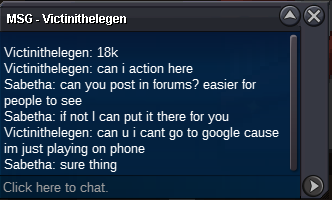



Account
Navigation
Search
Configure browser push notifications
Chrome (Android)
- Tap the lock icon next to the address bar.
- Tap Permissions → Notifications.
- Adjust your preference.
Chrome (Desktop)
- Click the padlock icon in the address bar.
- Select Site settings.
- Find Notifications and adjust your preference.
Safari (iOS 16.4+)
- Ensure the site is installed via Add to Home Screen.
- Open Settings App → Notifications.
- Find your app name and adjust your preference.
Safari (macOS)
- Go to Safari → Preferences.
- Click the Websites tab.
- Select Notifications in the sidebar.
- Find this website and adjust your preference.
Edge (Android)
- Tap the lock icon next to the address bar.
- Tap Permissions.
- Find Notifications and adjust your preference.
Edge (Desktop)
- Click the padlock icon in the address bar.
- Click Permissions for this site.
- Find Notifications and adjust your preference.
Firefox (Android)
- Go to Settings → Site permissions.
- Tap Notifications.
- Find this site in the list and adjust your preference.
Firefox (Desktop)
- Open Firefox Settings.
- Search for Notifications.
- Find this site in the list and adjust your preference.