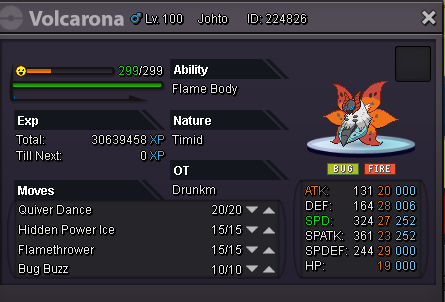
New Trade Zone
Trade Zone is now live
Use the new Trade Zone for auctions and instant-price trades so Pokemon and item offers are easy to find.

Cloysterface
Registered User
-
Joined
-
Last visited
Everything posted by Cloysterface
-
-
start 600k but im from silver, not sure if u can do cross-server trades
-
2.1m venu
-
1m here
-
Hey yeah i do pm me your discord or when you are available cus im rarely onlime atm
-
Hey u got a discord? Or are you onlime now?
-
hey, was thinking of selling/trading all for a nice shiny, if u have an ada skill link one i can offer later maybe
-
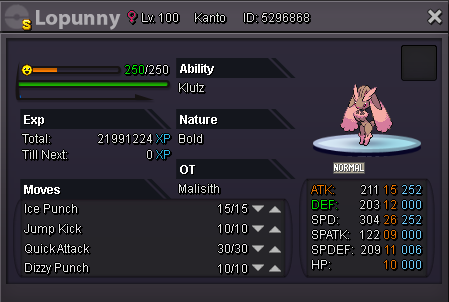
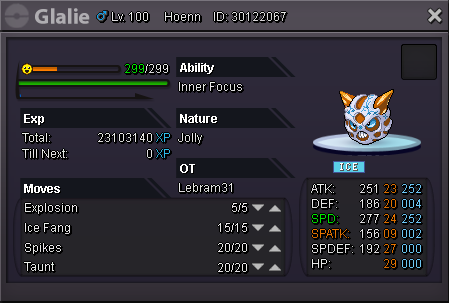
900k insta
-
title.
-
well its past 48 hours so i geuss molecules wins when are you ingame bro?
-
bump
-
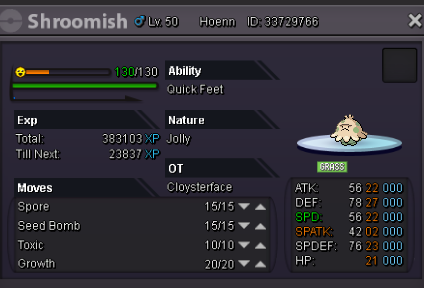
start 300k insta 1.5m end 48 hours after starting offer I can cancel the auction if i dont like the b.o
-
i start 4 cc
-
950k
-
nice man this is cool :)
-
you win pm me ingame when you can, ill try to do the same also, also sorry smokerog ur bid was outside the time limit so i am not allowed to count it
-
bump 550k b.o
-
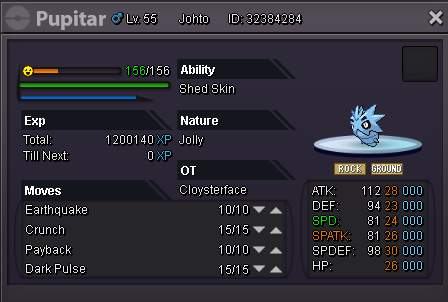
start 400k insta 1m 24h from the starting offer I have the right to cancel the auction if i feel the bids do not satisfy me.
-
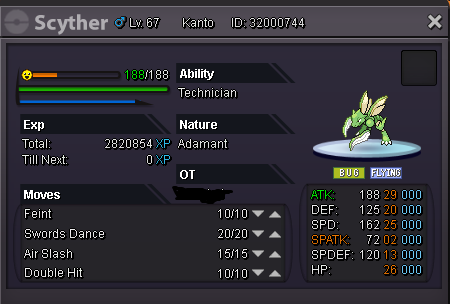
sold!you win, i will try to pm you when im online (im online now)bumpstart offer 200k, insta 700k auction last 24h after start offer made i can cancel if i dont like the offers.
 my bad bro sorryhmmm the insta is 14m but the trade shows he only gave you 1.4m?