




New Trade Zone
Trade Zone is now live
Use the new Trade Zone for auctions and instant-price trades so Pokemon and item offers are easy to find.

Heycavalier
Registered User
-
Joined
-
Last visited
Everything posted by Heycavalier
-
-
bumpity bump let's do sum work
-
600k beldum 800k charm
-
500 beldum 700 charm
-
400k beld 600k charm
-
1110k
-
BUMP! doing legit business with hustlers only, updated the list again hmu
-
500k charm
-
1060k
-
50k raise both
-
i see, i only just saw the post, im sorry for the inconvenience
-
start [bidding from silver, can transfer if win]
-
460k
-
-
-
bump! updated the list again let's do good business!
-
hit my line for deals on the items listed AND MORE! lets go ❤️
-
up changed price points (s.o. and insta) and minimum bid to reflect the PvP inability of the PokeMon happy bidding
-
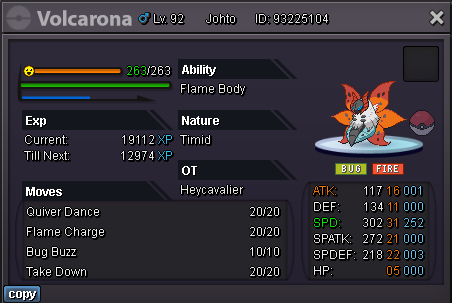
s.o. 1.5m NO INSTA 48h auction after s.o. is met 15 min extension every time a new bid comes in min bid: 50k payment forms: - pokedollaz - cc @ 400k each - nat rr/ iv rr @ 250k // 500k each (respectively) - masterball @ 60k each - rare candy @ 6k each happy bidding ❤️
-
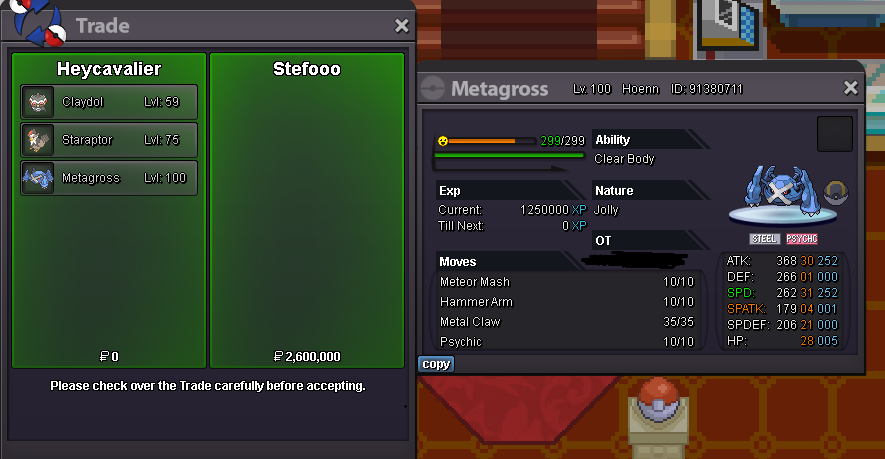
The trade has been completed This thread can now close.
-
+50k [silver]
-
Hello @Stefooo You've won the auction ~2 hours ago find me in-game to complete the trade, or reply to this thread as soon as you're online
-
325 gar
-
315 gar
-
710 meow ignore this, false bid, thought i had been outbid my bad

