




New Trade Zone
Trade Zone is now live
Use the new Trade Zone for auctions and instant-price trades so Pokemon and item offers are easy to find.


Araragikun
Registered User
-
Joined
-
Last visited
Everything posted by Araragikun
-
Start
-
-
-
Dragalage sold n up
-
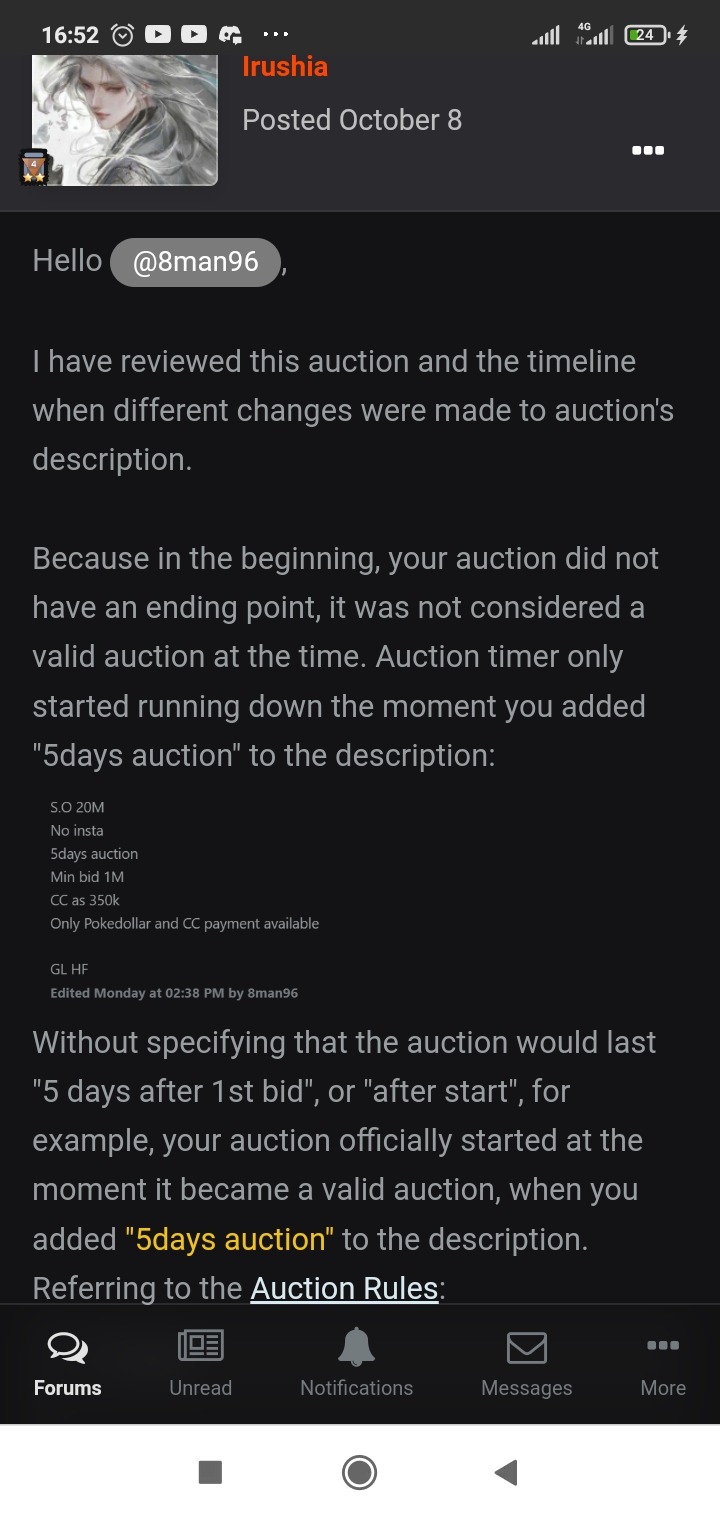
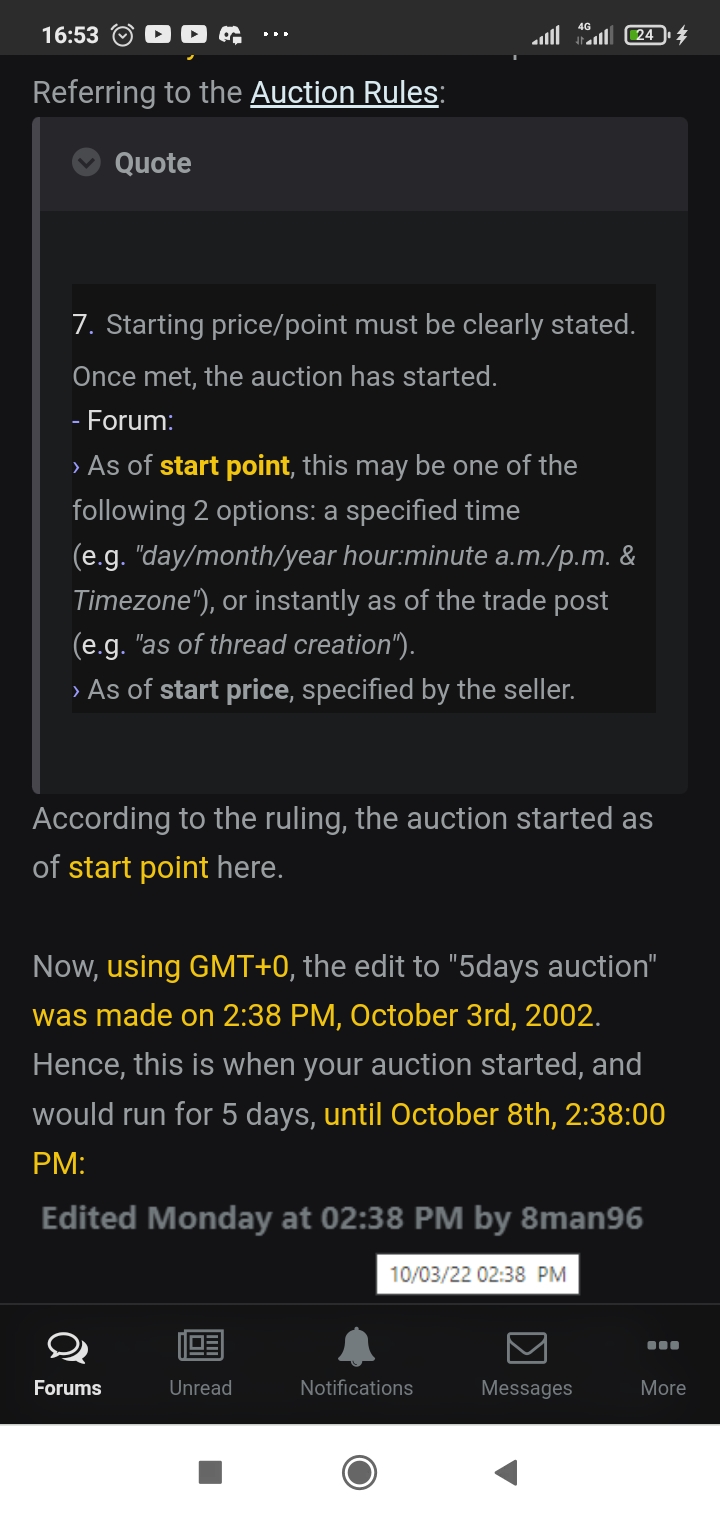
@Irushiadid u aware that the auctioneer is change the whole s.o n include insta after the the real auction already started?
-
@Irushia hi I know I am not one of the bidder but I think @Silver288 already won with offer 12.5m as this thread is created on 1.01pm gmt +8 and it's should end 3 days(72 hours) from this thread is created as u mention here I hope u can give the clarification into this auction ,Ty for ur hard work ty^^
-
-
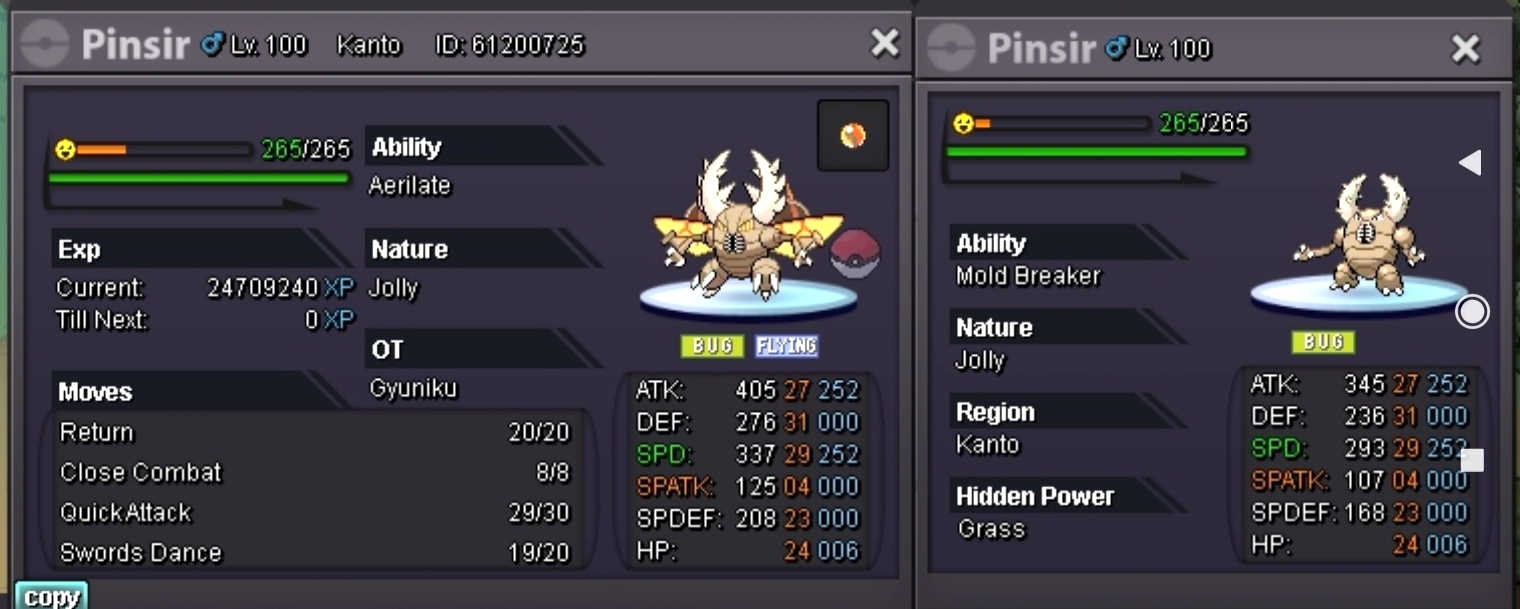
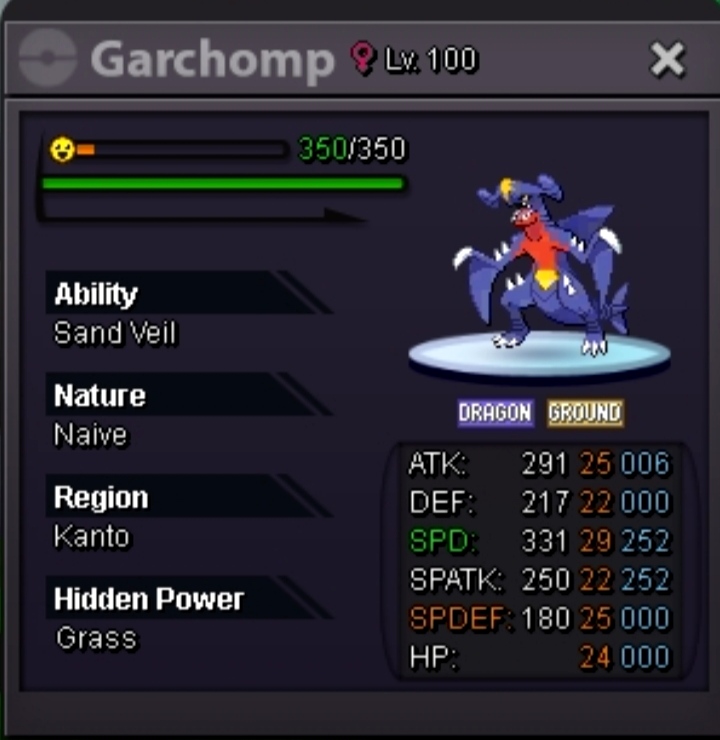
Simple reason for sell, I sucks in PvP :v These poke only insta price(FIX) 1m5 500k 1m5 1m2 1m5 1m5
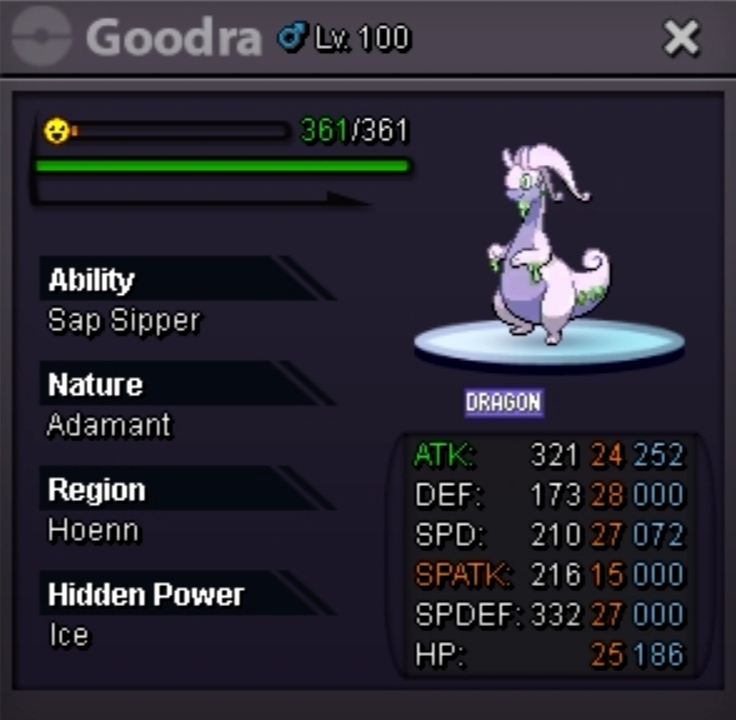


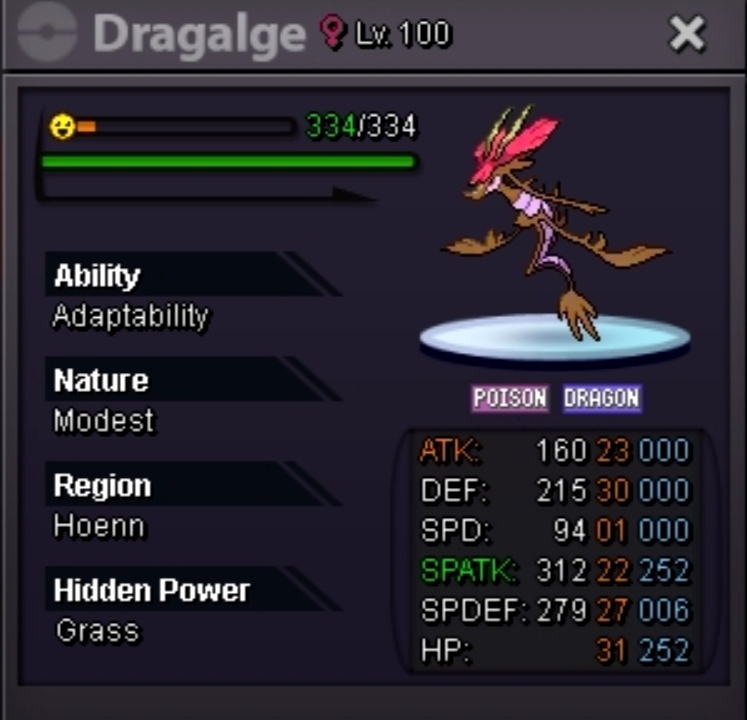
-
I already DM u in discord
-
Yep u win when online?
-
Start my brotha
-
Noted my brotha^^
-
Up
-
Wanna auctioning my fresh caught pvpable h.a halo growlithe S.O 400k Min bid 50k Cc as 350k Insta 800k Auction 2 days after first bid GL HF
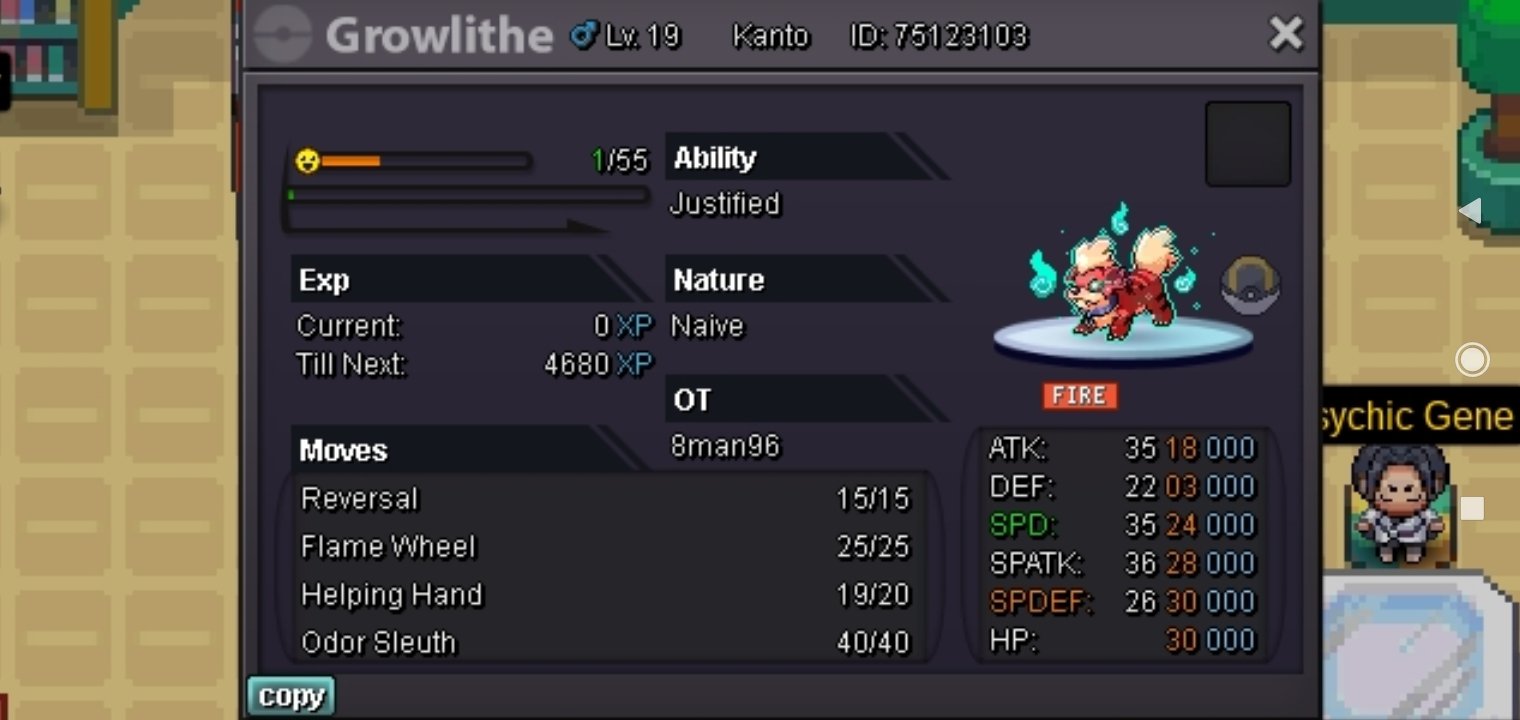
-
Bump
-
Noted 5 days left approximately Start at 3.30pm Malaysia time
-
S.O :20M Min bid: 1M CC: 350k each 5 Days auction Pokedollar and CC only payment available. HF N GL!
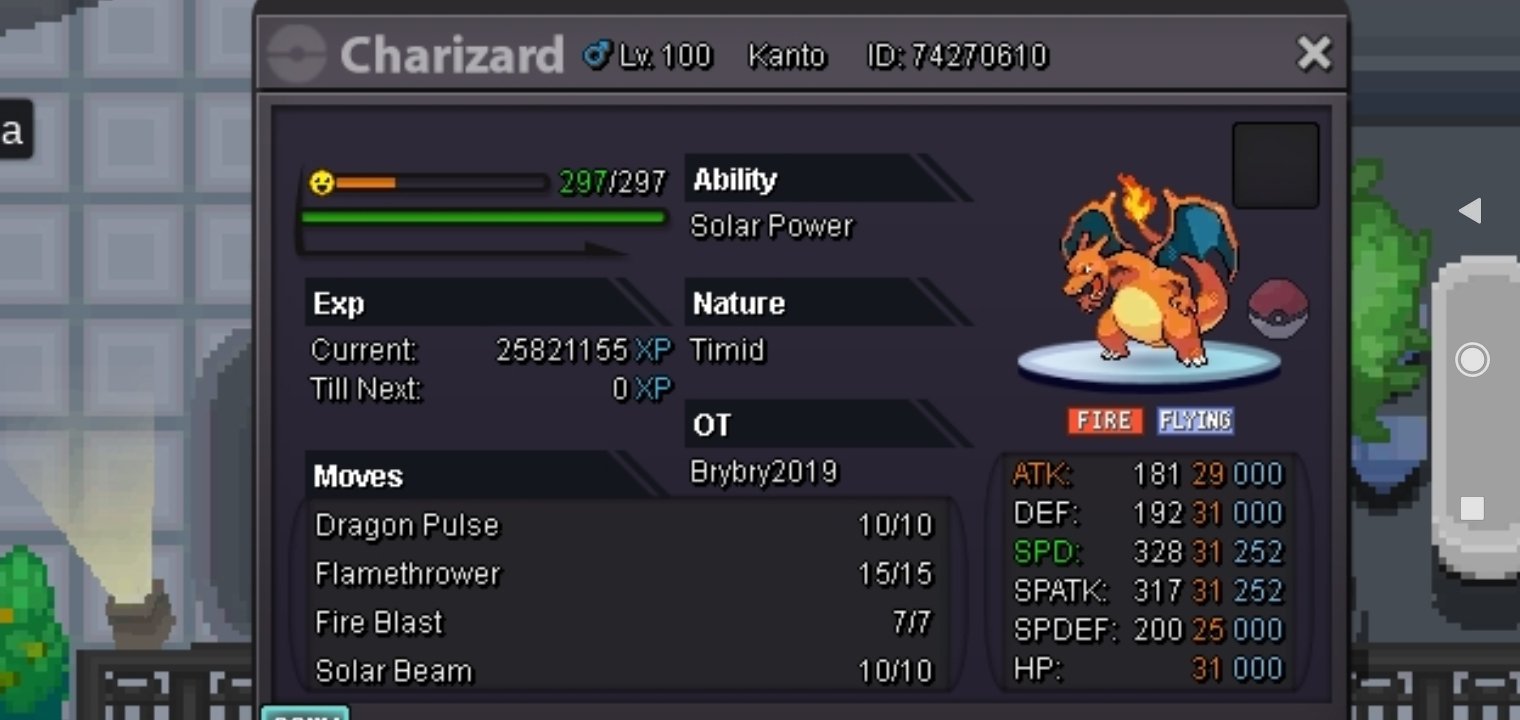
-
I think unusable hp n for bold it's already reserved Sure let me know when u can online
-
Bump
-
240k
-
Bump
-
No2 it's minor mistake it's cool btw already make the report so all we can do now is wait for their response,ty
-
U cannot trade until the final time is reached... Yeah it's going to be on trade mod part now
-
220k.nidoking
-
Guess I win the first one?

