New Trade Zone
Trade Zone is now live
Use the new Trade Zone for auctions and instant-price trades so Pokemon and item offers are easy to find.

Lewyboy
Registered User
-
Joined
-
Last visited
-
1. What's your Player name (IGN)?: Lewyboy 2. Number of hours played?: 1378 3. What's your favorite Pokemon?: Charizard/Nidoking/Rhyhorn 4. What do you enjoy doing the most in PRO?: Mostly hunting pvp pokes 5. How old are you?: 30 🥲
-
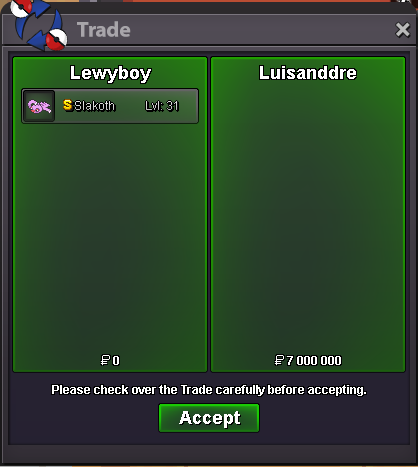
sold
-
Congratz, you have won. Contact me here or ingame, same name.
-
start
-
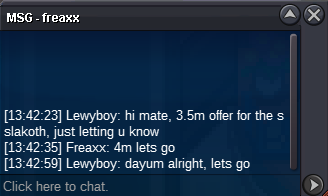
c.o. 4m
-
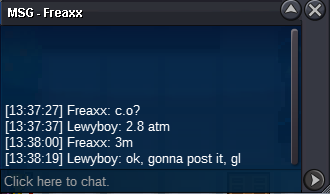
c.o. 3m
-
c.o. 2.8m this offer happened 2min after starting offer, with a lot of messages popping out, decided not to involve all of them in, ive just put the highest offer after the initial spam. in that case, auction started 13:32 UTC+2
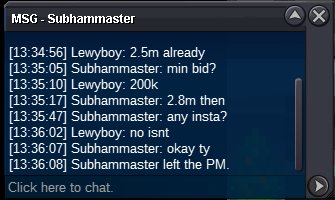
-
Welcome to my auction! I would like to sell this beatifull lazy pink Slakoth Starting price is 1m Miminum bid is 200k No insta Auction ends 48 hours after the first bid is made Cash only Auction ends on: Thursday 13:32 UTC +2

-
I think this guy does not sleep! 15 mons in 2 days !! Full service, ev + lvl up !! 15 !! Lightning fast service, reccomend to everyone.
-
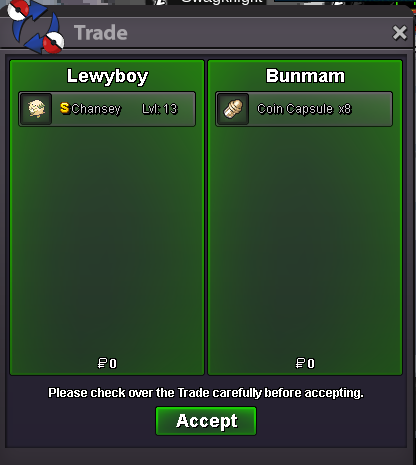
sold, can be closed
-
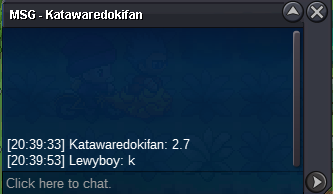
Even if the 2.7bid wouldnt count, the next bid is totally valid imo. The reason i accepted the 2.7m bid was cause i didnt want to advertise my auction in game with c.o. 2.222.222 so i just did it with 2.2 instead, wouldnt think that 22k would matter so much for you. if u need the feel we can ask trade admin to solve that problem
-
congratz bro, uve won. msg me here or ing
-
12hours left
-
3.2m, gl
-