




New Trade Zone
Trade Zone is now live
Use the new Trade Zone for auctions and instant-price trades so Pokemon and item offers are easy to find.

Robertosalim26
Registered User
-
Joined
-
Last visited
-
Any update?
-
Good morning @Bitterblade Thank you for the update! Thank you again for helping with my case and I hope it can be resolved soon! Best regards.
-
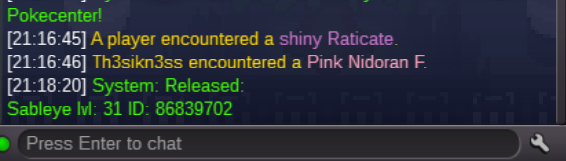
Good morning. I don’t mean to rush, but may I ask how the progress is going regarding my case? I would like to know if I have met the right requirements or if I have released the right required pokemon! Once again, I thank you for helping with this case! Best regards.
-
Hey, What’s the progress of my cases
-
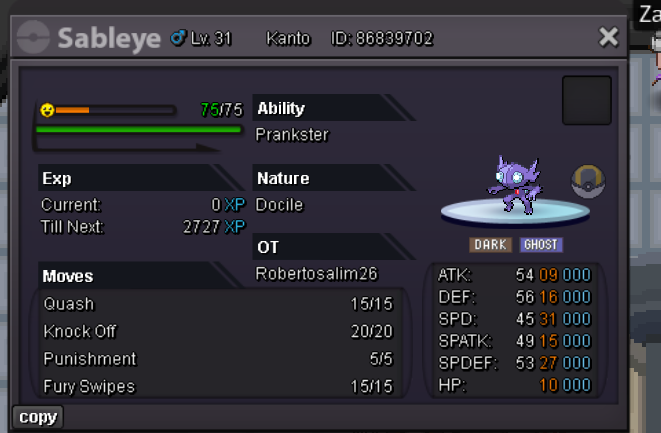
Hey Bitterblade, Thanks for the fast response. Here is the proof of my recently caught sableye. (Notes: I havent completed sablenite quest yet) I am so glad that it can be solved I look forward for the good news.
-
Hello, I seem to have accidentally given away my lv. 100 PvP Sableye that I just bought to the gem collector.. It costed me 2.6m and I really wish I can get it back. I managed to find a picture for it from the seller before he IV and Level trained it. I hope this can help. ID: 103699871 I really hope this would return.. I promise to be more careful next time..

-
Wtb pvp ralts/gallade jolly nature pay extremely well
-
Start
-
3,1
-
Time left?
-
Closed
-
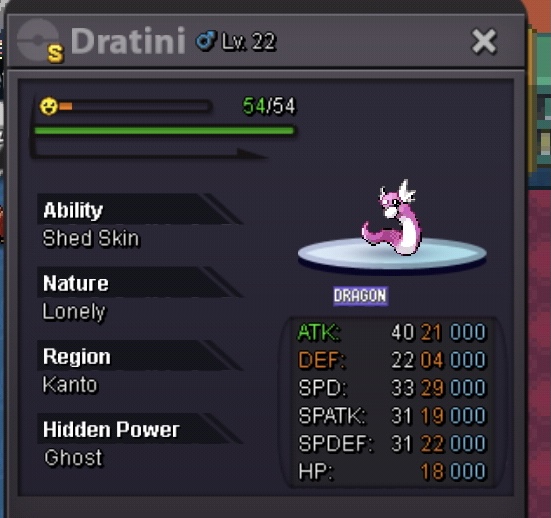
Start: Min raise: 500k Duration/time : 24 hours (after the first bid) Insta : 15
-
Sold to arieslinger
-
1 hour left
-
9 hours left
