




New Trade Zone
Trade Zone is now live
Use the new Trade Zone for auctions and instant-price trades so Pokemon and item offers are easy to find.

Carlost13
Registered User
-
Joined
-
Last visited
-
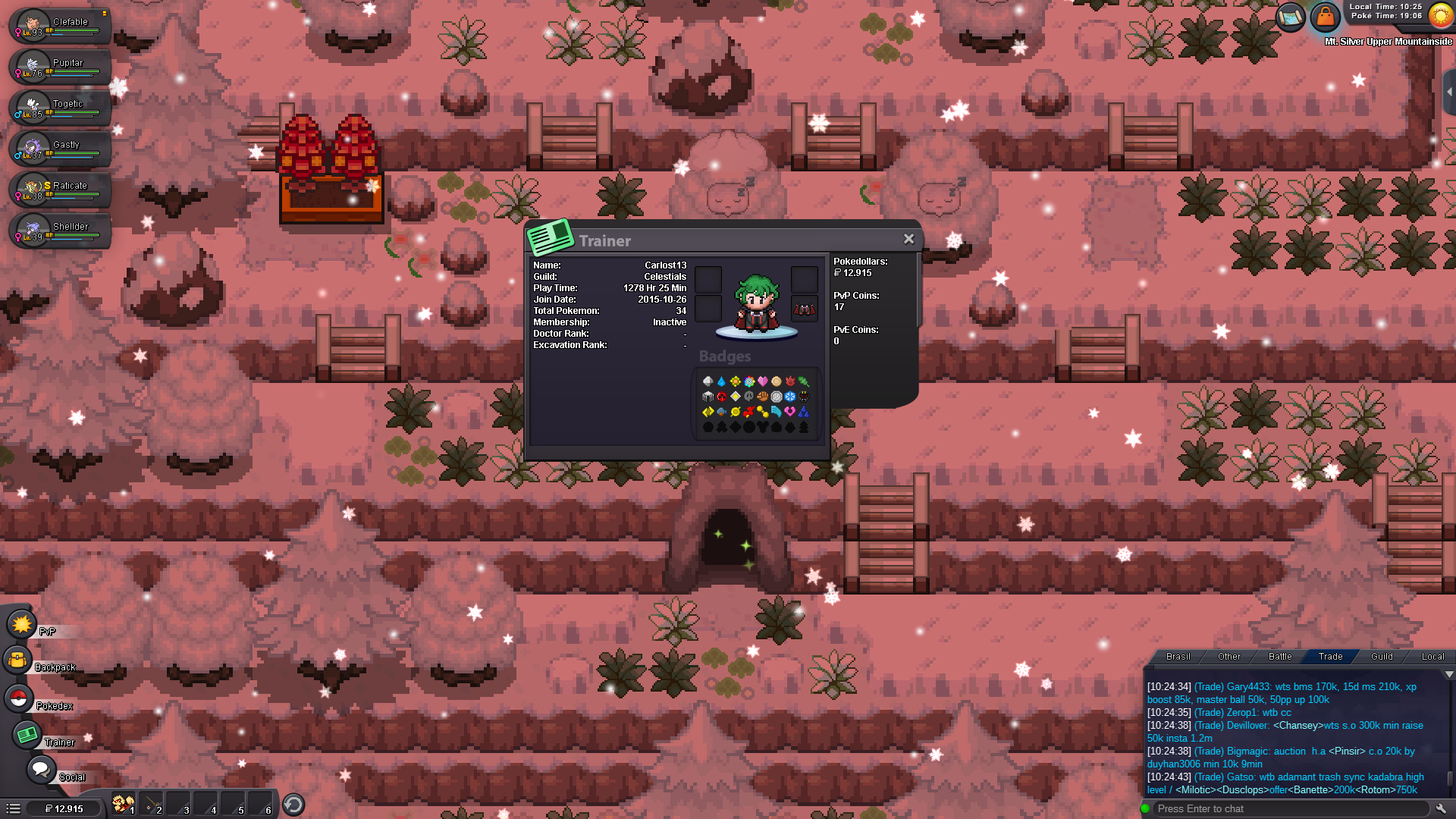
no, there is an error, yes I had access, I even did the quest at the time I played often, is there any way for me to prove that I was there? I even used day care, I've been playing since 2015, it's been a long time, but I do remember having it unlocked, please, if you have any way I can prove it somehow.
-
Hi how are you? I've had this account for a few years as you can see in the photos, I come here to ask a question, I feel wronged, because I had already released the cerulean cave, day care, among other achievements, but I don't have access anymore, I would like an explanation after me feel injured for the time I'm playing I can't access it at all.
 pm carlost13sell start b.o 100k insta b.o 300k pm : carlost13inst excadrill ?price inst exca ??i buy drilbur/excadrill 5 ivs 20+ nature jolly / adamant / naugth / impish / naive, i have 500k max pm carlost13sell 250k pm carlost13 - no posted fake -up up up upsold donphaninst cleffa : 100k inst donphan : 100k inst venussaur 400kno acc post fake- reported. pm in game nickname carlost13. start bo cleffa : 50k start bo donphan : 50k start bo venussaur : 200k GOOD LUCK :)


Account
Navigation
Search
Configure browser push notifications
Chrome (Android)
- Tap the lock icon next to the address bar.
- Tap Permissions → Notifications.
- Adjust your preference.
Chrome (Desktop)
- Click the padlock icon in the address bar.
- Select Site settings.
- Find Notifications and adjust your preference.
Safari (iOS 16.4+)
- Ensure the site is installed via Add to Home Screen.
- Open Settings App → Notifications.
- Find your app name and adjust your preference.
Safari (macOS)
- Go to Safari → Preferences.
- Click the Websites tab.
- Select Notifications in the sidebar.
- Find this website and adjust your preference.
Edge (Android)
- Tap the lock icon next to the address bar.
- Tap Permissions.
- Find Notifications and adjust your preference.
Edge (Desktop)
- Click the padlock icon in the address bar.
- Click Permissions for this site.
- Find Notifications and adjust your preference.
Firefox (Android)
- Go to Settings → Site permissions.
- Tap Notifications.
- Find this site in the list and adjust your preference.
Firefox (Desktop)
- Open Firefox Settings.
- Search for Notifications.
- Find this site in the list and adjust your preference.