New Trade Zone
Trade Zone is now live
Use the new Trade Zone for auctions and instant-price trades so Pokemon and item offers are easy to find.


Captaineg
Suspended
-
Joined
-
Last visited
Everything posted by Captaineg
-
he said to me 30m
-
There should definitely be restrictions on legends in pvp. Some players are not rightly keen on legends. Due to the nature of the Pokemon, for example, I only use normal Pokemon. I don't like the myths getting stuck in a pokeball. This pokemon should definitely not have high stat values. In addition, sheer force is an incredible force.
-
Why haven't I eaten a ban for 4-5 years? Because I'm not cheating. I don't have a second account. I farm for hours as much as I can. So far I couldn't even find 1 form or shiny rare poke. But some friends find those Pokemon somehow. You know, of course, that I don't mean every one. I hope this becomes even more ban number or banning those who have a second account using cheat. If you are really clean, you don't smell any.
-
why ??? time is not over !!!
-
-
gl :)
-
5,1m
-
changed price 600k milotic
-
4,5m
-
bump
-
-
-
bump
-
bump
-
SOLD
-
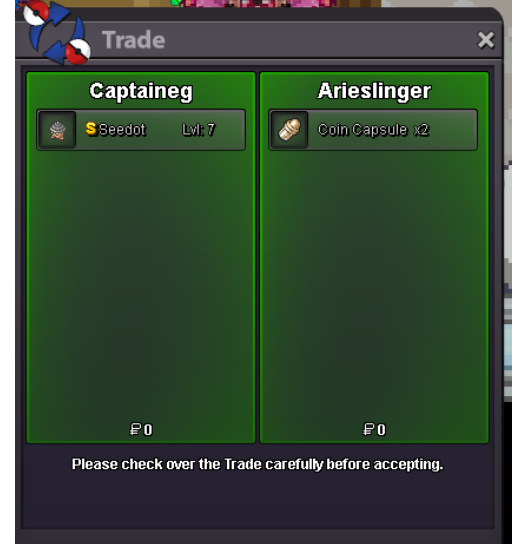
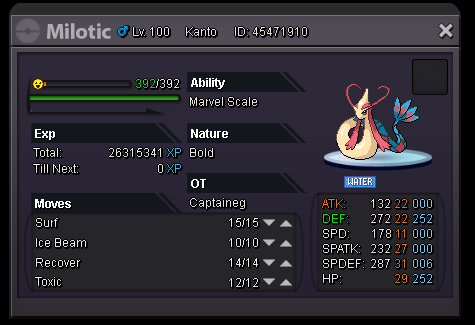
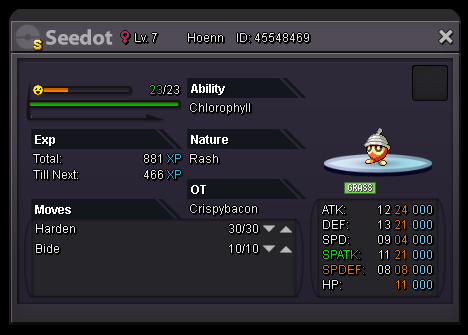
Xmas Chandelure Insta : 2m Milotic Insta : 600k SOLD No Auction But u can send offer :) TY Accept CC : 400k

-
good poke gl 3,8m
-
start
-
it's like auctions without auctions. no time no price .. good poke GL
-
1 hours 25 min
-
left 1 day
-
left 1.5 days
-
-
-
WTS > Tanky Garchomp H.A Auction Start Bid : 3m Min increase : 200k Insta : - Accept CC : 400k Left Time : 3 days