




New Trade Zone
Trade Zone is now live
Use the new Trade Zone for auctions and instant-price trades so Pokemon and item offers are easy to find.

Kirasun
Registered User
-
Joined
-
Last visited
Everything posted by Kirasun
-
Starting price and min raise lowered.
-
Starting price and min raise changed.
-
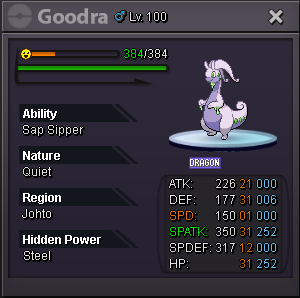
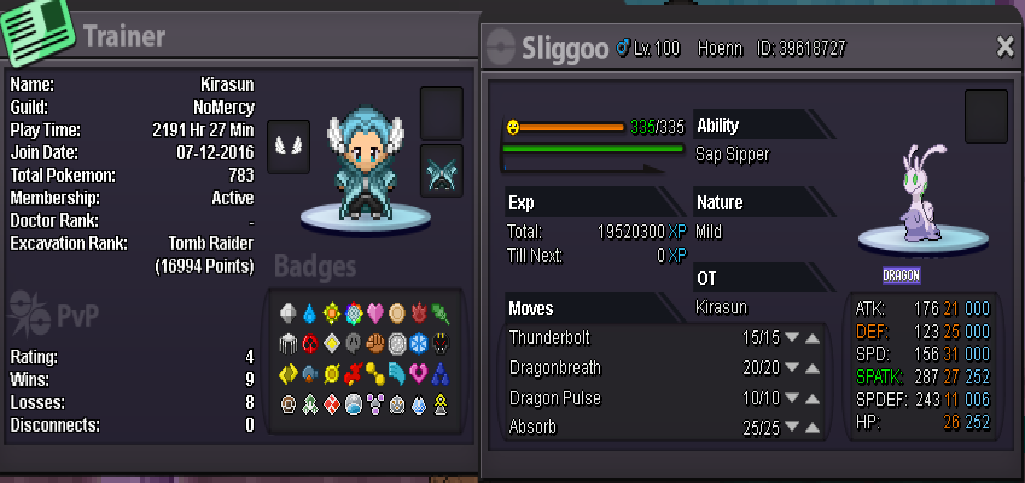
Starting price 400k , min raise 50k , insta 2m. 48 hours auction starting after 1st bid.
-
Starting price 1m , min raise 100k , insta 2m2. 48 hour auction from the starting after the 1st bid.
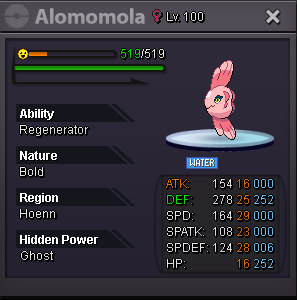 Can be closed.
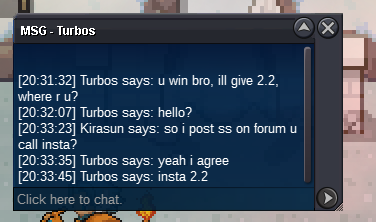
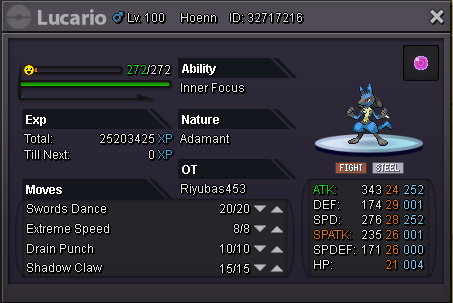
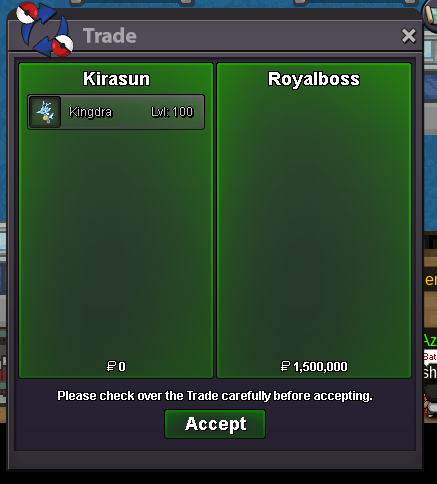 Ok since i got your approval im moving with the trade.Can i refuse because i dont wanna wait?Any GM who can help?Johann14 wins by insta. Post can be closed after i post the trade ss.So the auction ends at 15:15 UTC 1st of November.Starting price 900k,min raise 50k,insta 1m5. 24 hour auction starting from after the 1st bid.
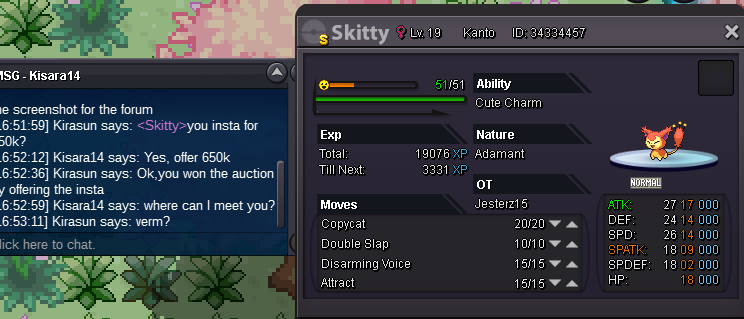
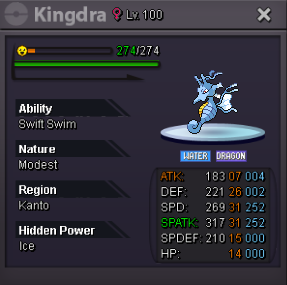 Bro 200k is pretty low already :/Starting price 200k . Min bid raise 20k . Insta 550k.Was looking for offer to be honest.. Since YOU are the one that is looking for the poke.CHANGED: Starting price 200k . Min bid raise 20k . Insta 550k.Thats far from what i expect..Just taking offers and will sell if i believe its worth.
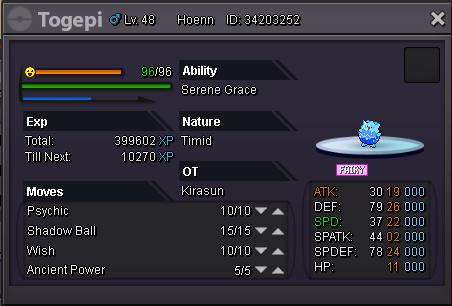 CHANGED:Starting price 300k . Min bid raise 20k . Insta 650k.Starting price 200k . Min bid raise 20k . Insta 550k. Auction starts after the first bid and will last for 48 hours.
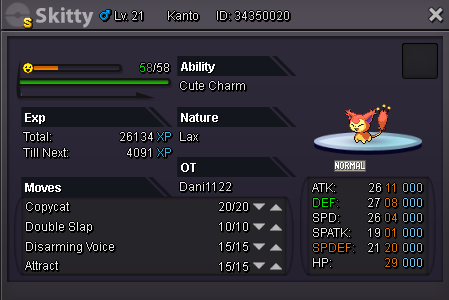 Thread can be closed.Ty.
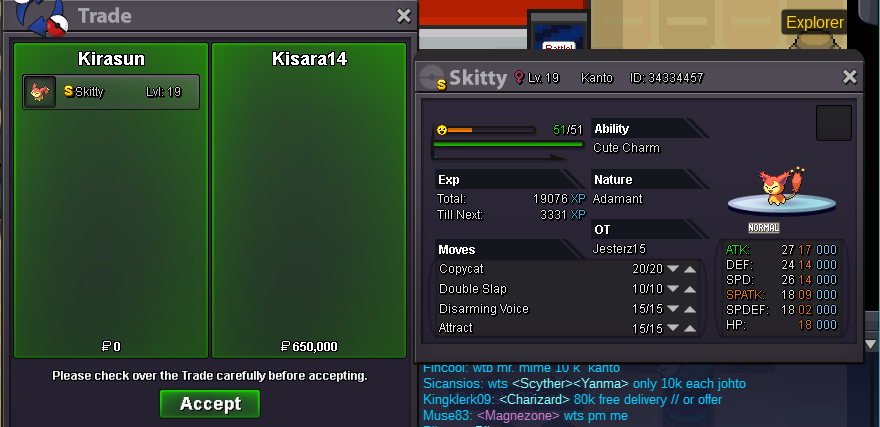 Insta called by Kisara14. Auction ended.
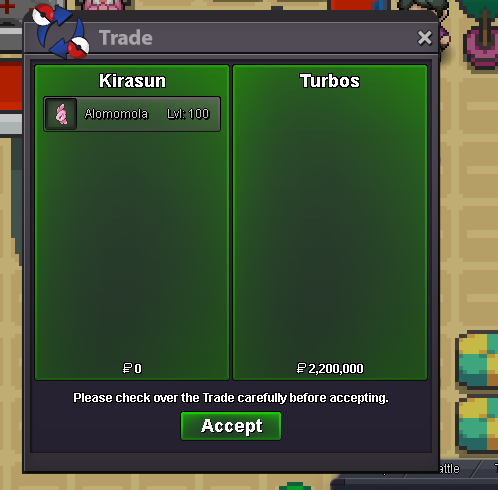

Account
Navigation
Search
Configure browser push notifications
Chrome (Android)
- Tap the lock icon next to the address bar.
- Tap Permissions → Notifications.
- Adjust your preference.
Chrome (Desktop)
- Click the padlock icon in the address bar.
- Select Site settings.
- Find Notifications and adjust your preference.
Safari (iOS 16.4+)
- Ensure the site is installed via Add to Home Screen.
- Open Settings App → Notifications.
- Find your app name and adjust your preference.
Safari (macOS)
- Go to Safari → Preferences.
- Click the Websites tab.
- Select Notifications in the sidebar.
- Find this website and adjust your preference.
Edge (Android)
- Tap the lock icon next to the address bar.
- Tap Permissions.
- Find Notifications and adjust your preference.
Edge (Desktop)
- Click the padlock icon in the address bar.
- Click Permissions for this site.
- Find Notifications and adjust your preference.
Firefox (Android)
- Go to Settings → Site permissions.
- Tap Notifications.
- Find this site in the list and adjust your preference.
Firefox (Desktop)
- Open Firefox Settings.
- Search for Notifications.
- Find this site in the list and adjust your preference.