




New Trade Zone
Trade Zone is now live
Use the new Trade Zone for auctions and instant-price trades so Pokemon and item offers are easy to find.

Popinsmoke
Registered User
-
Joined
-
Last visited
Everything posted by Popinsmoke
-
Make an offer dude Alright noted
-
Pichu sold
-
alright noted and updated the post
-
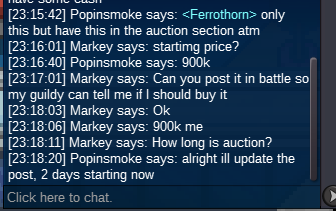
current offer is 500k. minimum increase is 50k, its in the auction section, the info is above the picture
-
sassy ferrothorn started, end time 2 days starting now
-
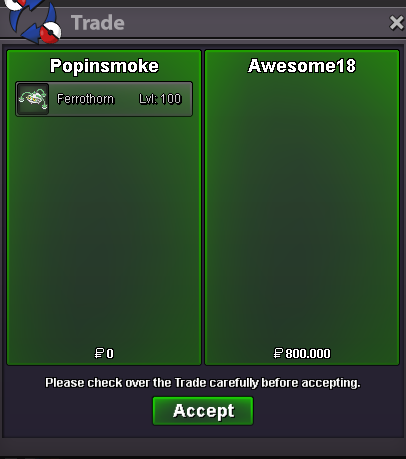
ferro sold and removed from ongoing auctions
-
You are the winner of the Ferrothorn, when can you be in vermilion for the trade?
-
Alright noted, end time is 2 days from the moment u offered, post will be moved to ongoing auction session when im home.
-
aalright noted, ends 6h from now
-
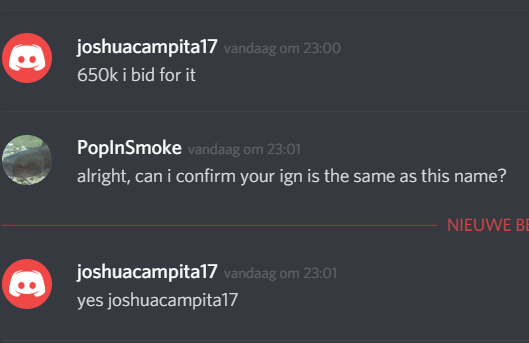
new b.o on the ferrothorn.

-
new b.o onthe impish Ferrothorn, ends in about 19h
-
medicham reserved, will be removed after the trade
-
tauros sold, other sold pokes removed.
-
alright noted, end time is 2 days after your post
-
im actually thinking about putting that one on auction since im a bit busy atm, what would your offer for it be tho?
-
What is your ign? And elekid is sold.
-
alright i can log in now if you are online
-
sorry for the late response, was at work, sure let me know when u wanna trade
-
traded the qwil
-
How is putting a Wobbuffet down for 50m helping to improve the game and not a troll?
-
-
o sorry dude must have missed your comment, 450k
-
You online in about 20 mins?
-
Alomo, xatu sold will be removed tonight
-
Alo, xatu sold will be removed tonight (wrong shop edit rip)
