




New Trade Zone
Trade Zone is now live
Use the new Trade Zone for auctions and instant-price trades so Pokemon and item offers are easy to find.


Desumi
Suspended
-
Joined
-
Last visited
Everything posted by Desumi
-
Gotcha covered! Something extra cute that needs to be hidden in a spoiler.


-
If I ever met someone cosplaying something smiliar like this, I dunno if my heart would be able to survive the cuteness.
-
Need more Eevees!Won't happen :3Now. Let's see. Ah yes, you better wish yourself some good luck too. Since once I'm done with GoldenP1kachu's PC, I'm coming for yours.Gl, if you survive them that is.Nobody you know tbh xD I just happen to notice someone mention it, and I was like justice... hmm. Your forum signature and two justices in Discord. Wierd. So I put two and two together and with the "I'm new to Discord" on one of the users. I figured it was because you prob lost access to your first oneGimme all ur Eevees and I'll mysteriously help you remember your old Discord accountThe great revolution of Sylveons. If only PRO would make all their maps more valentine-ish each Valentine season.It'll be over soon.Better watch out, I'm coming for your PC nextIts all for the greater good. Just look how happy she looks. They'll be taken good care of.
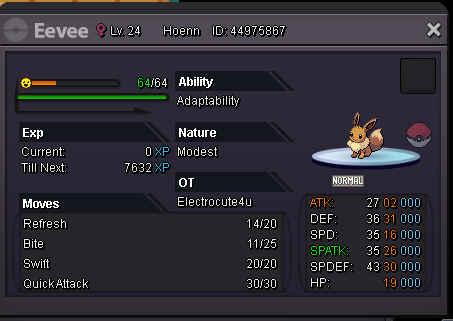 This is a robbery. Give me all your Eevees. Failing in doing so, will result in all your Pikachu's being evolved into Raichu. You have exactly 14 seconds to transfer a minimum of 20 Eevees into the designated. PC in vermilBest of luck OwOOwOSpittin facts with that meme xDWhat's on your mind ?



Account
Navigation
Search
Configure browser push notifications
Chrome (Android)
- Tap the lock icon next to the address bar.
- Tap Permissions → Notifications.
- Adjust your preference.
Chrome (Desktop)
- Click the padlock icon in the address bar.
- Select Site settings.
- Find Notifications and adjust your preference.
Safari (iOS 16.4+)
- Ensure the site is installed via Add to Home Screen.
- Open Settings App → Notifications.
- Find your app name and adjust your preference.
Safari (macOS)
- Go to Safari → Preferences.
- Click the Websites tab.
- Select Notifications in the sidebar.
- Find this website and adjust your preference.
Edge (Android)
- Tap the lock icon next to the address bar.
- Tap Permissions.
- Find Notifications and adjust your preference.
Edge (Desktop)
- Click the padlock icon in the address bar.
- Click Permissions for this site.
- Find Notifications and adjust your preference.
Firefox (Android)
- Go to Settings → Site permissions.
- Tap Notifications.
- Find this site in the list and adjust your preference.
Firefox (Desktop)
- Open Firefox Settings.
- Search for Notifications.
- Find this site in the list and adjust your preference.