




New Trade Zone
Trade Zone is now live
Use the new Trade Zone for auctions and instant-price trades so Pokemon and item offers are easy to find.

Pikachu85
Registered User
-
Joined
-
Last visited
-
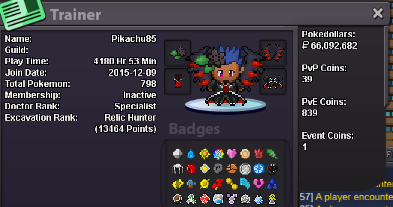
Hello there, here i am after a good break ! A friend recommand me this guild. I'm pretty familiar with some guildmates from Holydoof. My english is not awesome but at least i can understand it. What else ... ● What's your IGN? Pikachu85 ● How old are you? 28 ● Where are you from? France ● What's your total playtime? About 4180 hours ● What do you enjoy doing in the game? Hunting, hunting and ... hunting ! ● Would you like to offer some kind of service to the guild? Maybe one day 🙂 Share my experience of pokemon player ^^ And finally, ENDOOF everyday 😉 Have a nice day, Pikachu85
-
NAME CHANGE Username : Pikachu85 New Username : PuckFinkther (if not avalaible, PinkSlayer) Server to charge the money from : Silver
-
Pikachu85
-
1 - What is the pokemon that is really 108 entities? Spiritomb 2 - Where did halloween originated from? Ancient Celtic Festival of Samhain 3 - What ghost is immune to tynamo? Golett / Golurk / Alola-Marowak with lightning rod / Sandygast / Palossand / Shedninja with wonder guard 4 - What type has ghost not yet been paired with? Normal and rock type 5 - How many Ghost type pokemon were introduced in generation 5? There are 9 : Litwick / Lampent / Chandelure / Golett / Golurk / Frillish /Jellicent / Yamask / Cofagrigus Server BLUE Name in game : Pikachu85
-
I offer 1m
