




New Trade Zone
Trade Zone is now live
Use the new Trade Zone for auctions and instant-price trades so Pokemon and item offers are easy to find.


Raiyy
Registered User
-
Joined
-
Last visited
-
Raiyy, Silver
-
Raiyy, Silver
-
Raiyy, Silver
-
Raiyy, Silver
-
Raiyy, Silver
-
Raiyy, Silver
-
Raiyy, Silver
-
Raiyy, Silver
-
Raiyy, Silver
-
Raiyy, Silver
-
Raiyy, Silver
-
Raiyy, Silver
-
1.2m
-
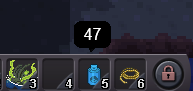
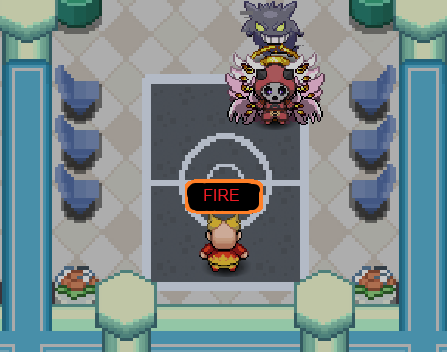
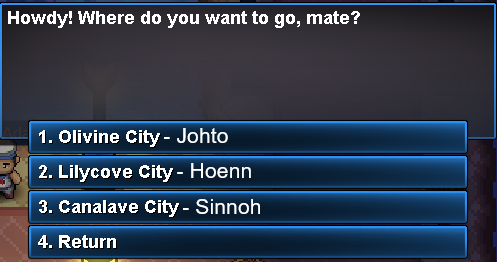
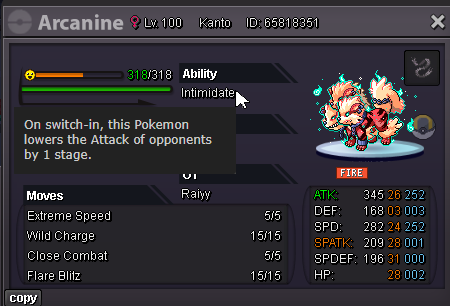
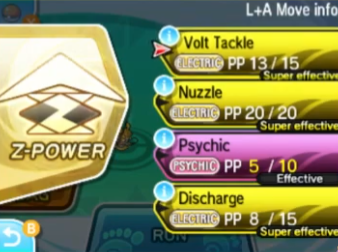
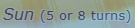
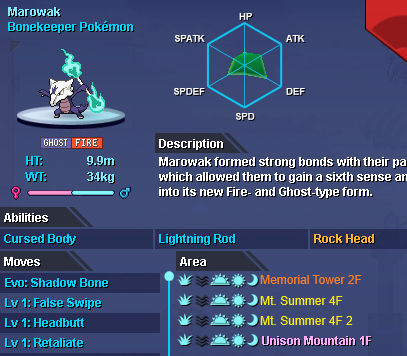
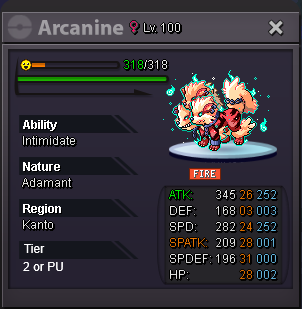
1. More hotbar slots. 2. Hovering over items in the hotbar shows the amount. 3. Name trainers in the trainer tower to match their typ. 4. Remove the auto heal when using a escape rope. 5. Add region names to the sailors at the docks. 6. Rename nature reroll tickets to nature change tickets to avoid confusion. 7. Hovering over a ability gives you description. 8. Show if attacks are effective in battle like added in sun and moon. 9. Add a in battle timer to reflect, lightscreen, trickroom, psychic terrain, grassy surge, etc. in the same stlye showdown has. 10. Give the area names from events a diffrent color to easily distinguish between them. (For membership pokemon you could add a (MB) at the end.) 11. Remove all (boss) cooldowns from quest e.g. mega absol quest. 12. Make it only 10 bosses per week but double the rewards so you need less time doing them and need to decide which boss rewards you want. 13. Give pokemon a ingame tier rating for pvp. 14. Add PVP rotations where you can only take 0/1/2 legendarys/ubers/Tier 1 pokemon with you. 15. Add a Questlog ingame or per discord bot to easily show you what you have already done.

-
Raiyy changed their profile photo
-
medicham 200k

