




New Trade Zone
Trade Zone is now live
Use the new Trade Zone for auctions and instant-price trades so Pokemon and item offers are easy to find.

Alkandria
Registered User
-
Joined
-
Last visited
-
Really really hyped ❤️ My favorite form is Delphox, and i want to hunt it, same with Rapidash, i love cute Fire Pokes 😃 Its cool to hunt other forms and i love all of them, doesnt matter how much there are. I would really love a Halloween Form from : Pidgey exspecialy Megaevolution, Fossils, New Form for Absol+Mega, and New Form for Manectric+Mega, i would like to see a new form for Johto Starters and Feebas. And PLEASE give Luxray a chance 😃 I dont know, i have not rly much time played yet. But i Would like all Mounts that looks like Cat/Dog-Mons 😃
-
Now its over, Yezeeyun wins itoh yes, sorry is my 2nd auction, was thinking it means theres a 15min delay, but its not over Forum: If a bid is received in the final 15 minutes of the auction, the end point will be delayed by 15 minutes from that bid, and will be delayed by 15 minutes for each new bid thereafter, until the current offer has been held for a full 15 minutes. Must be accurate to the minute that the auction is set to end.Auction is over since 10.15 Optimus123 win for 4m1 0rthodox theres a 15min RuleHidden Ability Ice Start Price: 400k Min Bid Raise: 50k Auction is started! 24h by now
 Sorry was my fault 🙂 editet it
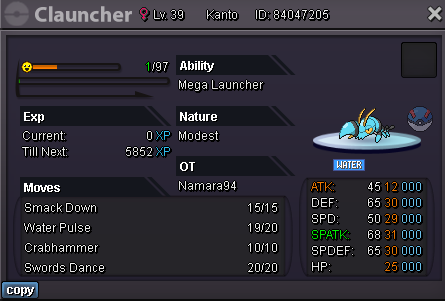
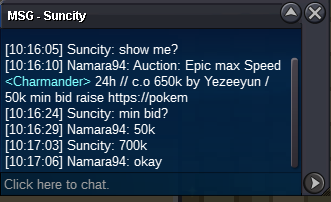
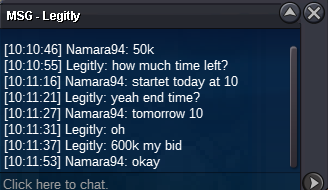
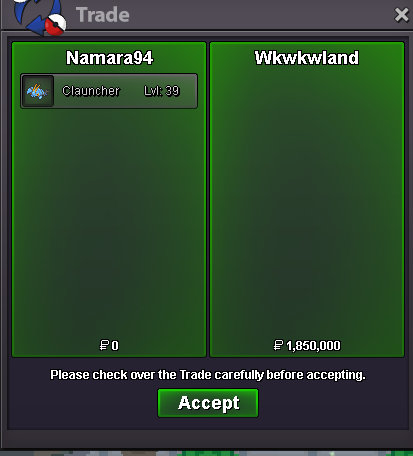 Hey, Auction is over since 18.40 + 15min, so Wkwkwland wins itH.A. Bug Start Price: 400k Min Offer: 50k Auction Starts after first bid. 24hours
 200k :)



Account
Navigation
Search
Configure browser push notifications
Chrome (Android)
- Tap the lock icon next to the address bar.
- Tap Permissions → Notifications.
- Adjust your preference.
Chrome (Desktop)
- Click the padlock icon in the address bar.
- Select Site settings.
- Find Notifications and adjust your preference.
Safari (iOS 16.4+)
- Ensure the site is installed via Add to Home Screen.
- Open Settings App → Notifications.
- Find your app name and adjust your preference.
Safari (macOS)
- Go to Safari → Preferences.
- Click the Websites tab.
- Select Notifications in the sidebar.
- Find this website and adjust your preference.
Edge (Android)
- Tap the lock icon next to the address bar.
- Tap Permissions.
- Find Notifications and adjust your preference.
Edge (Desktop)
- Click the padlock icon in the address bar.
- Click Permissions for this site.
- Find Notifications and adjust your preference.
Firefox (Android)
- Go to Settings → Site permissions.
- Tap Notifications.
- Find this site in the list and adjust your preference.
Firefox (Desktop)
- Open Firefox Settings.
- Search for Notifications.
- Find this site in the list and adjust your preference.