




New Trade Zone
Trade Zone is now live
Use the new Trade Zone for auctions and instant-price trades so Pokemon and item offers are easy to find.

Jeegolo
Registered User
-
Joined
-
Last visited
-
190k drillbur
-
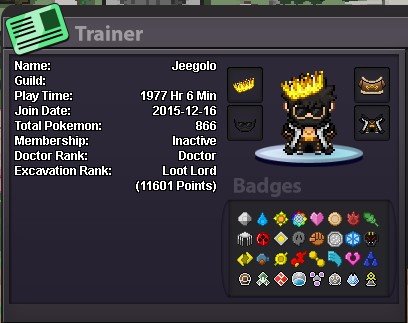
What's your IGN? Jeegolo, I'm friends with Jeflo and Moholin PLEASE CONTACT ME HERE - Discord IGN : jeelette ● How old are you? 25 ● Where are you from? Switzerland ● What's your total playtime? ~2k ● What do you enjoy doing in the game? I'm a completionist so pretty much complete everything, right now we want to farm the pinkan dungeon. ● Would you like to offer some kind of service to the guild? (ex. Daycare service) Participate in dungeon (especially pinkan) And the most important question of them all: Which Bidoof Form do you like the most? RAIDOOF
-
Jeegolo changed their profile photo
-
Thank you very much homie God bless. Edit: Gonna close this topic then or waiting to be closed
-
Hello, Basically I deleted the email (alias) connected to my microsoft account and therefor is not accessible anymore. It was used in this account and I wanted to change the email but it sends a confirmation link to my deleted email (which I cannot access anymore) so here I am. I honestly don't know if I am in the wrong place to post this and I'm sorry in advance if I was. I can provide any needed info if necessary.
-
give me your discord id to set up a meetup
-
350k for shuckle 2
-
shuckle 2 250k
-
shuckle 2 200k
-
Shuckle 2 150k
-
-
555k
-
1.1m
-
-
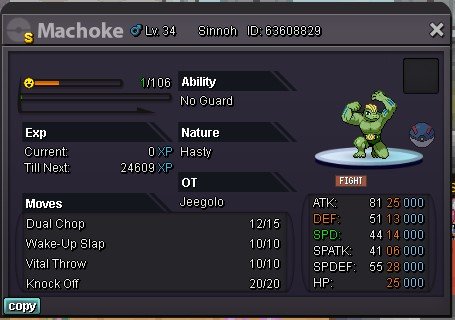
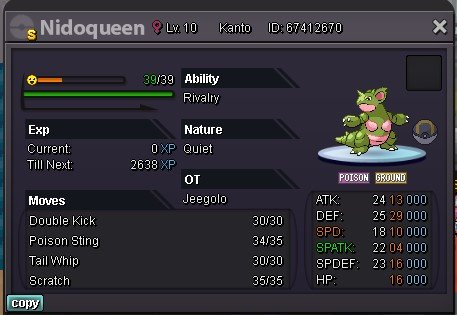
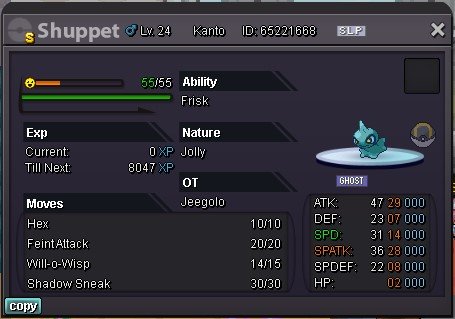
300k or offer 100k or offer 1mio if I dont answer here pm me on discord : Jee#9089
-
Sold to Dragon73 winner of the auction

.png.6e125651328bc8083836693a8197565d.png)

