




New Trade Zone
Trade Zone is now live
Use the new Trade Zone for auctions and instant-price trades so Pokemon and item offers are easy to find.


Pokemongamer123
Registered User
-
Joined
-
Last visited
Everything posted by Pokemongamer123
-
3.7m
-
wtb: Clefable 3 190k, Houndoom 3 240k, Mawile 38 300k, Sceptile 5 h.a 200k Discord: Shankzy will be contacting
-
400k vulpix 2
-
I'm sorry I was AFK, I am here now

-
scyther 2 140k
-
350k dratini
-
start scyther 2
-
300k
-
buy blaceph. IGN: Pokemongamer123 I am online
-
start
-
150k
-
start ttar and maro
-
Congatz you have won the auction, msg me in game or on discord to receive the pawniard.
-
STARTS 24 HOURS AFTER FIRST BID S.O 200k Min Bid: 50k Insta: 900k In game name: Pokemongamer123 Discord: Shankzy
 350k first mudkip350k - IGN Pokemongamer123 | Discord: Shankzy ig
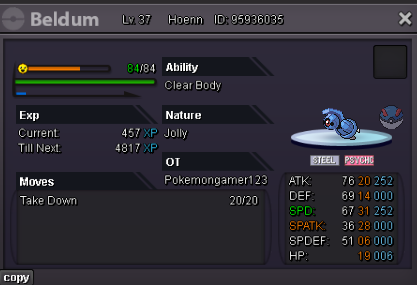 600k[Closes 48 Hours] [CASH ONLY] Start: 500k C.O: Minimum Bid: 100k Insta: 2m IGN: Pokemongamer123 / Discord shankzy#6909
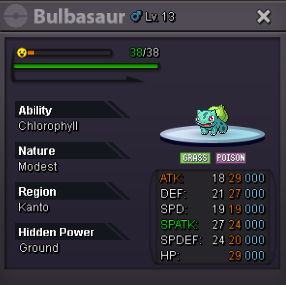 IGN: Pokemongamer Discord: shankzy#6909 1m (negotiable)
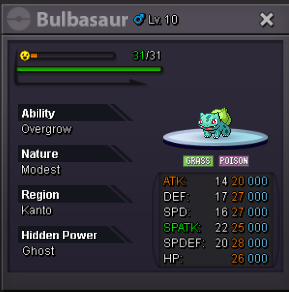 200K IGN: Pokemongamer123 - Discord shankzy#6909
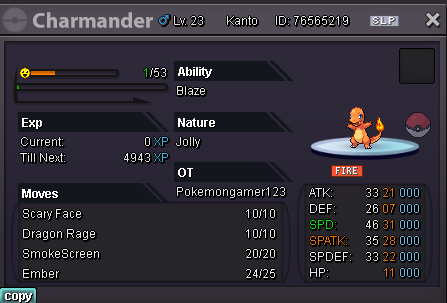 ● What's your in-game name? 1. Pokemongamer123 (thought it was funny) ● How old are you? 22 ● Are you active in Discord? Yes ● Where are you from? United States ● What's your total playtime? 1581 Hours ● What's your goal in PRO? Get better at pvp and a top ladder placement ● What do you enjoy while playing the game? PVP and getting rare mons ● Why do you want to be part of the guild? I'm a huge One Piece fan and the leader is always top 1 pvper ● What's your favorite Pokemon and why? Hawlucha cause hes goofy looking CURRENT RANKED LADDER RATING: 211


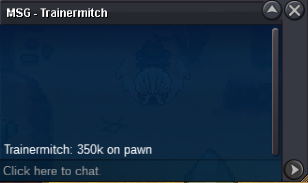
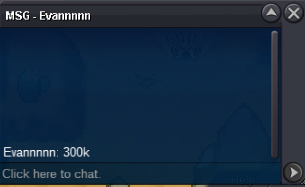
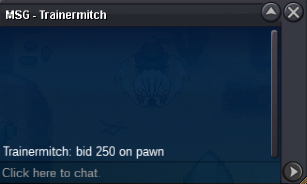
Account
Navigation
Search
Configure browser push notifications
Chrome (Android)
- Tap the lock icon next to the address bar.
- Tap Permissions → Notifications.
- Adjust your preference.
Chrome (Desktop)
- Click the padlock icon in the address bar.
- Select Site settings.
- Find Notifications and adjust your preference.
Safari (iOS 16.4+)
- Ensure the site is installed via Add to Home Screen.
- Open Settings App → Notifications.
- Find your app name and adjust your preference.
Safari (macOS)
- Go to Safari → Preferences.
- Click the Websites tab.
- Select Notifications in the sidebar.
- Find this website and adjust your preference.
Edge (Android)
- Tap the lock icon next to the address bar.
- Tap Permissions.
- Find Notifications and adjust your preference.
Edge (Desktop)
- Click the padlock icon in the address bar.
- Click Permissions for this site.
- Find Notifications and adjust your preference.
Firefox (Android)
- Go to Settings → Site permissions.
- Tap Notifications.
- Find this site in the list and adjust your preference.
Firefox (Desktop)
- Open Firefox Settings.
- Search for Notifications.
- Find this site in the list and adjust your preference.