New Trade Zone
Trade Zone is now live
Use the new Trade Zone for auctions and instant-price trades so Pokemon and item offers are easy to find.

Korei143
Suspended
-
Joined
-
Last visited
Everything posted by Korei143
-
:> 400k my friend chams for s yanma :>
-
s yanma 350k
-
IGN: Korei143 Playtime: 2680 hours PVP rating: 100+, kinda lazy to pvp cause of clone event :> Vote for Nature Reroll Ticket: Yes Reason: Kinda expensive to buy but no guarantee if nature will be good. So this will be a good idea i think :> Vote for Birth Island: Neutral Reason: Depends on the requirement needed for legendary that will be caught there.
-
Hydreigon in shary shauis room i cant upload image :(
-
answer : Salamence . in dragon shrine
-
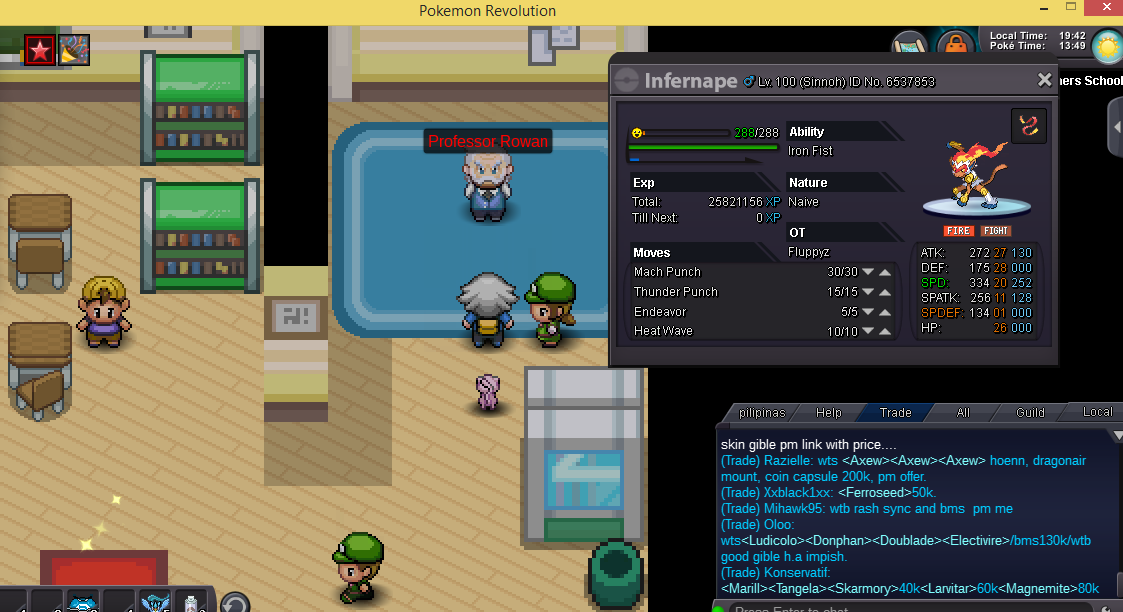
My answer : Infernape
-
offer insta 2m offer insta 4m


-
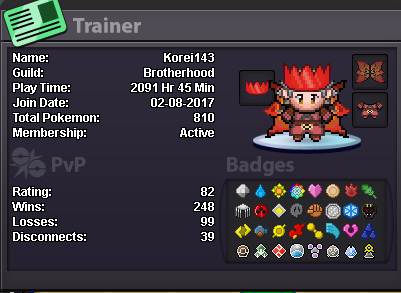
Hi im Korei143 i want to join in the tournament., Heres my trainer card (Philippine Time) UTC/GMT +8 hours. ALBUM PVP TEAM
-
6.2m ...
-
7.6m :)
-
6.2m :)
-
btw i just add info how i got this vaporeon is i traded it to other players . maybe hes old player thats why he has this cool vaporeon . hope this bug will be fix . cant wait also that this has accessories on it :)
-
this effects.. so cool .
-
some says when i pvp . my vaporeon has a hat . i hope its true . but then when i check it it doenst have . help . hope they say is true . my first pokes is clone blastoise then switch to vaporeon , then my vaporeon now has a hat . hoping that my vaporeon will be true with a snow effect when i use it .. thanks...
-
its already okay now . thanks gm
-
help .. please
-
Im stuck in Vermillion pokecenter help me .. please to get out of here ..