New Trade Zone
Trade Zone is now live
Use the new Trade Zone for auctions and instant-price trades so Pokemon and item offers are easy to find.


Metanarchy
Registered User
-
Joined
-
Last visited
Everything posted by Metanarchy
-
Bonjour everyone! Grand reopening today! A ton of new Pokemons are on sale, prices have been reduced on older Pokémons, and prices have been adjusted to reflect current market values. Prices are always negotiable reasonably or if you purchase multiple Pokémons. A list of specific Pokémons will be available soon, offering prices of 200k and under. Merci for your patience and happy shopping!
-
Omg omg, what a beautiful shop !
-
Bonjour everyone! Starting today and for the next days, the shop is getting a makeover. Price adjustments and new items are coming soon. Merci for your patience and see you soon! Edit (01.22.2026) : As there is a lot of new things to had, the makeover will take more than few days. Edit (01.25.2026) : I finished the data's list, my shop should re-open next week end. Edit (02.04.2026) : Without internet access since last week, I couldn't reopen on the scheduled date, so the shop will be back online this weekend.
-
@Atoums Ofc ! tell me when you are online 🙂@Wakko16 Sorry mate, it was sold 7 hours ago when I was sleeping
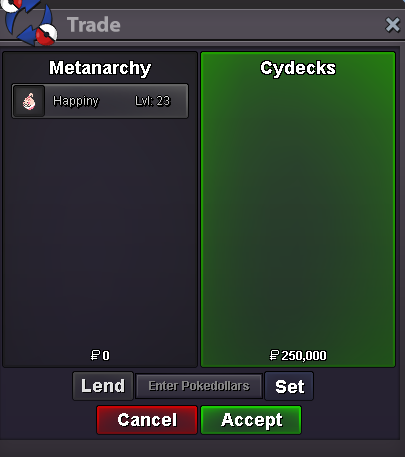
 Happy New Year all ! Back from Holidays ! Feel free to contact me whenever you want 🙂Bonjour everyone ! From december 21st to january 1st, the shop will be running at a reduced capacity. I'll still be available, but my response time will be much longer during that holiday week. Thanks everyone ! Merry XMAS and have a good game !Metanarchy - goldMetanarchy Gold
Account
Navigation
Search
Configure browser push notifications
Chrome (Android)
- Tap the lock icon next to the address bar.
- Tap Permissions → Notifications.
- Adjust your preference.
Chrome (Desktop)
- Click the padlock icon in the address bar.
- Select Site settings.
- Find Notifications and adjust your preference.
Safari (iOS 16.4+)
- Ensure the site is installed via Add to Home Screen.
- Open Settings App → Notifications.
- Find your app name and adjust your preference.
Safari (macOS)
- Go to Safari → Preferences.
- Click the Websites tab.
- Select Notifications in the sidebar.
- Find this website and adjust your preference.
Edge (Android)
- Tap the lock icon next to the address bar.
- Tap Permissions.
- Find Notifications and adjust your preference.
Edge (Desktop)
- Click the padlock icon in the address bar.
- Click Permissions for this site.
- Find Notifications and adjust your preference.
Firefox (Android)
- Go to Settings → Site permissions.
- Tap Notifications.
- Find this site in the list and adjust your preference.
Firefox (Desktop)
- Open Firefox Settings.
- Search for Notifications.
- Find this site in the list and adjust your preference.