New Trade Zone
Trade Zone is now live
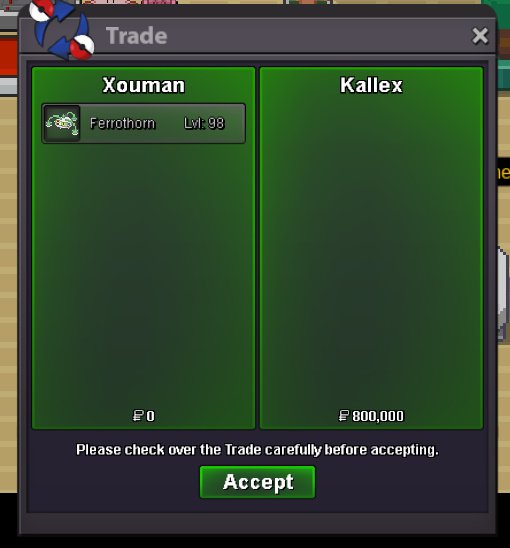
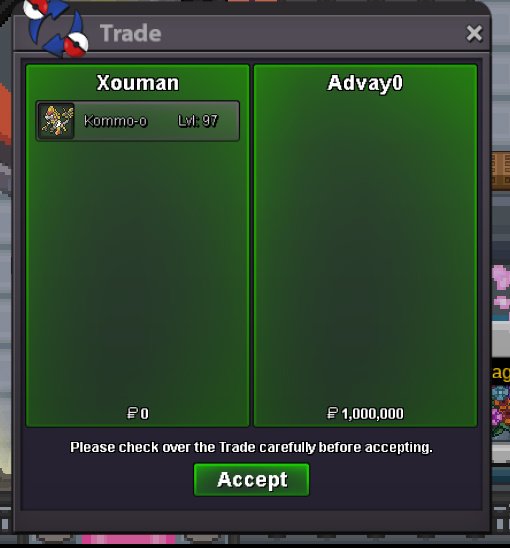
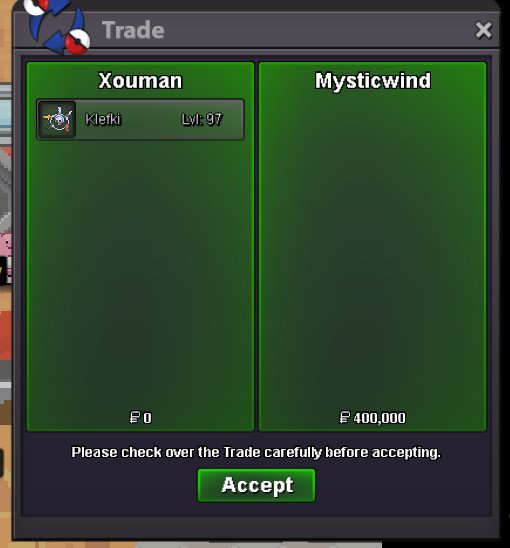
Use the new Trade Zone for auctions and instant-price trades so Pokemon and item offers are easy to find.


Xouman
Registered User
-
Joined
-
Last visited
-
-1 "I get destroyed by this or that poke,this or that kind of team(s),so let's force the players for months or a season to change their team(s) so i can win" That's the only thing it tells,the path doesn't have to be easier so we can finally be able to walk on it,that's a soft mentality,i disagree,instead playing smart,having good switchs-predicts,knowing how to use our team(s) will lead to winning,who you face or which team(s) you face shouldn't even cross your mind.
-
I agree about being able to run for new or "new" players until they get a bike-mount because walking all the time is annoying.
-
It's personals preferences,i activate animations for PvP games all the time,it makes them more immersive,i deactivate them for Dungeons Runs because obviously we want to finish as fast as we can,animations are added short-by-short and Shadow Pokes deserve to have their glow-aura in battles too because it's a part of their identity,including BabyXD001 imo.
-
Back then we could check on Discord the exact Rarity Tier of a Poke on any Spot from 1 to 9(was it 10 the maximum?),i don't know why they changed it,because it was better like that imo.
-
+1 Few days of Mini PvP Events for example : Chests Buffs - You win one more chest than usual on each Normal & Random daily win + Same for 2nd Normal & 4th Random win after Hot Streaks - You win three chests or 15 PvP Coins after 10 Wins Streak + One gold chest or 20 PvP Coins after 15 Wins Streak A Blessing Or A Curse? - The difference of rating will reward you more or punish you more (For Example you're 100 and win against a 300 rated player,that win will make you gain more rating than usual and for the losing player,that will at the same time makes it loses more rating than usual) Tanky Mind - If you beat your opponent while no pokes in your party have been killed,you will win more PvP Tokens on your next opened chest than usual Hat Trick - If you beat three opponents in a row while no pokes in your party have been killed,you will win more PvP Tokens on your next three opened chests than usual + more rating than usual on the third win The Storm Will Not Stop Me - If you beat your opponent while having at least 3 status (Self-Status doesn't count ofc) and one full hazard on your side (one Stealth Rock or three Spikes or two Toxic Spikes or one Sticky Web) you will win more PvP Coins than usual A Last Hope - If you beat your opponent that still have five or six pokes (with each of them having at least 50% HP) with your last poke alive,you will win more PvP Coins & more PvP Tokens than usual in your next two opened chests Rampage - If you beat your opponent with a Full Team (Winning by killing all of them with one of your poke and never switching on your side) you will win more rating than usual No Time To Waste - If you beat your opponent in less than 10 Turns,you will win more PvP Tokens than usual in your next two opened chests
-
I like what they're doing with BCC or FCC,sometimes it's in the morning,sometimes in the evening,having a community of players from all around the world,it makes us more or less able to participate no matter from which country and timezone we are,so yeah having sometimes WQ in the morning(or maybe early afternoon?)can be great,if i'm right WQ are happening always late evening(?).
-
I agree,these double sentences as auction links feels spammy now sometimes and we kinda click them by accident when we want to click on the poke's name just to check.
-
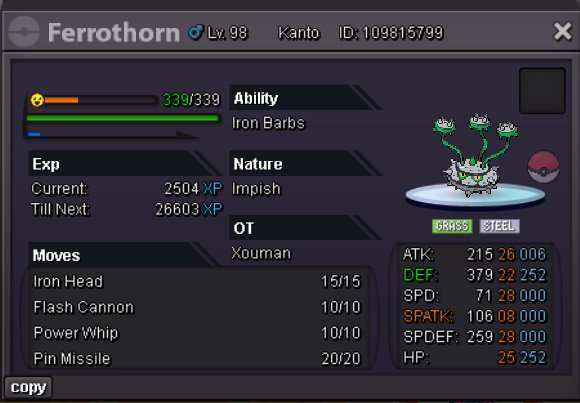
@Allsmell Can you tell more or less when you will be online please,you're the last one to finish this with the Ferro.
-
Hi i was IG but not in front of computer at all i should've disconnected.
-
I'm online now.
-
@shinyzorua1 @Shoot3rhmong @Pablindugrau444 @Ynosvt @Allsmell Y'all won
-
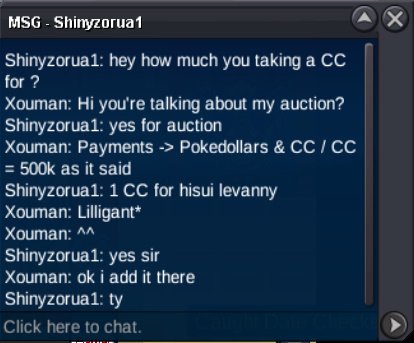
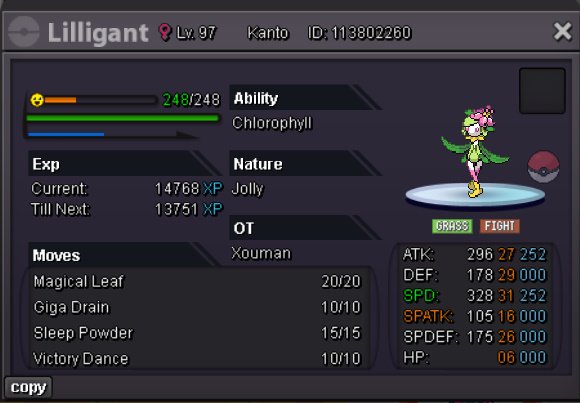
C.O 500k Lilligant
-
It's written under ferro.
-
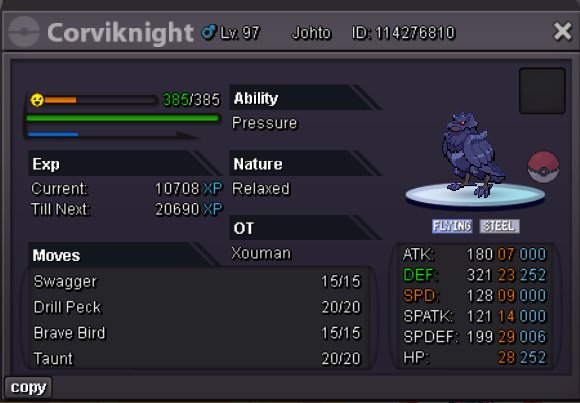
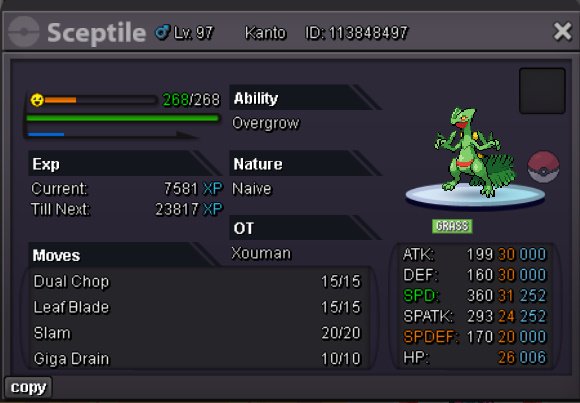
Starting Price -> 400k Insta Price -> None Minimum Raise -> 100K Starting Price -> 350k Insta Price -> None Minimum Raise -> 100K Starting Price -> 300k Insta Price -> None Minimum Raise -> 100K Starting Price -> 300k Insta Price -> None Minimum Raise -> 100K Starting Price -> 300k Insta Price -> None Minimum Raise -> 100K Payments -> Pokedollars & CC / CC = 500k Ending -> Monday 22 June 23:00 GMT+1

-