New Trade Zone
Trade Zone is now live
Use the new Trade Zone for auctions and instant-price trades so Pokemon and item offers are easy to find.

Diegoj12
Registered User
-
Joined
-
Last visited
-
What is your in-game name (IGN)? - Diegoj12 How many hours have you logged in PRO? - 2205 HRS Do you know any existing members? No What is your previous guild, if any? None What is your favorite Pokémon? Gengar Which event do you look forward to the most? Halloween What are your main interests in PRO? (PvP, PvE, Hunting, etc.) PvP and Hunting What is your highest PvP rating? 230 Do you have any dungeon experience? more or less Are you comfortable using voice chat in English for dungeon runs? (needed for anyone interested in running dungeons) yes ofc.
-
Player Name: Diegoj12 Server: Silver Timezone: GMT-5
-
-
Username: Diegoj12 Server : Silver Country/Timezone: Colombia/GMT-5
-
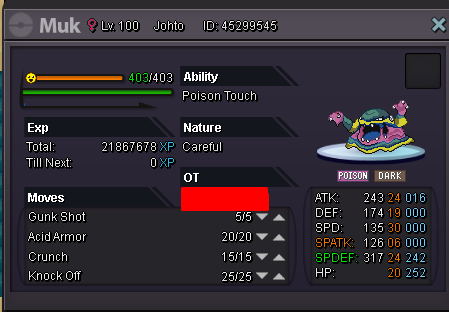
350k i can offeri want to buy lanturnRe: Wts epic Jolly Electivire lvl100 motor drive <r><URL url="https://subefotos.com/ver/?a6f27b950c4ba0377b95c5944f67d79bo.png"><LINK_TEXT text="https://subefotos.com/ver/?a6f27b950c4ba ... 7d79bo.png">https://subefotos.com/ver/?a6f27b950c4ba0377b95c5944f67d79bo.png</LINK_TEXT></URL><br/> insta: 1m<br/> bid start: 400k<br/> ends in: 72 hours <E>:thanks:</E> <E>:thanks:</E> <E>:thanks:</E></r>https://subefotos.com/ver/?f65b8f946b42e9583d5a5a86009982f5o.png insta: 2.2m bid start at: 800k finish in 72 hours :thanks:lvl47 phanpy johto 14 atk 200k :Grin:No he podido incluso lo desinstale y lo volví a instalar y todo seguía igual no me sale la barra de información de la izquierda ni los usuarios ONLINE y le doy login in y enseguida sale: can not connect to serverPRO Username: Diegoj12 Do you have active membership?: Yes Your knowledge about PRO: Beginner What have you done before the problem was there? solo iba a actualizar el servidor de PRO y de repente no me salen ni los usuarios en linea ni la tabla de informacion What have you already tried to solve the problem? trate de cerrar y volver a abrir y por mas que intente sale ''can not connect to server'' Description and Message