New Trade Zone
Trade Zone is now live
Use the new Trade Zone for auctions and instant-price trades so Pokemon and item offers are easy to find.

Lillyxd
Registered User
-
Joined
-
Last visited
Everything posted by Lillyxd
-
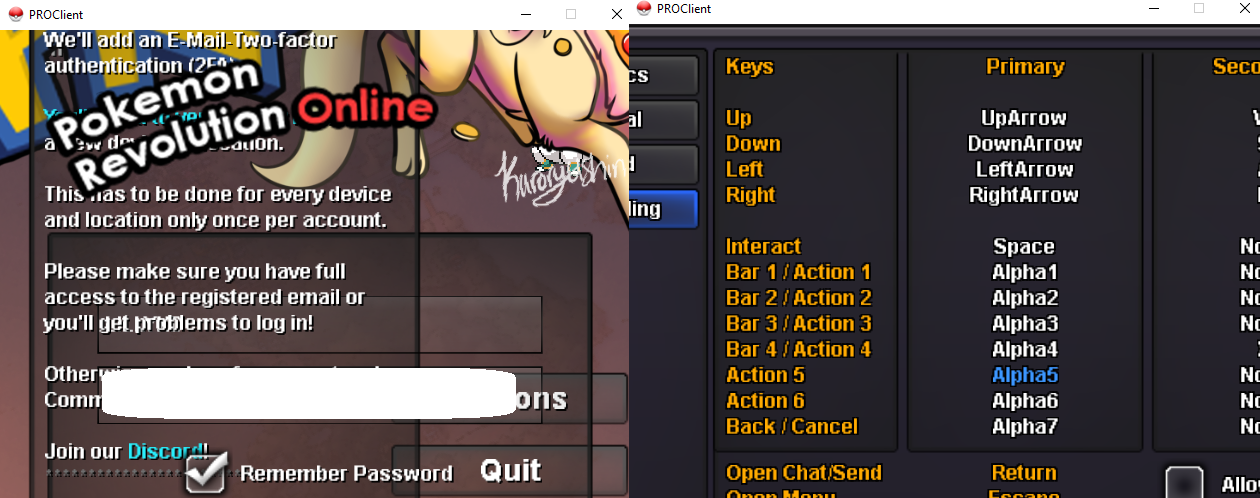
I can't acces login nor apply button i tried re installing the game multiple times what can i do now ? been stuck here since yesterday
-
Buy heracross 2m
-
Price 2M
-
up
-
bump
-
You won the auction for alakazam fire congrats
-
bump
-
daily bump
-
bump
-
noted
-
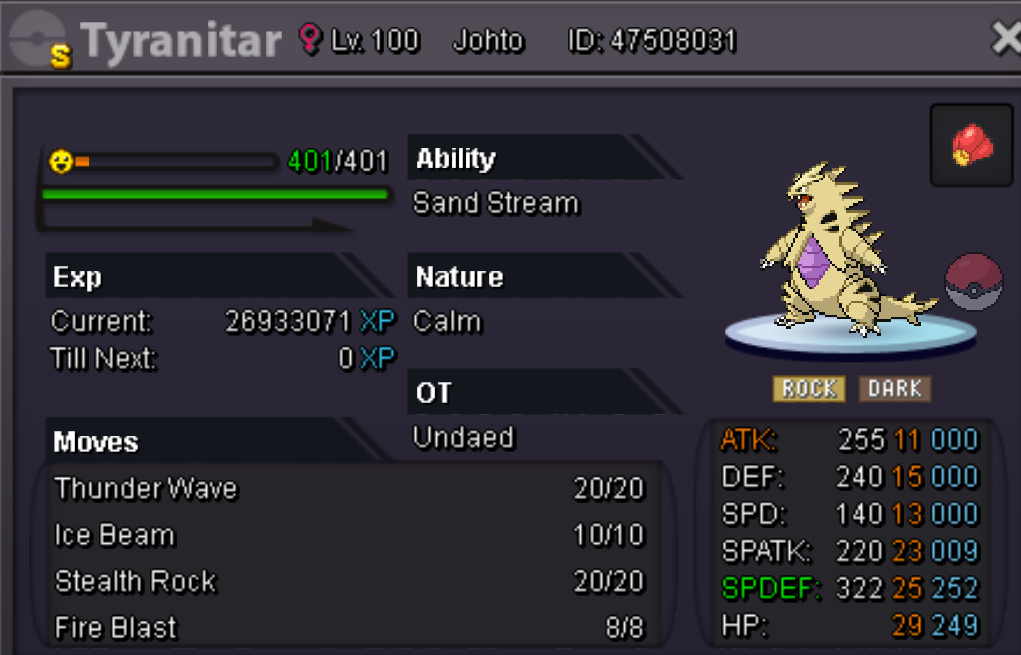
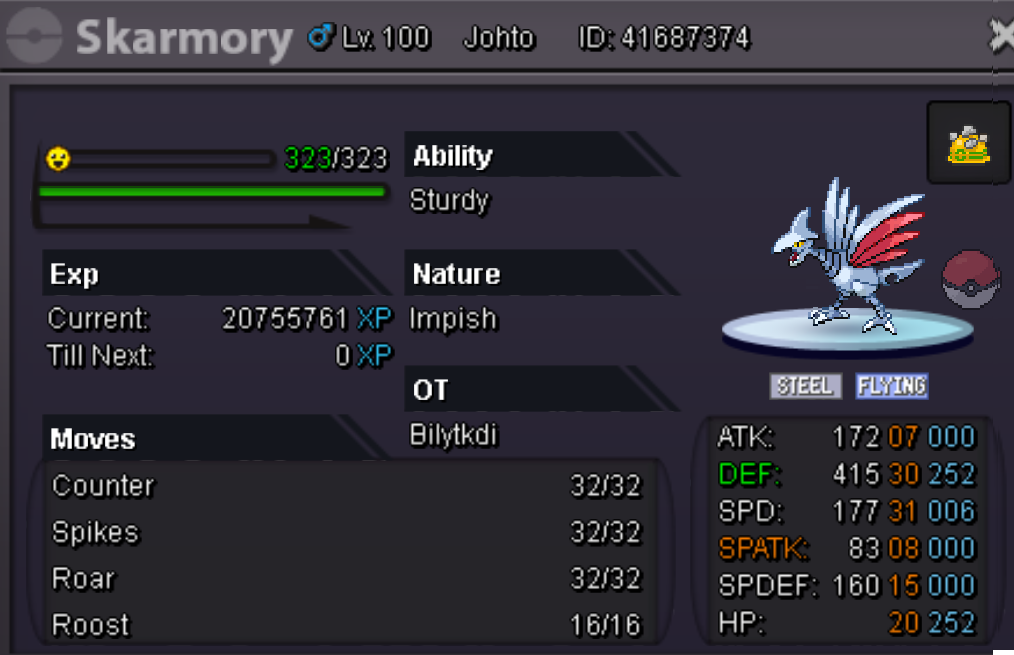
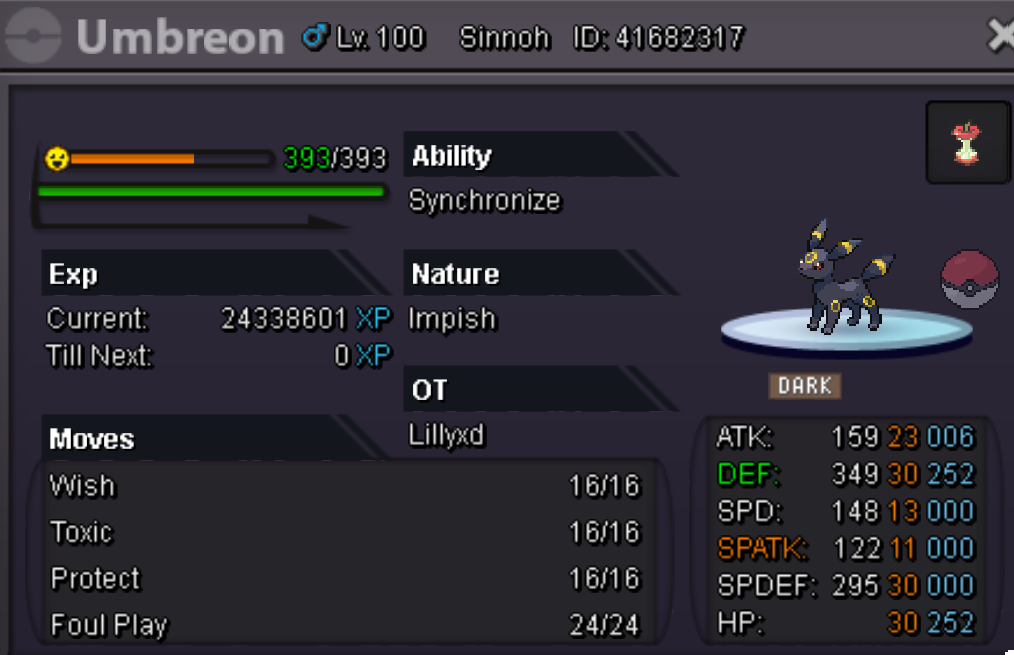
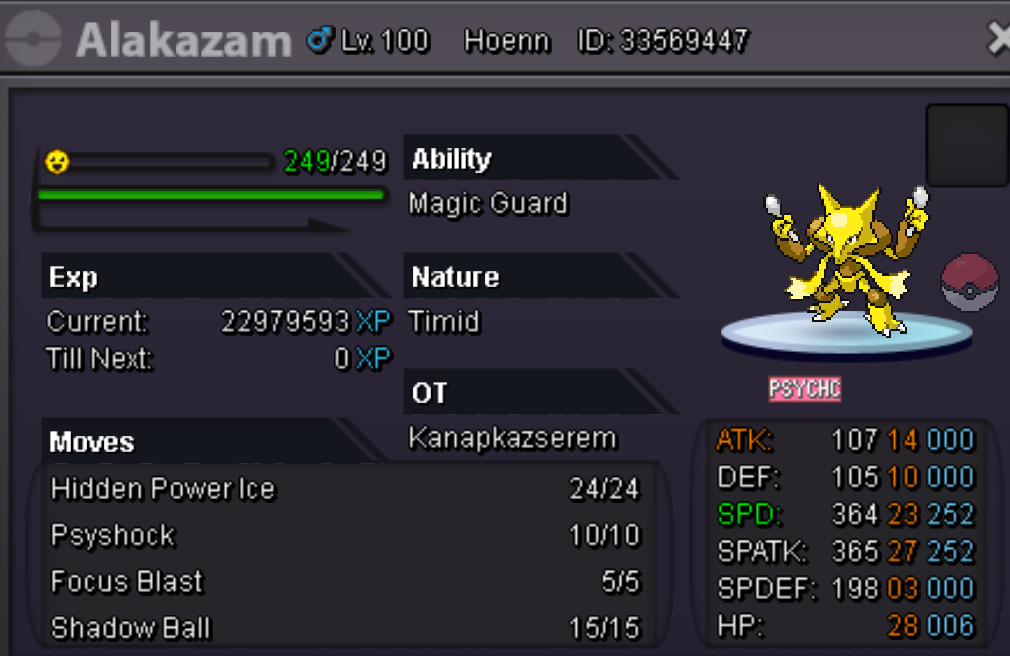
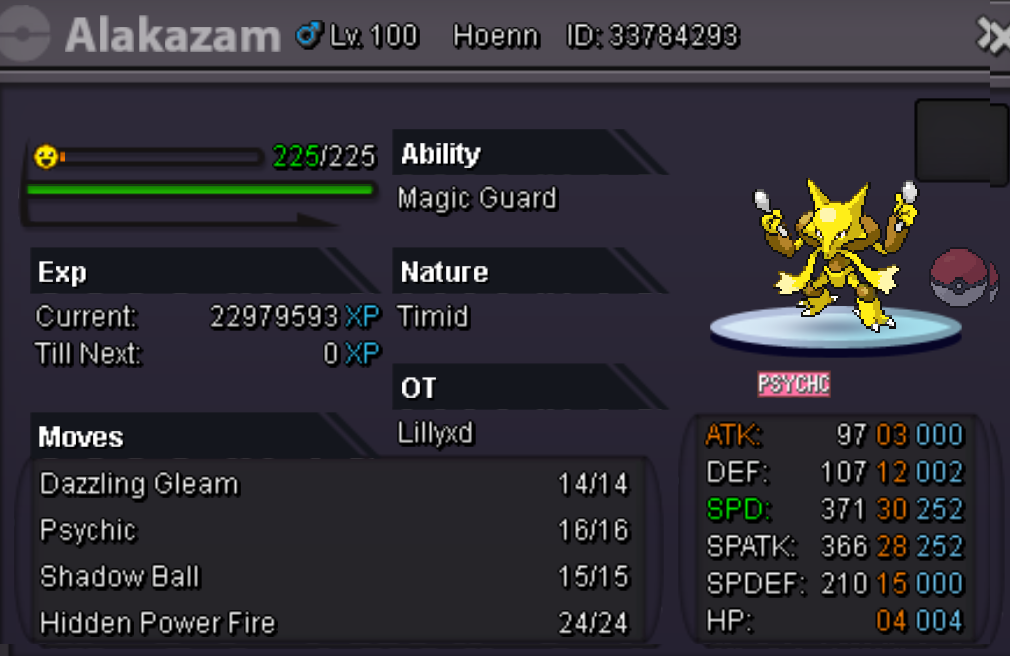
Will do an auction for some of my better pokes. all the auctions will be 72hours from first bid on that poke. if ur on gold you come to silver to pick up or add a cc on the price. garchomp start 2m insta 4m Azumarill start 800k insta 2m Mammoswine start 2m insta 4m Scizor adamant start 1.5m insta 3m Skarmory start 1m insta 2m Scizor jolly start 2.5m insta 4.5m Tyranitar relaxed start 2m insta 3.5m Umbreon start 4m insta 6m Alakazam ice start 4m insta 7m Alakazam fire start 4m insta 7m ( Started ends 21-02-10 9pm gmt+1 / 21:00 CET )

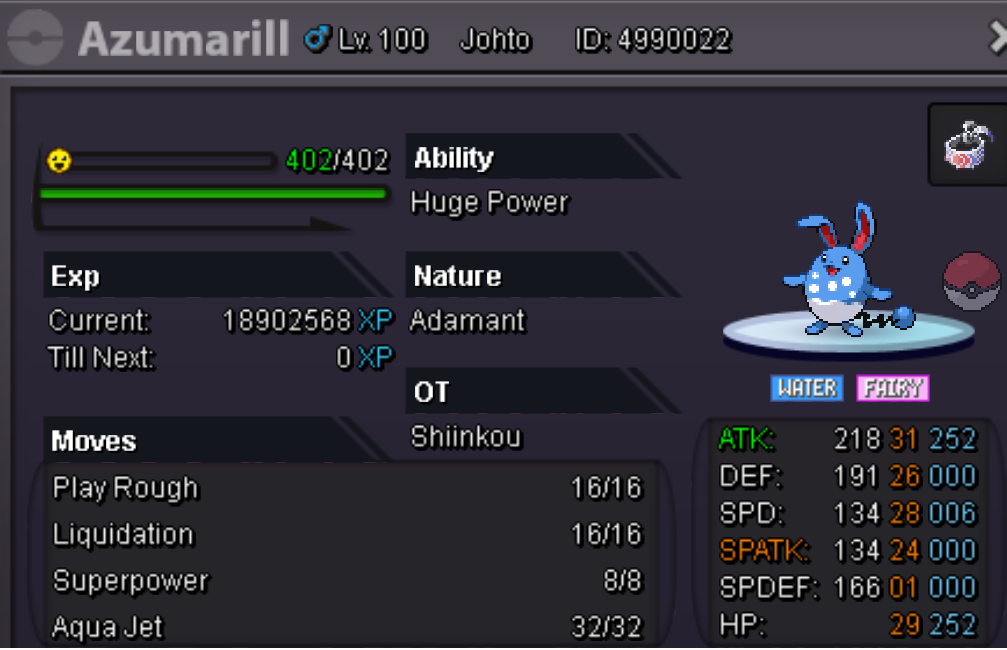
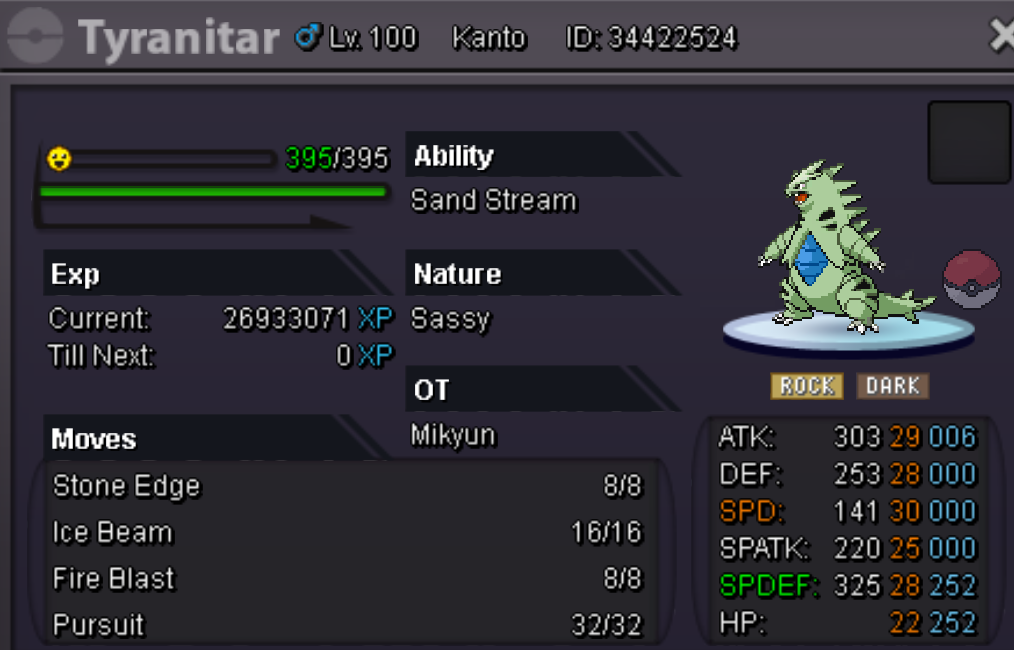
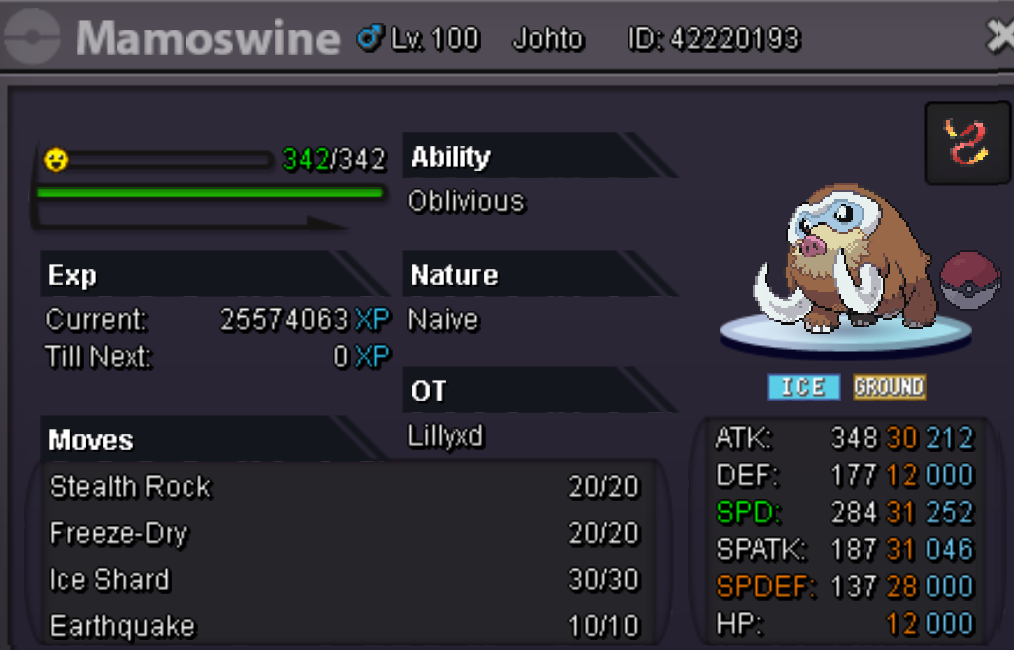
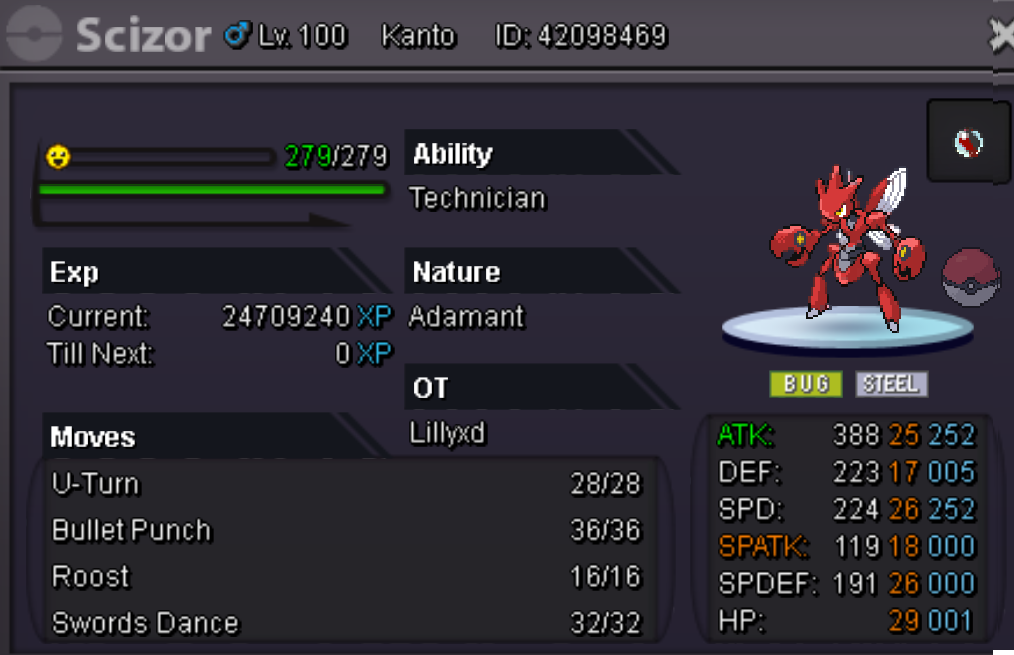


-
would you accept 100k and a hollowmask ? if yes i start
-
500k
-
start 200k
-
bump
-
*
-
*
-
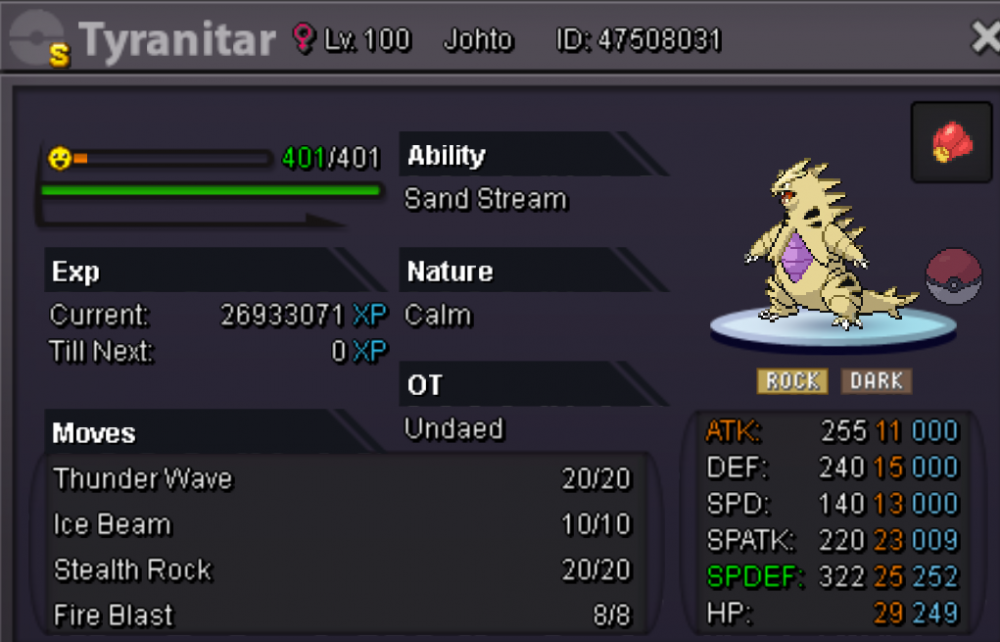
Start 55m min raise 1m and lasts for 7 days from start. Start 55m min raise 1m last 7 days from start. accepted payments pokedollars coin capsules 380k masterballs 50k choice items 80k focus sashes 2.5k feel free to offer other high tier pvp shinys and we might be able to negotiate if i like them.
-
Sold in game
-
-
bump
-
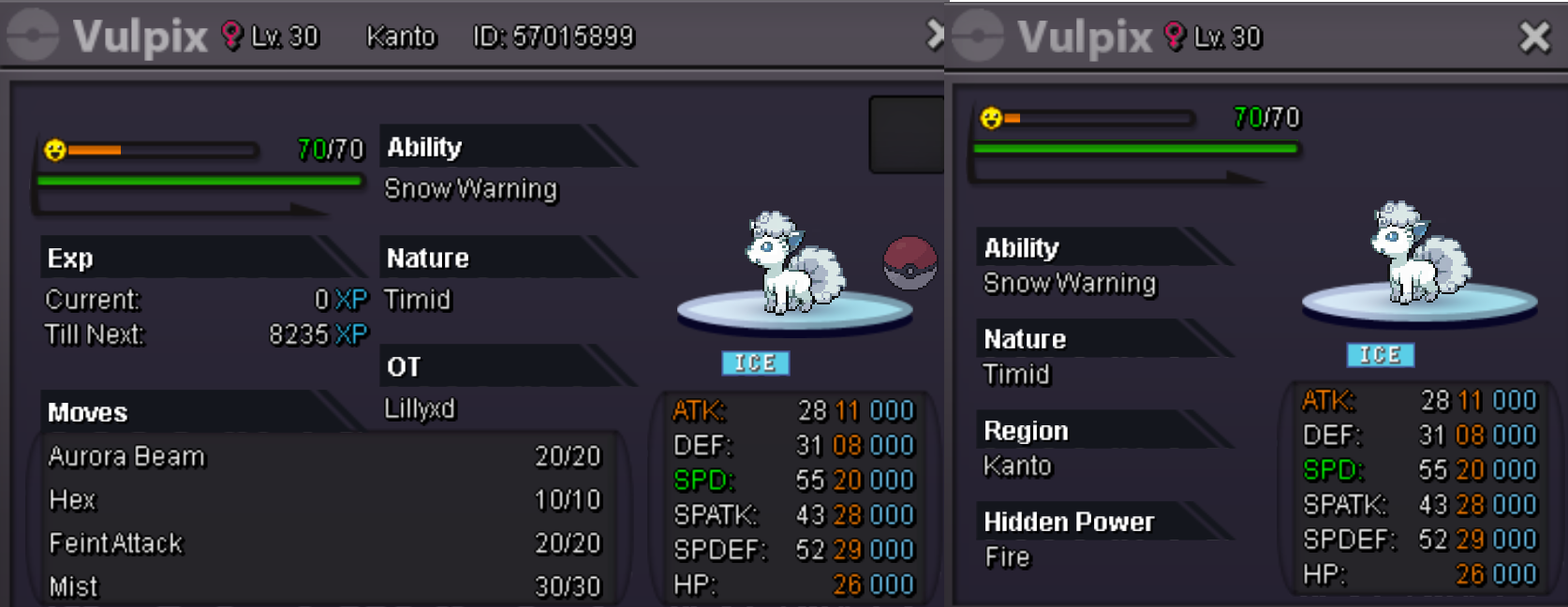
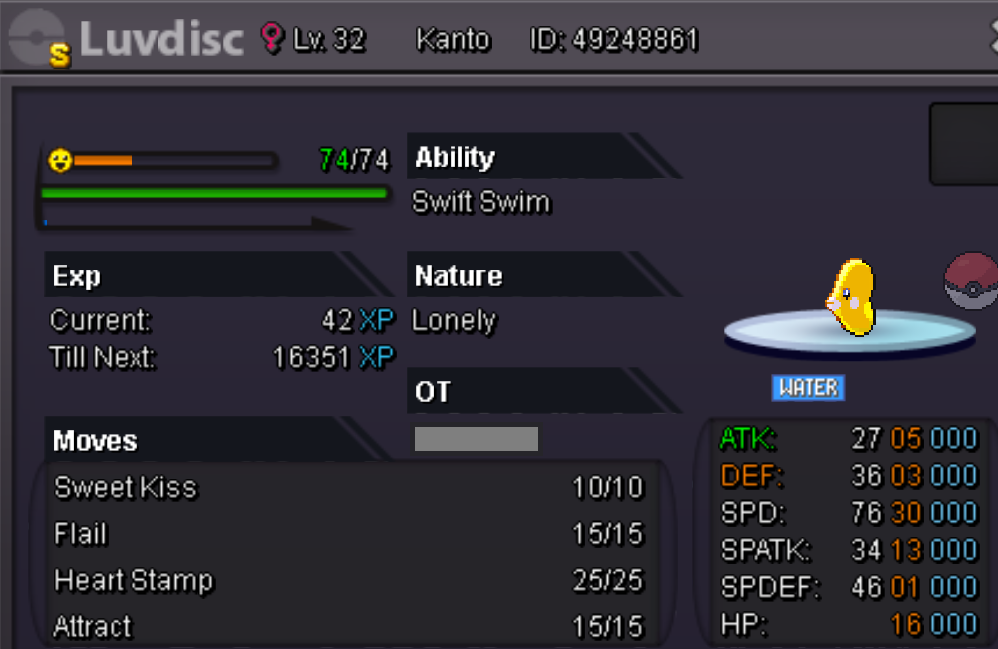
Start 500k 72hours insta 1.5m no comments thats not trade related faker offers will be reported accepting cc's as 370k rerolls 700k
-
bump
-
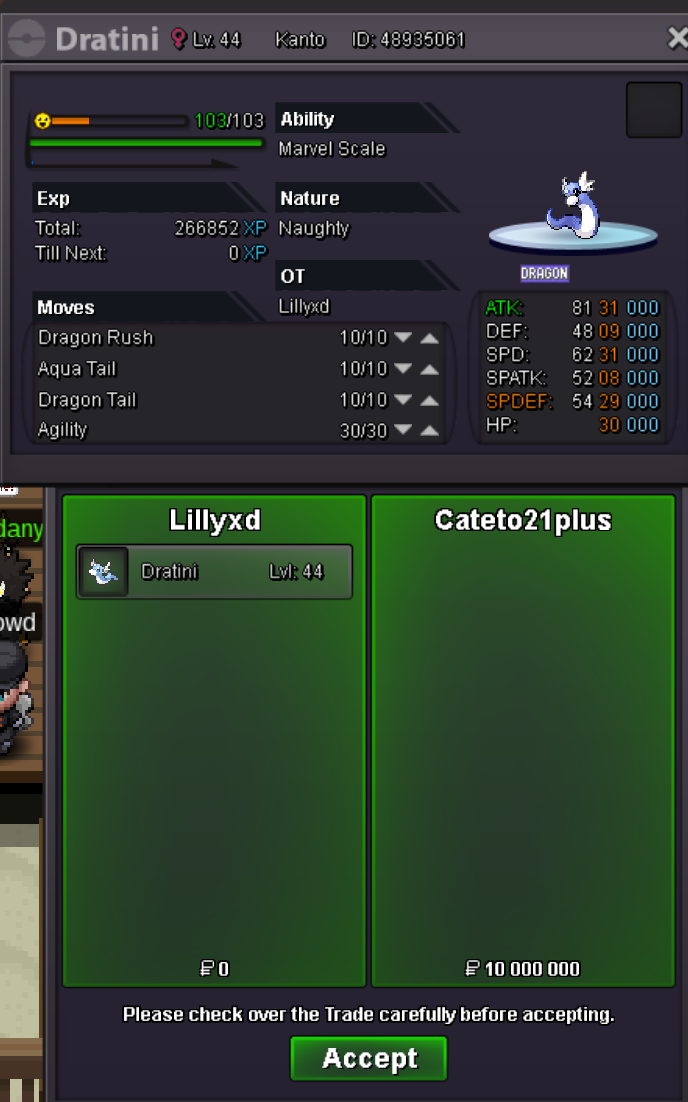
Cateto21plus won the auction

-
bump ends today at 5:09pm