New Trade Zone
Trade Zone is now live
Use the new Trade Zone for auctions and instant-price trades so Pokemon and item offers are easy to find.

Redrysen
Registered User
-
Joined
-
Last visited
Everything posted by Redrysen
-
How do i know which pokes re banned before going through all these 41 pages? Like,are latios/latias banned?are the legendary dogs banned?
-
I can't see Suhuzen Boss route 111 desert.I could see him before this patch but i can't now. Blue server Redrysen
-
Re: selling pokes (ends today!) <t>How much time till the bidding is over for the started ones?</t>
-
Re: selling pokes <t>Starting the skarmory!</t>
-
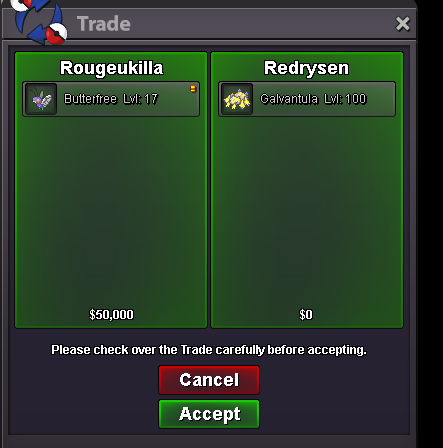
Re: Epic HP ICE Galvantula for sell! <t>And the bid is closed,with Rougekilla having the highest bid of 400k.</t>
-
Re: Epic HP ICE Galvantula for sell! <t>Okay guys the bid is closing in about 7 hours when i wake up!</t>
-
Re: Epic HP ICE Galvantula for sell! <t>10 hours left for the bid to close!</t>
-
Npc name:RedRysen Starting dialogue:I heard Dragons have the best dance moves! Losing Dialogue:But why Garchomp can't dance? Oncooldown dialogue:You will have to wait,i sent my Gible on a dance shool! Team:Gible,Dratini,Magicarp
-
Re: Epic HP ICE Galvantula for sell! <t>Only 23 hours left for the bid to close.<br/> Current b.o from RevereZ at 300k !</t>
-
And its sold for a coin case+50k=400k