All Activity
- Past hour
-

-
350k
-
Bump
-

(Canceled) Houndoom Xmas 30 spd!
Masterakali replied to Masterakali's topic in Shiny and Special Pokémon - Cross Server
Canceled -
you won @Locuraa i am online atm
-
 Chilly1991 changed their profile photo
 -
 For future reference, you are only allowed to advertise one cross-server sale at a time with a maximum of one Pokémon/item, as mentioned in the cross-server trade zone rules. As such, I have deleted everything that has not been started. Feel free to clean up the remainder of your post. Be sure to also post things in the correct subforum. Best of luck -Opacity
 -
Chilly1991 joined the community
-
- Today
-
 Start wooper
 -
[EPIC] Pawniard // 31 ATK | Defiant | Adamant
Opacity replied to Vegetarox's topic in Selling Pokémon - Silver
You are only allowed one post per subforum, as mentioned in the trade zone rules; as such, I have hidden your other posts. Feel free to add the other Pokémon to this post, but be mindful that you are only allowed up to 5 Pokémon per thread, as specified in the general trade rules. Best of luck -Opacity -
 start Ogperon and abra : and
-
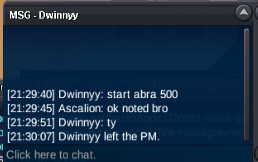
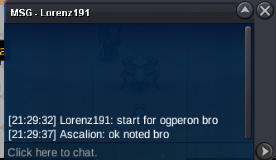
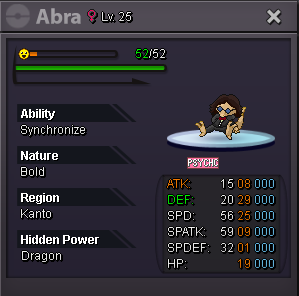
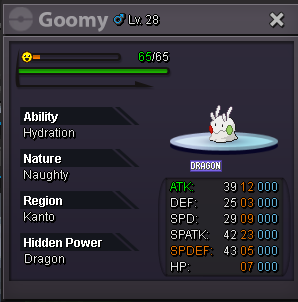
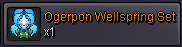
hello first of all i accepte all the payments : coin capsule = 500k -- reroll tickets = 700k -- or cash Pvp Chest drop items : 6) ogerpon wellspring set : c.o : 1m (by lorenz191) - minimum bid : 100k - Auction end 3 days after first bid Special/form pokemons : 2) Chrismas form Goomy : c.o : 400k ( by Chezterb ) - minimum bid : 100k - Auction end 3 days after first bid 4) Special form Abra ( Bold nature Sync) : C.o : 700k (by Dwinnyy) - minimum bid : 100k - Auction end 3 days after first bid Enjoy your bid ps : this is a cross-server auctions i will transfer in case you needed once the other auctions are over .
-
 Neumyyy changed their profile photo
 -

45min Auction 28x28 hp Fire Magneton semi epic
Glitterwing replied to Leonardosenpai's topic in Selling Pokémon - Gold
Hello @Leonardosenpai This is a warning make sure for the future to make sure, to use the right sub-forum when you starting an auction. Kinda Regards Glitterwing -
Huge W
- 1 reply
-
- 1
-

-

Shiny Walking Wake mount [Auction]
Go1denp1kachu replied to Beachboybwustur's topic in Coins & Items - Silver
5M will transfer if i win -
 Auction this charmander S.o 10m mid bid 350k 72Hours from first bid no insta !!! (if the buyer in to another server need to transfer to me )
-
- 1
-
-
300k sir
-
hi i'll buy
-
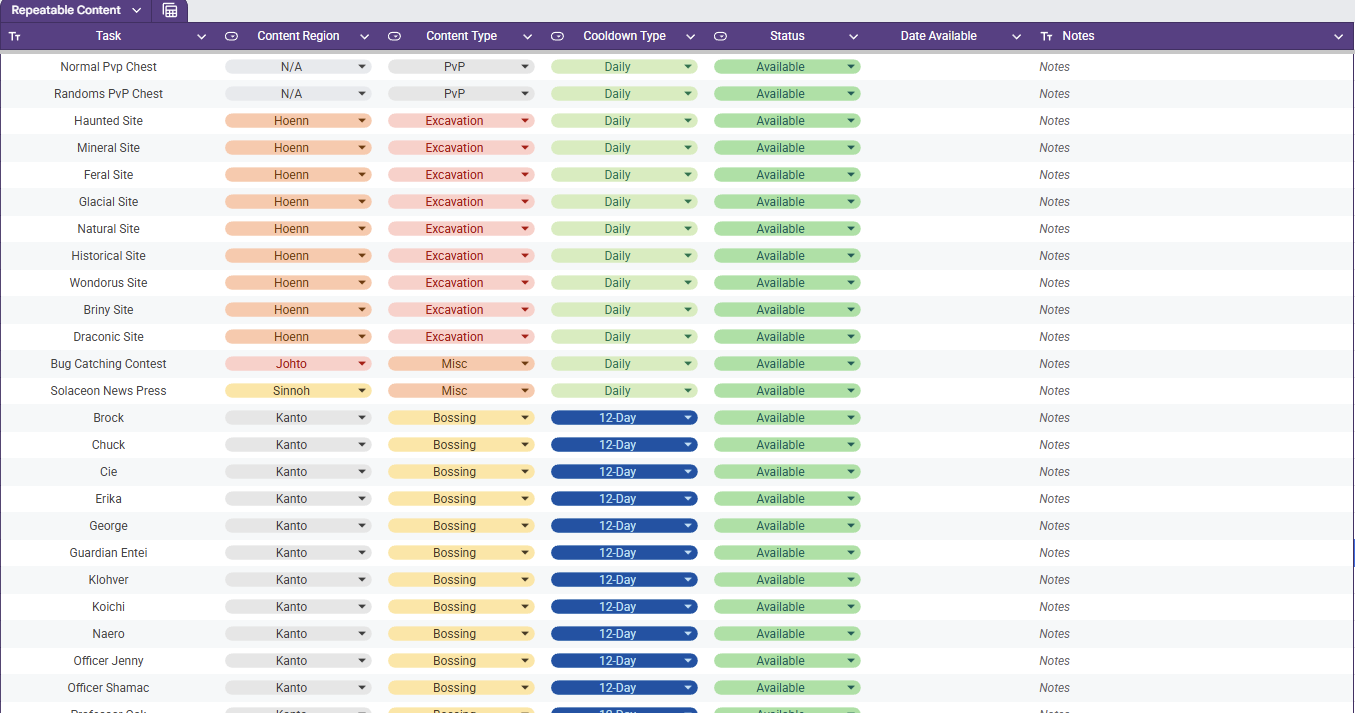
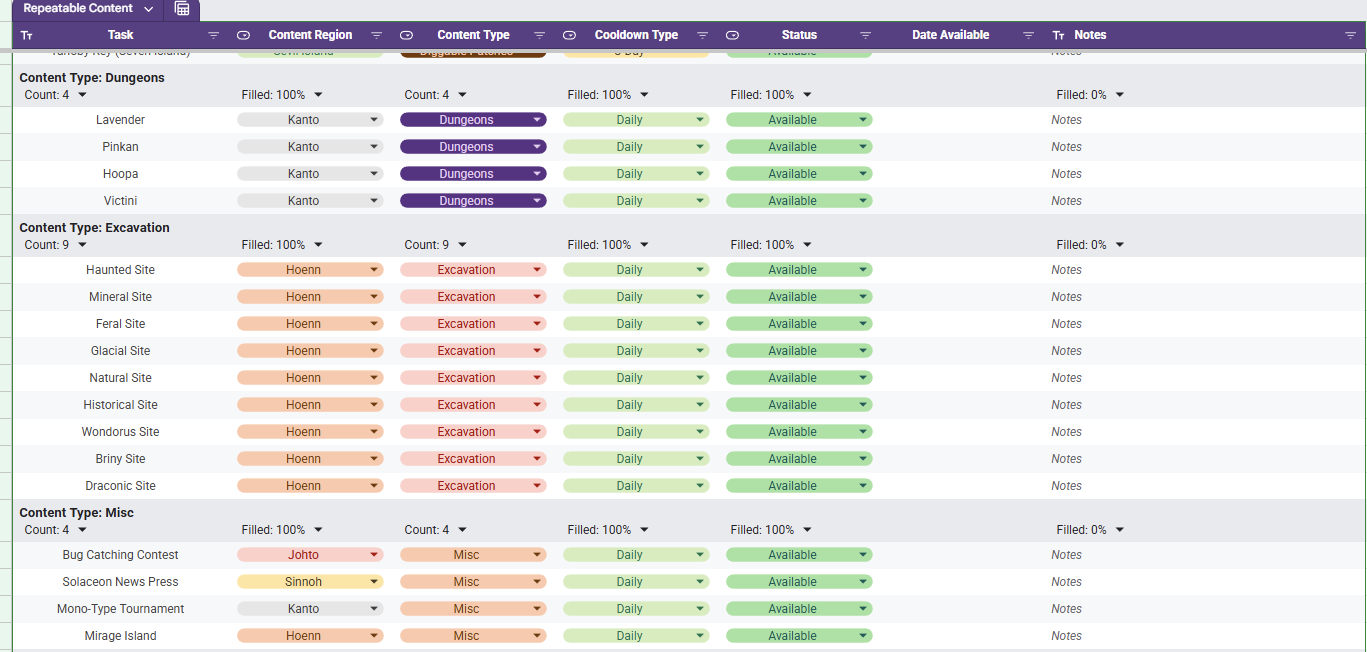
Repeatable Content Cooldown Tracker Tired of having to try to remember if your repeatable content is off cooldown or wasting your time making your way to dome content to realize it's unavailable cause you already did it? I know was as well, so I made a spreadsheet (those who know me know I love my spreadsheets). Specifically, this spreadsheet lists out repeatable content (Dailies, weeklies, etc) and gives your the ability to mark it as on cooldown or available. While it sounds simple, there is a bit more luxury in this tracking tool. Once you set something as on cooldown the corresponding cell in the Date Available column will auto populate the day that it is to come off cooldown (In the case of Excavation sites, it calculates it with date and time and checks for exactly 20 hours). How to Acquire The first thing you need to do is acquire the spreadsheet with the following steps. - Access the Google Sheets link here. - At this point you are a Viewer and will need to make a copy by clicking File and then Make A Copy - Once you have a copy made, you are ready to track your Repeatable Content. How to Use When the file is first acquired, you will see all of the listed repeatable content in a single table as seen below and the columns are broken down as follows. Column A - Task The daily repeatable task name. Column B - Content Region The region (loosely) in which the content is located. Column C - Content Type The group in which the content is associated with. Column D - Cooldown Type The associated cooldown of the task. Column E - Status The indicator whether your repeatable task is available or not Column F - Date Available If on cooldown, the date which is will become available Column G - Notes A section for the user to leave personal notes associated with the task Although it is preference, a much cleaner view is through using a pre-saved data view "Group by Content Type". You can access this by selecting the Data tab and then Change View followed by Group by Content Type. This view will have all of the content separated neatly by the type of content it is identified as and an snippet of this view is shown below. As you go complete repeatable activities, you will want to mark them as "On Cooldown". Once you select this, the corresponding cell in the Date Available column will populate with a cooldown associated with the value in the Cooldown Type column. For example, if you complete the the Diggable Patches on Route 3 on 01/28/2026 then they will be available on 01/31/2026 (as seen below). When the current date is the same as the Date Available, the "On Cooldown" in the Status will automatically flip back to "Available". If you want to add or remove content that you don't do, that is no problem. Simply remove the row from the sheet and refresh. Be advised, if you were to remove a column, it runs the risk of breaking the scripts and references and you may have to acquire a new copy. Adding a new cooldown type is not as simple and requires script modifications. The current version of the spreadsheet covered as much ground as I could think regarding repeatable content and its associated cooldown. The current cooldown options are 1, 3, 12, and 14 days as well as 20 hours. I am excited to share this with you all and, while I do not know of any bugs that currently exist with it, if you run into any issues please let me know and I will do my best to sort it out. Updates - 1/28/25: Fixed the download link and added Sinnoh Underground and Celadon Daily
- 1 reply
-
- 2
-
-
BUMP








.png.d0f09d54b005b8d12ff5fe776b0d3fc6.png)