New Trade Zone
Trade Zone is now live
Use the new Trade Zone for auctions and instant-price trades so Pokemon and item offers are easy to find.
Leaderboard
-
Ayroo
Community Coordinator1Points828Posts -

Demonvibe
Registered User1Points67Posts -
Blacktortoise
Registered User1Points28Posts -
Liakouras95
Registered User1Points5Posts




Popular Content
Showing content with the highest reputation on 09/01/26 in Posts
-
🦠 Weekly Outbreak System Suggestion for Pokémon Revolution Online 🌟 Feature Overview: Introduce a Weekly Outbreak System, where a specific Pokémon species becomes more common in a designated area for a limited time. Outbreaks provide exciting opportunities for rare spawns. 🔄 How It Works: Weekly Outbreak: Each week, a random Pokémon will be selected as the “Outbreak Pokémon.” Outbreaks last for 7 days and reset every Monday. Outbreak Details (in-game): Location(s) and Pokémon announced via a special NPC or system broadcast. 🎵 Optional Server-Wide Event Activation: Outbreak Flute Option 1: Coin Shop Item Item Name: Outbreak Flute Cost: 50 Coins Use: When used, it activates a random outbreak for the entire server. Limit: Only 3 Outbreak Flutes can be used per day (server-wide limit). Option 2: PokéDollar Community Donation Goal Introduce an NPC (e.g. “Outbreak Researcher”) in every PokéCenter. NPC tracks a donation goal (e.g. 5,000,000 PokéDollars). Once the goal is met: A random outbreak is triggered instantly, lasting 5 hours every million spent. Every player on the server benefits. Removes excess pokedollars from the economy. It is Volunteering 🔁 Example Cycle: Monday: Weekly Outbreak is announced. During the week: Players can activate up to 3 additional outbreaks via the Outbreak Flute. Players can also work together to fund an additional outbreak via NPC donations. Friday: A bonus weekend outbreak could be triggered if any of the above are active. ⚖️ Balance Considerations: Daily limit of donations per player (e.g., 50k–100k) to prevent abuse. Donations can be Uncommon-Rare-Ultra Beast. (Ultra beast being the rarest). ✅ Benefits: Adds server-wide cooperation and more players playing. Makes the world feel more dynamic and alive. Provides use for excess PokéDollars Outbreak Exclusive Pokémon: To make even Uncommon Outbreaks feel worthwhile, certain Pokémon will be exclusive to outbreaks and unavailable anywhere else. These could include unreleased Gen 7-9 Pokémon like: Wimpod Rookidee Pawmi These Pokémon can only appear during Outbreaks triggered by the Weekly cycle or Outbreak Flutes. This creates excitement and incentivizes players to log in and participate in even mid-tier outbreak events.1 point
-
1 point
-
Hello, Use a Boss strategy either counter or the power trip one..will be easy1 point
-
PokeLink All PRO Services - All in One Place WELCOME TO THE NEXT LEVEL OF PRO SERVICES We are proud to introduce PokeLink - An organized, ticket-based service network offering: • Fast & reliable services • Verified Service Providers with years of experience • Secure middleman protection • Fair community-based prices WHY CHOOSE POKÉLINK? Tired of the grind? Let Pokelink handle it for you. We offer a full range of services including Leveling & EV training, Quest completion, Mega evolutions, Z-Crystals, Dex services, Dungeon runs, Story progression, and all Valentine’s Day quests. Whether you're looking to power up your team, complete difficult content, or finish tedious tasks, our experienced providers are ready to help. What sets Pokelink apart is reliability and customer service. Our services are organized, convenient, and handled by trusted providers who take pride in delivering results. With Pokelink, you’re not just buying a service, you’re getting the confidence that the job will be done right, quickly, and professionally. Let us take care of the work so you can get back to enjoying the game. Here is the list of the current services we offer and their prices (will be updated continuously as we grow): LEVELING SERVICES LEGENDARY SERVICES --------------------------------------------- Z–CRYSTAL SERVICES Event Limited Megas: Gengarite • Kangaskhanite • Salamencite • Lucarionite POKEDEX SERVICE PRICES Looking to fill your dex for completing one of the legendaries quests ? We got you covered with 2.5k per pokemon . DUNGEON SERVICE PRICES Victini Dungeon Service (Ruins of the Vale Dungeon) Meloetta Dungeon Service (Crux of Melody Dungeon) QUESTS SERVICE INFORMATION The rules below apply to all our Quest services and should be read carefully. HOW TO ORDER - Join our Discord* - Open a ticket - Describe the service - Staff gives you a quote and assigns you a provider. We only work with the top tier providers in the market. - Provider completes the job. - Staff verifies → your order is concluded. JOIN THE POKÉLINK NETWORK * Discord Invite: Leave a comment here , dm any admin here in the forum ( @Demonvibe or @Darkmaster269 ) or in discord (Discord: demonvibewow) to get an invite today!
 1 point
 -
1 point
-
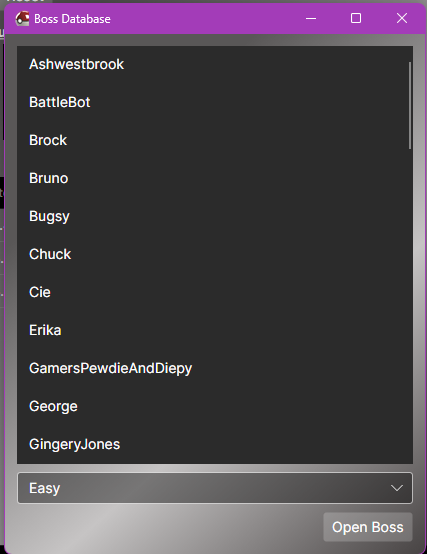
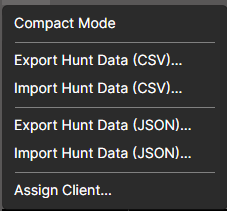
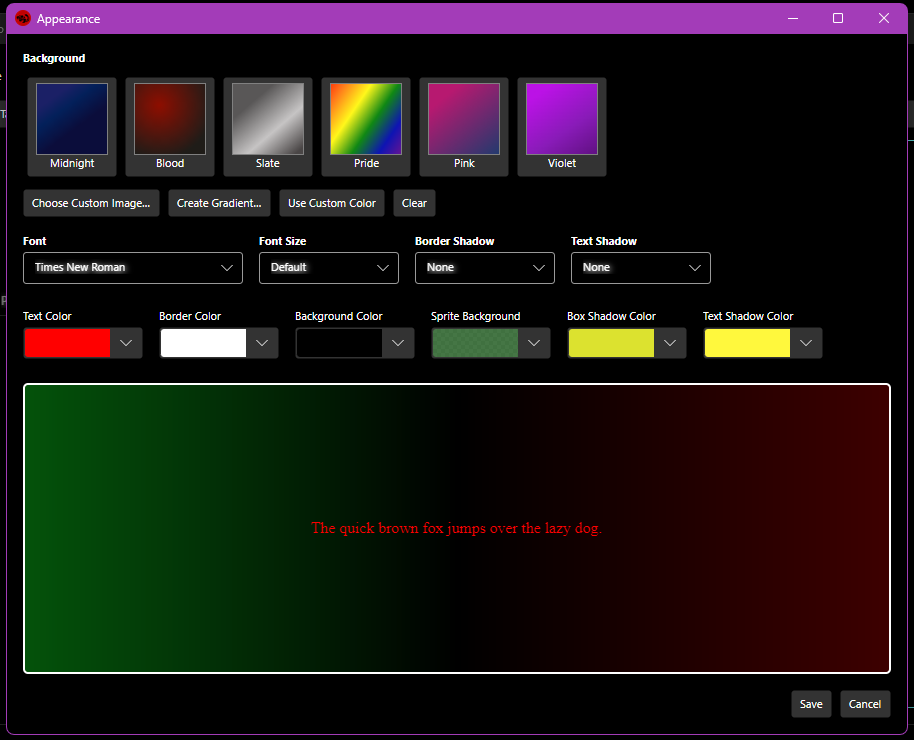
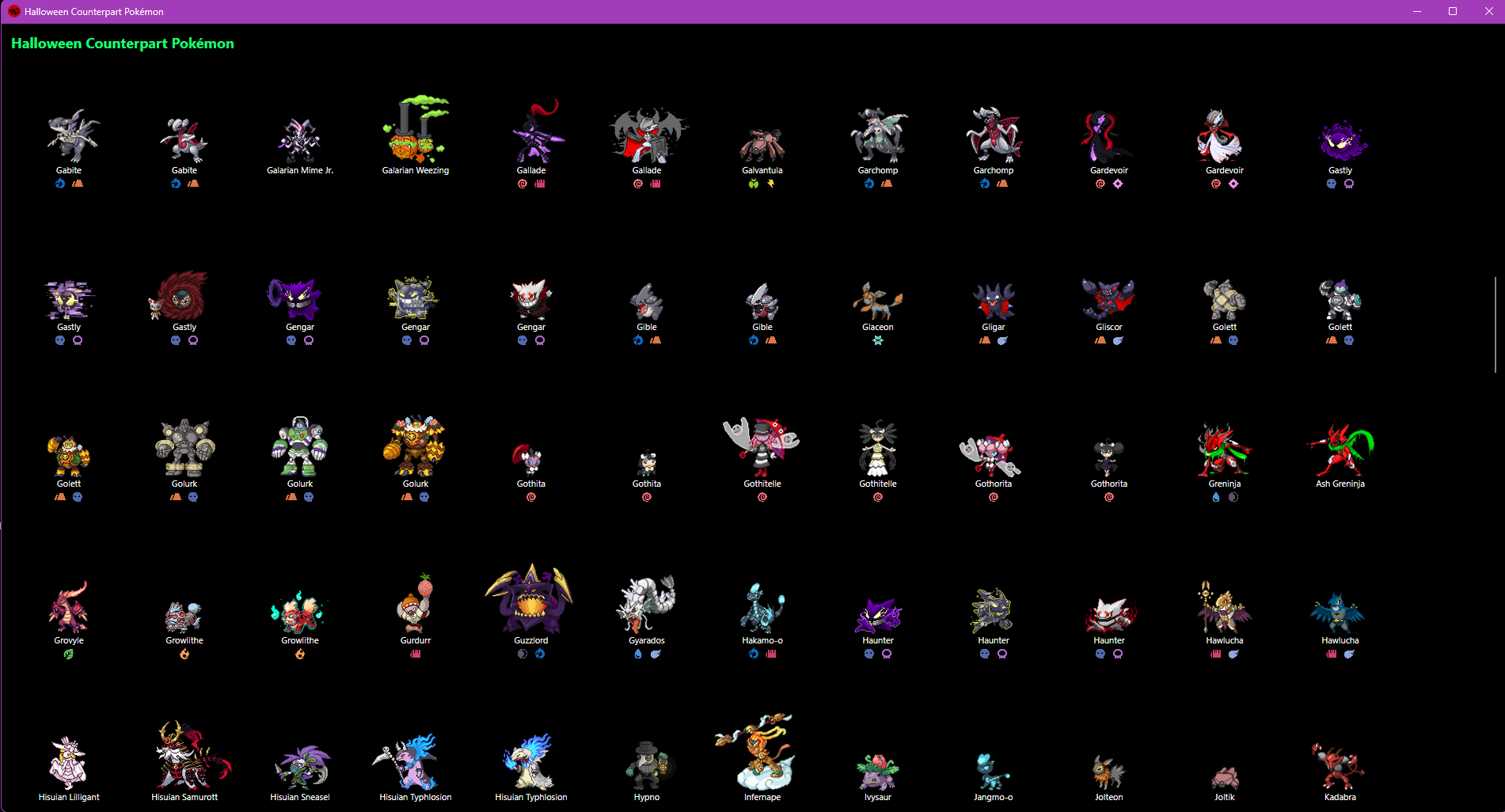
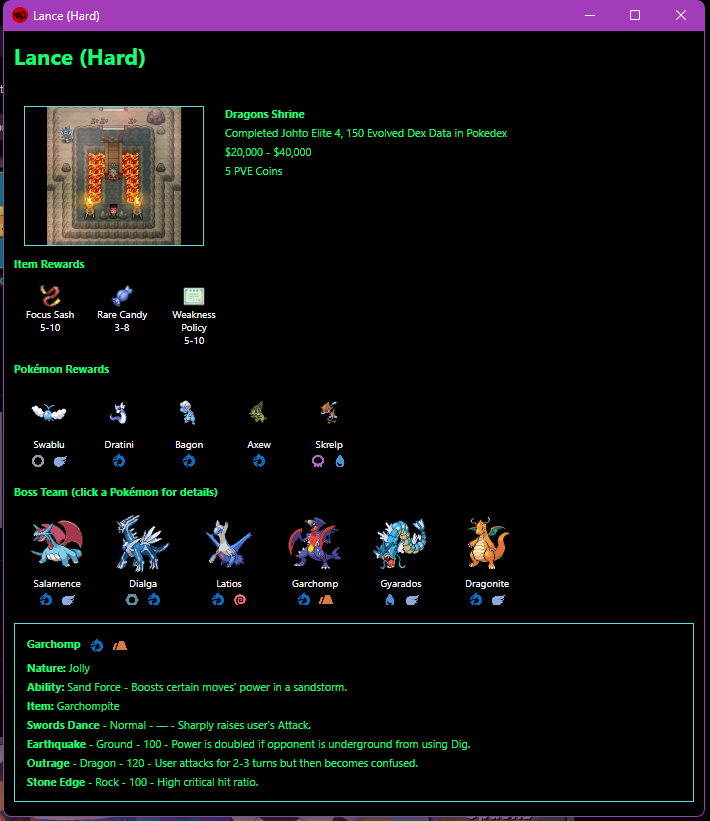
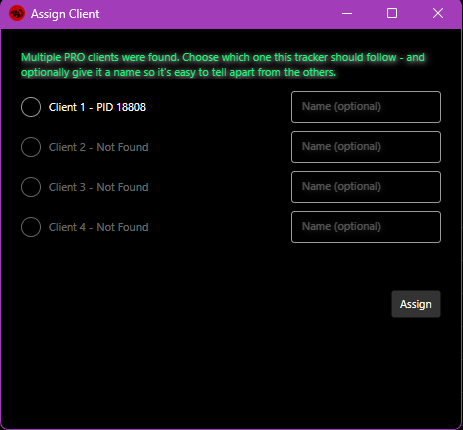
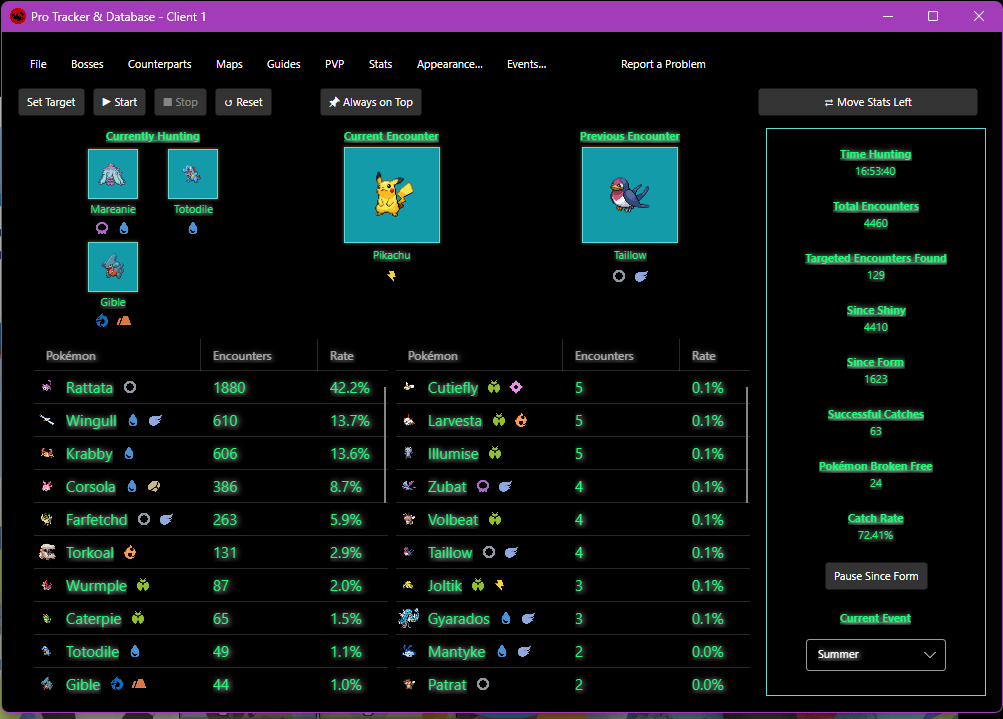
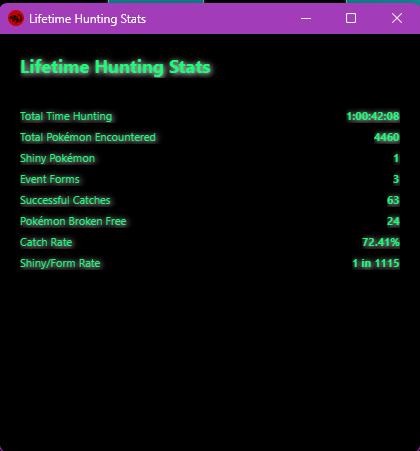
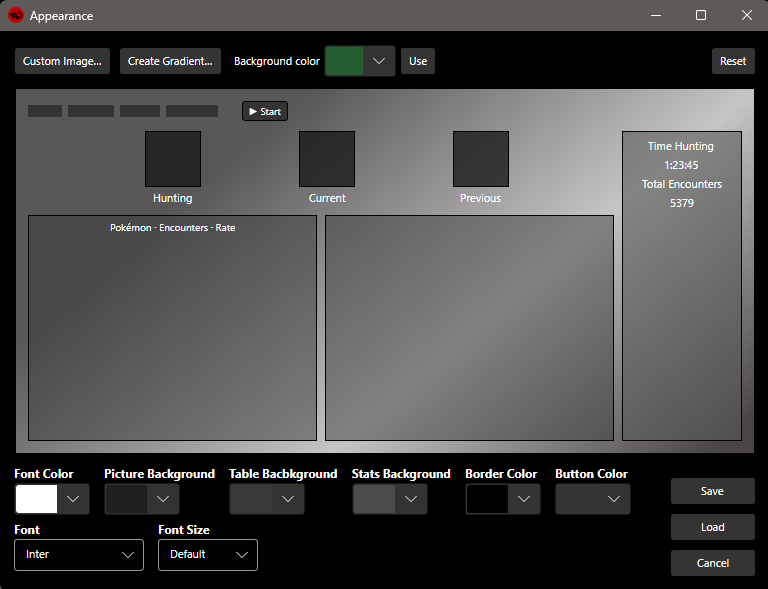
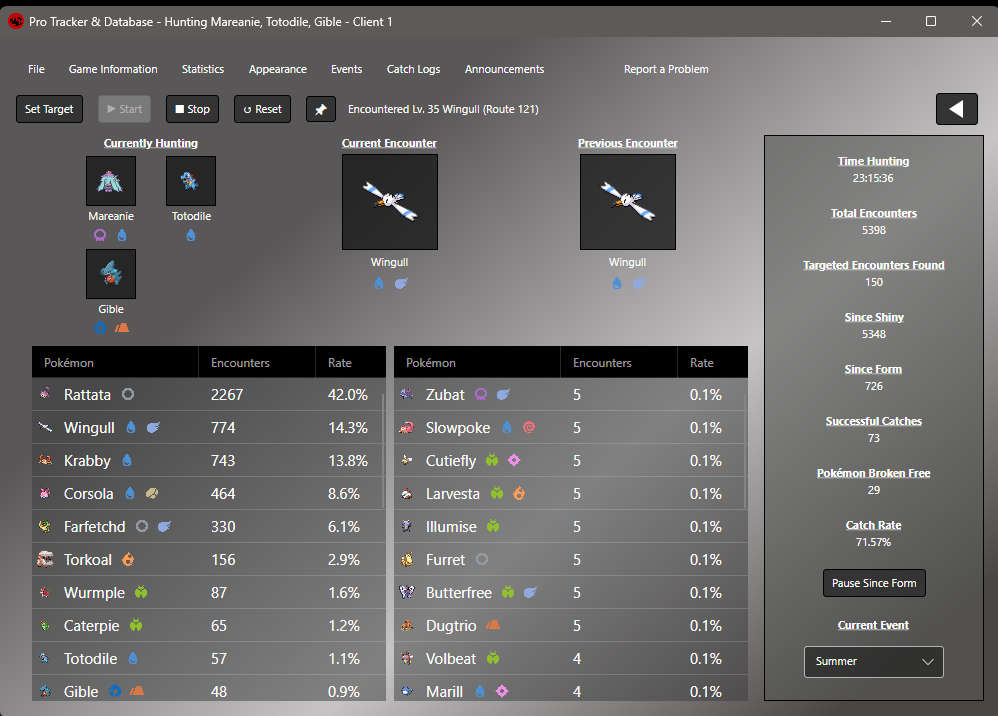
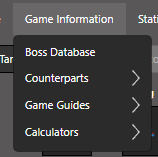
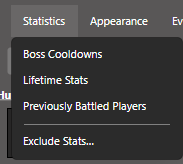
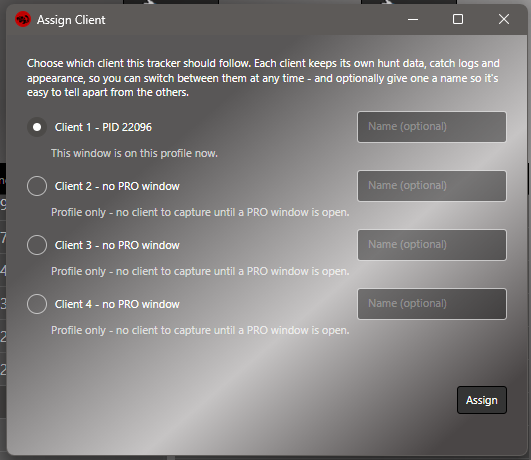
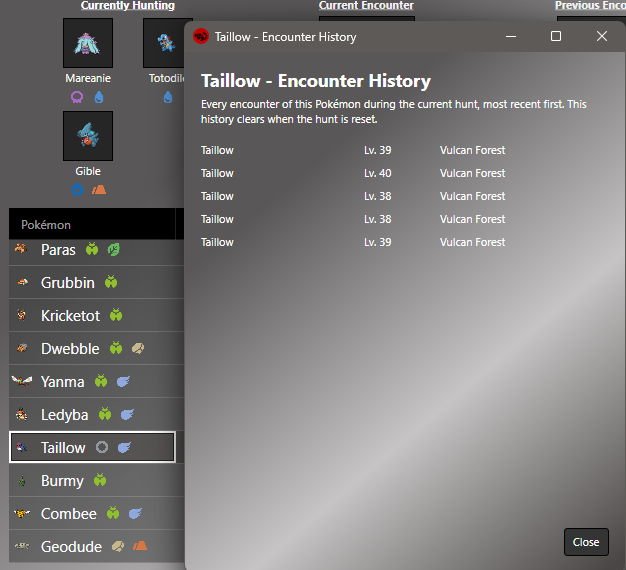
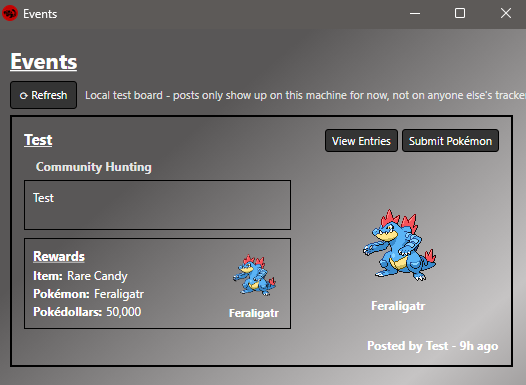
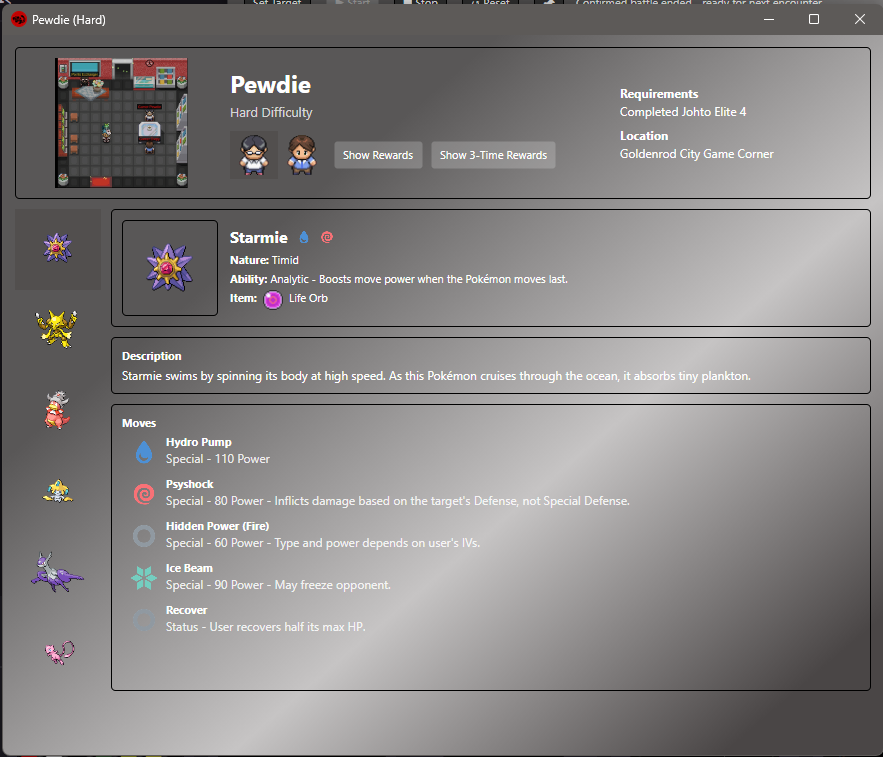
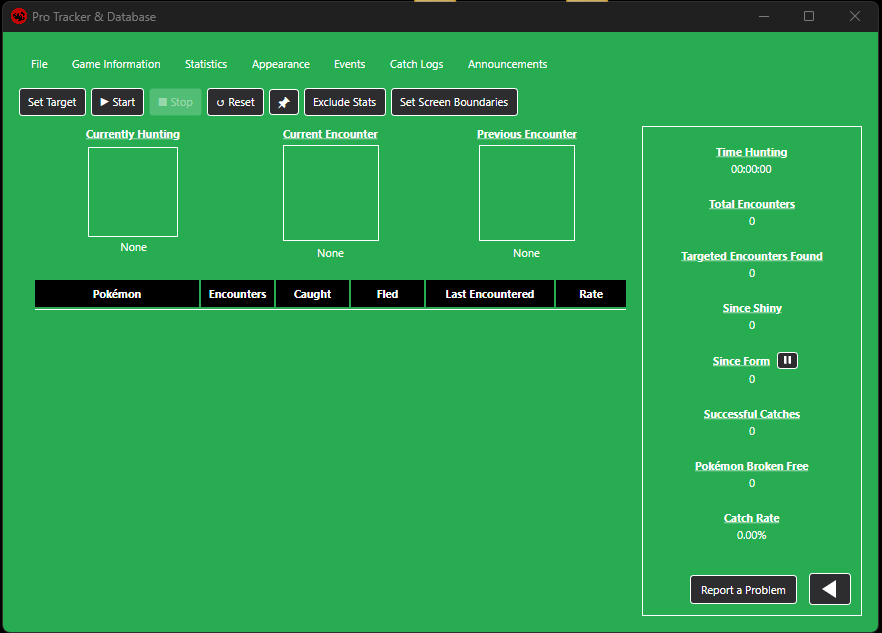
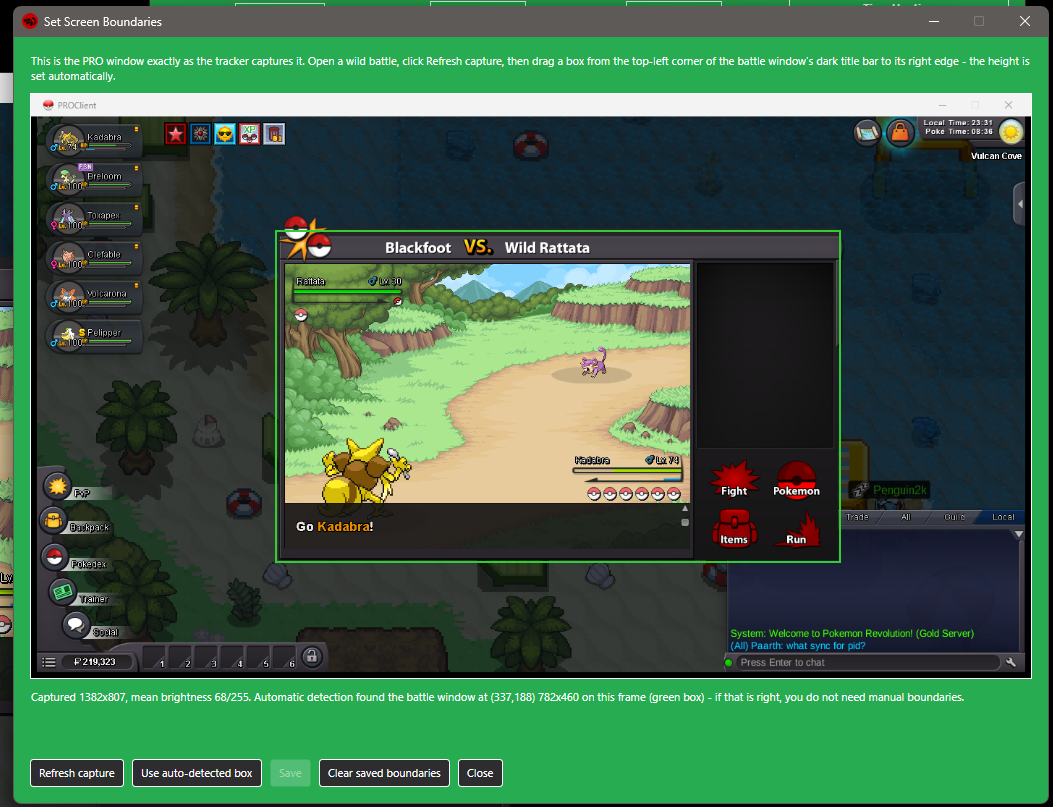
Pro Tracker and Database Please be aware bugs may occur. Added fallback Set Screen BoundariesI promise, I have not disappeared.There will be a MASSIVE update soon. DOWNLOAD - Windowshttps://www.mediafire.com/file/ysmc8bxx14ddzbu/ProTracker%2526Database%2528Windows%2529.zip/file DOWNLOAD - macOS(8/30/2026) Should be fixed now.Rewrote parts of the MacOS setup scriptREADME-macOS-Setup references anything needed. Apple Silicon Macs (M1/M2/M3/M4) https://www.mediafire.com/file/0bnvo0dwnp71jqg/ProTrackerDatabase-osx-arm64.zip/file Intel Macs https://www.mediafire.com/file/ji1j2b0iqkob44f/ProTrackerDatabase-osx-x64.zip/file (Not sure which you have? Apple menu > About This Mac - if it says "Apple M1/M2/M3/M4" use the first link, if it says "Intel" use the second.) How to start it (first time - about a minute): 1. Unzip the download (double-click it). 2. Open Terminal (Cmd+Space, type "terminal", press Enter). 3. Type: cd followed by a space, then drag the unzipped folder into the Terminal window, and press Enter. 4. Run this command: bash macos-start.sh DOWNLOAD - Linux(8/30/2026) Should be fixed now.README-Linux references anything needed. Regular PCs (64-bit Intel/AMD - this is almost everyone) https://www.mediafire.com/file/r2nbesphqeycwnb/ProTrackerDatabase-LinuxX64.zip/file ARM devices (Raspberry Pi 5 and similar) https://www.mediafire.com/file/60fnbtw4hxtivy1/ProTrackerDatabase-LinuxArm64.zip/file (Not sure? Run: uname -m in a terminal - "x86_64" means the first link, "aarch64" means the second.) How to start it (first time - a few minutes, it installs what it needs): 1. Extract the zip. 2. Open a terminal in the extracted folder. 3. Run this command: bash linux-start.sh Githubhttps://github.com/ImColdHearted/ProTracker-Database/tree/Beta https://github.com/ImColdHearted/ProTracker-Database/tree/Beta-2.0-(Cross-Platform) https://github.com/ImColdHearted/ProTracker-Database/tree/Beta-3.0-(Cross-Platformed-again)-(Linux-and-Windows-confirmed-working%2C-no-word-on-MacOS Simply run the Application shown below. What does this do?This application reads the PRO client, specifically the battle window, allowing it to automatically keep track of any encounters. Unlike other trackers, the goal was to create this one without the need to calibrate it every time the window moved, or you minimized. FeaturesAppearance Allows you to edit the color of the text, background, and border colors. Uploading a custom background is also allowed. Added Font choices. (Custom fonts later) Bosses (Redone)Allows you to view all bosses, and their teams (from Pro wiki). Not all bosses have been added yet. Still needs a bit of work CounterpartsAll forms are viewable from here, except the newest summer and soccer forms. Life Time Stats (Hunting)This data is permanently saved, regardless of the amount of times you reset. Multi Client Support (Max 4) Work in progressGuides Interactive Maps (Scrapped) This would have been extremely complicated at this time with Avalonia. Lifetime Stats (PVP) Known IssuesNot resetting Since Shiny/Since Form for some users. 8/22/2026 Random encounters while roaming. I believe this issue has been 100% resolved now. It should no longer get locked on NPC dialogue by accident. It should no longer get locked by dig/excavation dialogue by accident. 8/23/2026 Added the ability to hunt more than 1 pokemon (4 max). Added a section to the right below Total Encounters. (Targeted Encounters Found). Added a button to pause Since Form counting (For end of summer event) Added Always on Top to main form. Since this can be resized, some may want it over compact mode. Encounter tables were fixed. Before it added 15 to the left, and an indefinite amount to the right. Now this has been changed to 25 per side. So only the last 50 encounters show. Added a new screenshot when hitting "Report a problem". This will draw around where the OCR is reading, I want to smash this "It doesn't count my forms/shiny". Added a drop down menu that you can use to show which event is current. (To come....when a form is found, I want to update on the tracker) However double forms may be more tricky. 8/24/2026 Added boss cooldown tracking. Simply having the application open is enough, you DO NOT need to click Start. (No time added) Bosses/Boss Cooldowns. Not all bosses at this time can be tracked, Pumpkin King, Guardians. There may be a couple of others. Pewdie & Diepy/Jessie & James/Shary & Shui. These may start after fight 1, or not start at all. I am not sure. You may click on the bosses to start a 12 day cooldown (Battlebot 14 days) Added PVP Tracking. Simply having the application open is enough, you DO NOT need to click Start. (No time added) PVP/Previously Battled Opponents. This will show another display, showing the previous 250 battles, with time stamps. There will be more added later. Export allows you to save .CSV data, will add .JSON later when other stuff is also. Added the ability to click the Pokémon cards under (Currently Hunting) You can then replace it with another Pokémon, instead of setting all four targets again. Doubled the size of the counterpart sprites when selecting a Pokémon to hunt, they were quite tiny. Added into appearance. Box shadows, sprite backgrounds. (For custom image uploads) Added the ability when importing .JSON or .CSV hunting data to add, not just replace the data. Fixed a couple bugs related to hunting data. Data will appear when the client is detected. This will prevent possible overwrites of data from a 2nd opened tracker with old data. (I did this lol) Added the ability to move hunting stats from right side to the left, and vice versa. Added the ability to exclude hunting stats. (They still get counted) Find this under Stats/Exclude Stats. Multi-Client Support Added support for appearance settings. Added support for boss cooldowns. Added support for PVP battles. Added support for excluding stats. Realized after publishing I forgot to fix a couple boss names. (Maribela/Prehax) 8/24/2026 Again Fixed shiny/event form detection again. This should hopefully be the last time. Linux added back in after a weekend of test. Simplified the setup process as best as I can. Still keep forgetting to fix Maribela and Prehax. 8/26/2026 All Boss Cooldowns should work, except The Pumpkin King and Guardians. (PLZ PRO, CHANGE THEIR NAMES) Added support for 4 clients. All share separate settings. You are able to name them, so you can help keep track of your data. Added to appearance. Text-Shadow, Text-Shadow Color, and the ability to create a custom gradient background, (max 4 colors) PVP Tracking had a bug, I did not account for, and random trainers on the road would be flagged for pvp. This should be fixed now. On the previously battled users, there was an option added to clear all data, or remove the previous fight, Export for .JSON was added as well. All bosses have been added. Some data does need to be fixed though. (If the boss does not load, it does not have that difficulty) Added type icons everywhere. Galarian/Alolan/Hisuian need theirs still. Events is not active. I'm still deciding on that. 8/27/2026 Added soft lock to client. When using more than two clients, and then closing one. It should no longer default a tracker to a different pro-client, causing trackings to stop. PVP Tracking is available again. There were a few bugs in it still. Added to appearance, Button Color, Stats Color, Text-Stroke, Text-Stroke color. Added to exclude stats, the ability to hide the entire stats section. Added 2 sounds (Windows only) Find these under File, Sound Settings. Off by default, you can choose between a yayyy, or shiny sound. New Feature added: Catch Logs. All caught Pokémon will appear here. Timestamped, gender, level (in the works), and map name (in the works) Still fixing bosses, but instead of them erroring out if the difficulty does not exist, they have support for a custom message now. Boss database had names updated, so they look proper. Bosses should no longer close when closing the database lookup. 8/27/2026 Dove deeper on MacOS and Linux having issues. There are now two version to each, referencing what machine to use, how to find what machine you have, as well as simplified read me setups. 8/29/2026 Removed some things from appearance just right before I got word Linux stopped working. I am wondering if this was the cause Remade the appearance window. Now you can see what is being edited as it looks on the main window. Preset backgrounds are removed. Default has been set to the grey with white text. . Remade the links at the top to be more condensed. Allows room for additional things later. OCR for map detection and level detection has been extensively worked on. This should work 99% of the time. Expect more failures on dungeon, caves and so on. Its hard to explore everything. Multi-Client has been reworked a bit. This now acts more as a user profile, allowing you to swap regardless if you only have one active client. New Feature (Encounter History) Clicking a Pokémon on the encounter table on the main window will now show you all past encounters, until you reset. The original idea was this to be catch logs, and not erase. But after while holding data and trying to load 25,000+ encounters is not something we should strive for. Events has been expanded on, but is not active still. Viewing bosses information is now much cleaner. I still need to add information on several of them. Sounds should be fixed (I think) 8/30/2026 Fixed Linux. Hopefully MacOS also, I cannot actually test that without having an actual product. Redid encounter tables on front to be a single row, 25 latest encounters. Added onto the rows, Caught, Fled, Last encountered. Added to Encounter History timestamps, gender, shiny/form. Pages listing 100 per page. Added pages to Catch Logs, 100 per page. Exclude stats was moved to the front after the pin (Always on top). This also allows for removing options on the table. Dropped about 225 pixels on the width and 100 on the height of the main window. Was starting to grow larger and larger. Added sections to the linux start script and macOS start script. While I can test linux on a virtual machine, I cannot with Mac. Report a problem still functions the same, moved next to the arrows that move stats left or right. If the stats are removed it reverts back to its original link at the top. Data was changed on how its stored now, this will allow for longer encounter histories. And maybe later still something that can go 3-4 years. Added a Set Screen Boundaries as a fall back. Use this only if you get no errors, but have nothing tracking still. 8/31/2026 Added .gif support to background image upload. Added shiny sprites. Added experimental feature. When the popup reads shiny/form. It should evaluate the Pokémon on screen, and then display on the tracker the form, as well as add a tag to what type of form it was. Summer, Christmas, Shiny, Pink and so on. Top links (file/game information) should now adapt to black or white depending on your background. This will prevent them from hiding on super white backgrounds. Closing pro should now stop the tracker. Or the tracker should stop if no client is found. This will prevent users from closing the game and having the timer continue. Appearance can now be used, even if no client is open. This will automatically be forced to client 1. Changed font sizes to range from 8-15. This is not updating on appearance yet, but does change on the tracker. 9/1/2026 Sounds fixed. Should work for both windows and macOS. I need to have Linux tested. There is a test button next to the sounds, as well as a volume control. Video Project 3.mp4 Events were added in. Still not sure about this, so just expect stupid stuff in there for the time being. Linux boundaries were corrected, as well as a few additional bugs I found playing at larger screen scales. With this all set, I am moving this up to version 1.0 officially.

 1 point
 -
guild is getting full come fast to join our family before it's full!!!1 point
-
tanks for the lemons foot also tracker is cool i guess0 points