




New Trade Zone
Trade Zone is now live
Use the new Trade Zone for auctions and instant-price trades so Pokemon and item offers are easy to find.

Pandarkenciel
Registered User
-
Joined
-
Last visited
Everything posted by Pandarkenciel
-
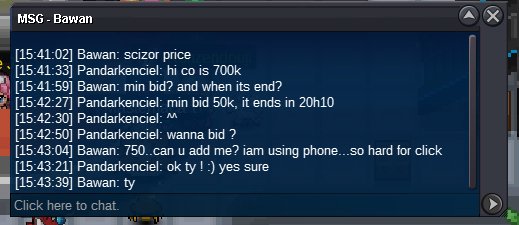
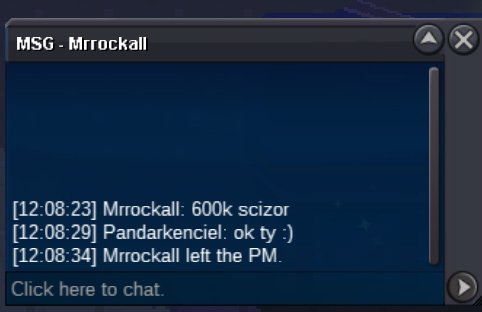
SCIZOR START https://vclock.com/timer/#countdown=47:58:00&date=2023-05-16T11:52:50
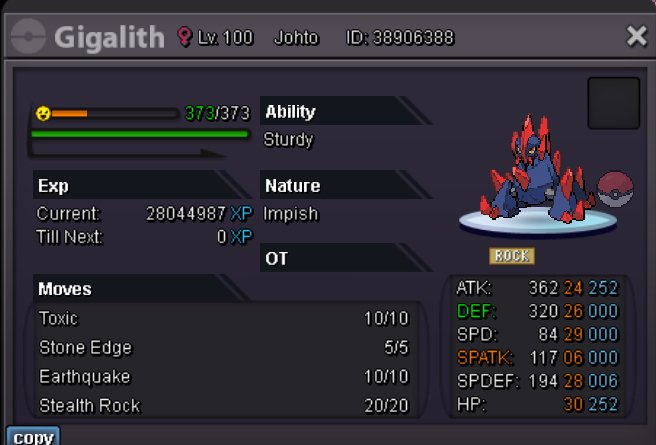
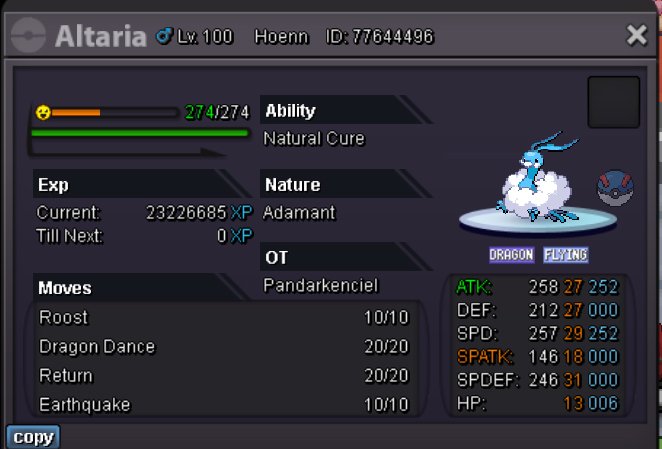
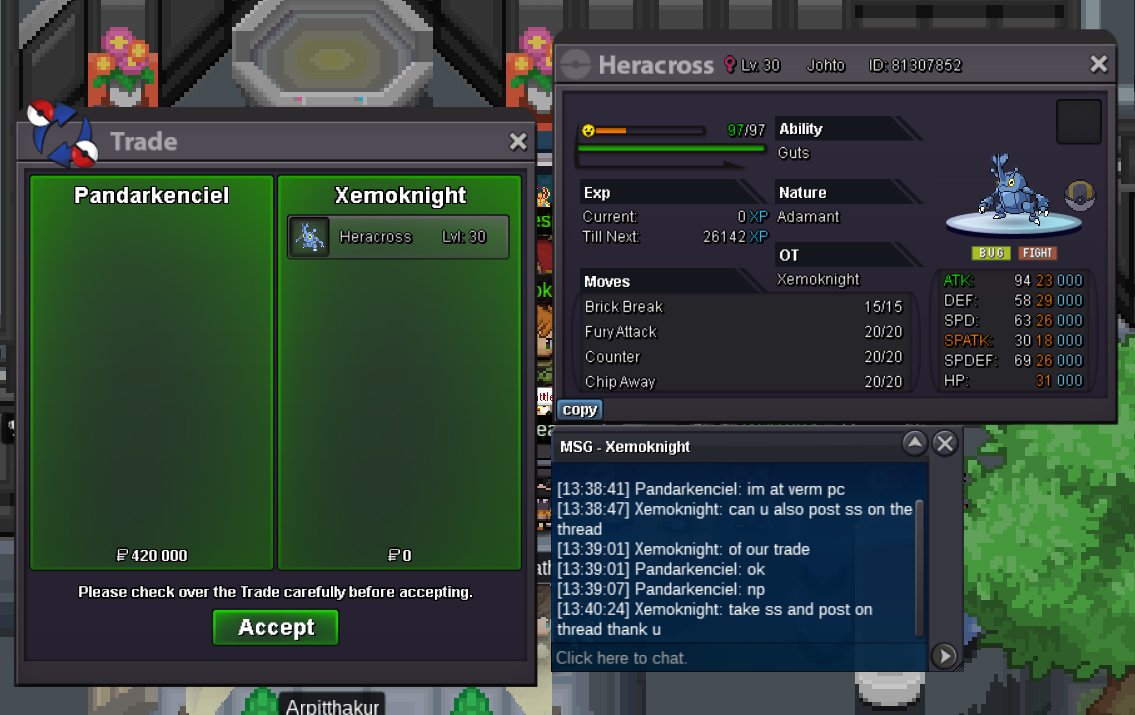
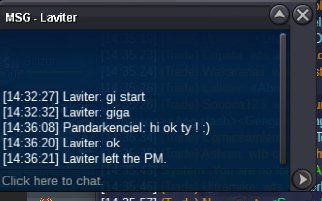
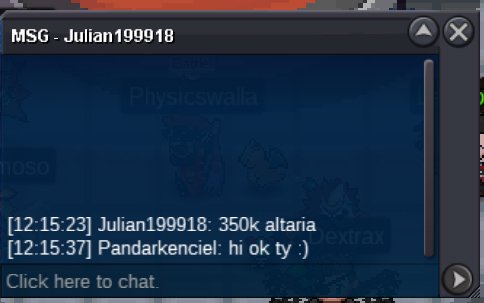
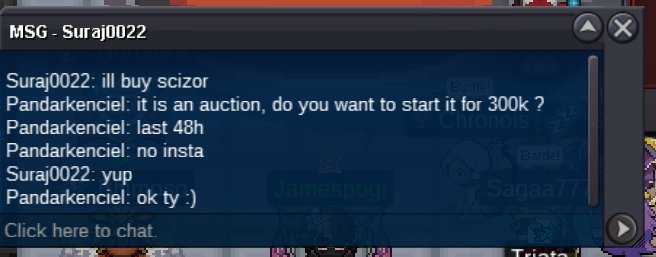 Hello ! I auction this three pvp poke ! I sell them separatly, it is not a bundle. For EACH of them START 300K Last 48 hours after start Minimum bid 50k NO INSTA Only cash ALTARIA c.o: 350k end: 05/16/2023 12h15min23sec PM (FRANCE) GMT +2 SCIZOR c.o: 800k end: https://vclock.com/timer/#countdown=47:58:00&date=2023-05-16T11:52:50 GIGALITH c.o: 350k end: 05/16/2023 14h32min27sec PM (FRANCE) GMT +2 Thanks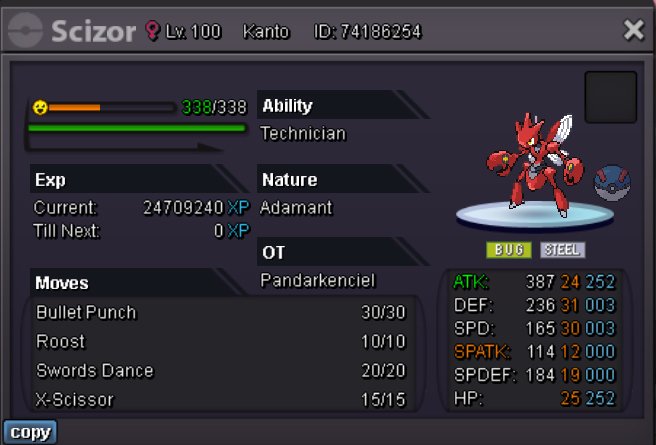
 Lileep 1.6mlileep 1.2m1m lileep250k trapinch150k trapinch and 150k swinub.2m then1.9m4.5m3.6m3m400k squirtle




Account
Navigation
Search
Configure browser push notifications
Chrome (Android)
- Tap the lock icon next to the address bar.
- Tap Permissions → Notifications.
- Adjust your preference.
Chrome (Desktop)
- Click the padlock icon in the address bar.
- Select Site settings.
- Find Notifications and adjust your preference.
Safari (iOS 16.4+)
- Ensure the site is installed via Add to Home Screen.
- Open Settings App → Notifications.
- Find your app name and adjust your preference.
Safari (macOS)
- Go to Safari → Preferences.
- Click the Websites tab.
- Select Notifications in the sidebar.
- Find this website and adjust your preference.
Edge (Android)
- Tap the lock icon next to the address bar.
- Tap Permissions.
- Find Notifications and adjust your preference.
Edge (Desktop)
- Click the padlock icon in the address bar.
- Click Permissions for this site.
- Find Notifications and adjust your preference.
Firefox (Android)
- Go to Settings → Site permissions.
- Tap Notifications.
- Find this site in the list and adjust your preference.
Firefox (Desktop)
- Open Firefox Settings.
- Search for Notifications.
- Find this site in the list and adjust your preference.