New Trade Zone
Trade Zone is now live
Use the new Trade Zone for auctions and instant-price trades so Pokemon and item offers are easy to find.

Astro
Suspended
-
Joined
-
Last visited
Everything posted by Astro
-
Username: Astro Server: Silver Season u were top 25: May Vote: No Reason: If we are trying to follow OU rules, I think we don't need the gems. PRO is trying to follow original games.
-
3.5m
-
-
Insta added.
-
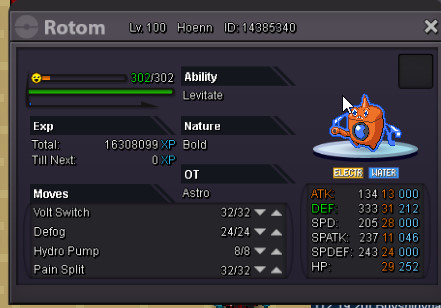
S.o= 1m Min rise= 100k SOLD Insta= 1.8m HEROOFTHESTREET Auction ends 72 hours after the first bid.
-
900
-
700
-
I take infernape!
-
Astro Love u cutie <3
-
Player name: Astro Showdown name: Astrous Server: Silver Rank on ladder : 19
-
4.6m.
-
So 3.8m
-
3.5m
-
In-Game Name: Astro Discord Tag: Rise#0605 Server: Silver How often do you use Discord?: Daily, when someone summons me :p What is one suggestion you have for PRO Discord? Doing a perma-channel only for memes, memes are life. (I want to post memes but I can't upload images) :(
-
Sure, don't forget to update the thread to 4.6m ñ.ñ
-
I offer 4.6m
-
3.7m
-
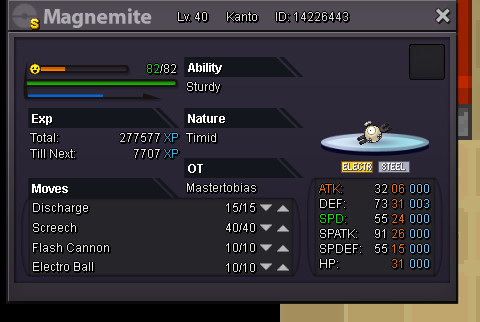
Can be closed, I traded it in-game a moment ago for a magnemite
-
Sure I wasn't in my home! contact me in discord Rise#0605 or I will contact you in game ñ.ñ
-
Yes, using baton pass with spd+other stat increased is banned.
-
-
Sorry Klohver, I was trying to put S.O and I didn't see the mistake, I already changed it.
-
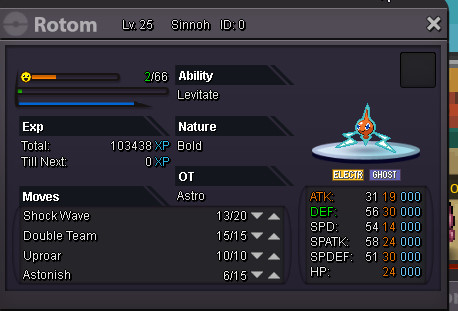
S.O starts with 1.5m Every bid:100k Insta: 3m 72 hours auction. Auction starts after the first bid.
-
bump
-
Good luck everyone :p