




New Trade Zone
Trade Zone is now live
Use the new Trade Zone for auctions and instant-price trades so Pokemon and item offers are easy to find.

Daftgenius
Registered User
-
Joined
-
Last visited
Everything posted by Daftgenius
-
Start 2m Min raise 100k Cash only Duration: 24hrs after starting Acceptance : only cash Instant Sell : N/A ***15 minute forum auction rule: if a bid is received in the final 15 minutes of the auction, the end point will be delayed by 15 minutes from that bid, and will be delayed by 15 minutes for each new bid thereafter, until the current offer has been held for a full 15 minutes.

-
Thank you for clearing that up for us @Drakloak @Hbkk2 send me your discord or pm me daftgenius#3502. Let's complete the trade
-
@Drakloak @Kvar Hi, please help decide the winner of this tangrowth auction
-
No worries, I will ask trade mods to confirm who is the winner
-
Tangrowth 10 hours 30 mins left Timburr approx 31 hours left
-
***INDIVIDUAL*** Tangrowth sold Each one starts at : 300K Min Raise : 100K Duration for each one : 48hrs after starting Acceptance : only cash Instant Sell : N/A ***15 minute forum auction rule: if a bid is received in the final 15 minutes of the auction, the end point will be delayed by 15 minutes from that bid, and will be delayed by 15 minutes for each new bid thereafter, until the current offer has been held for a full 15 minutes.
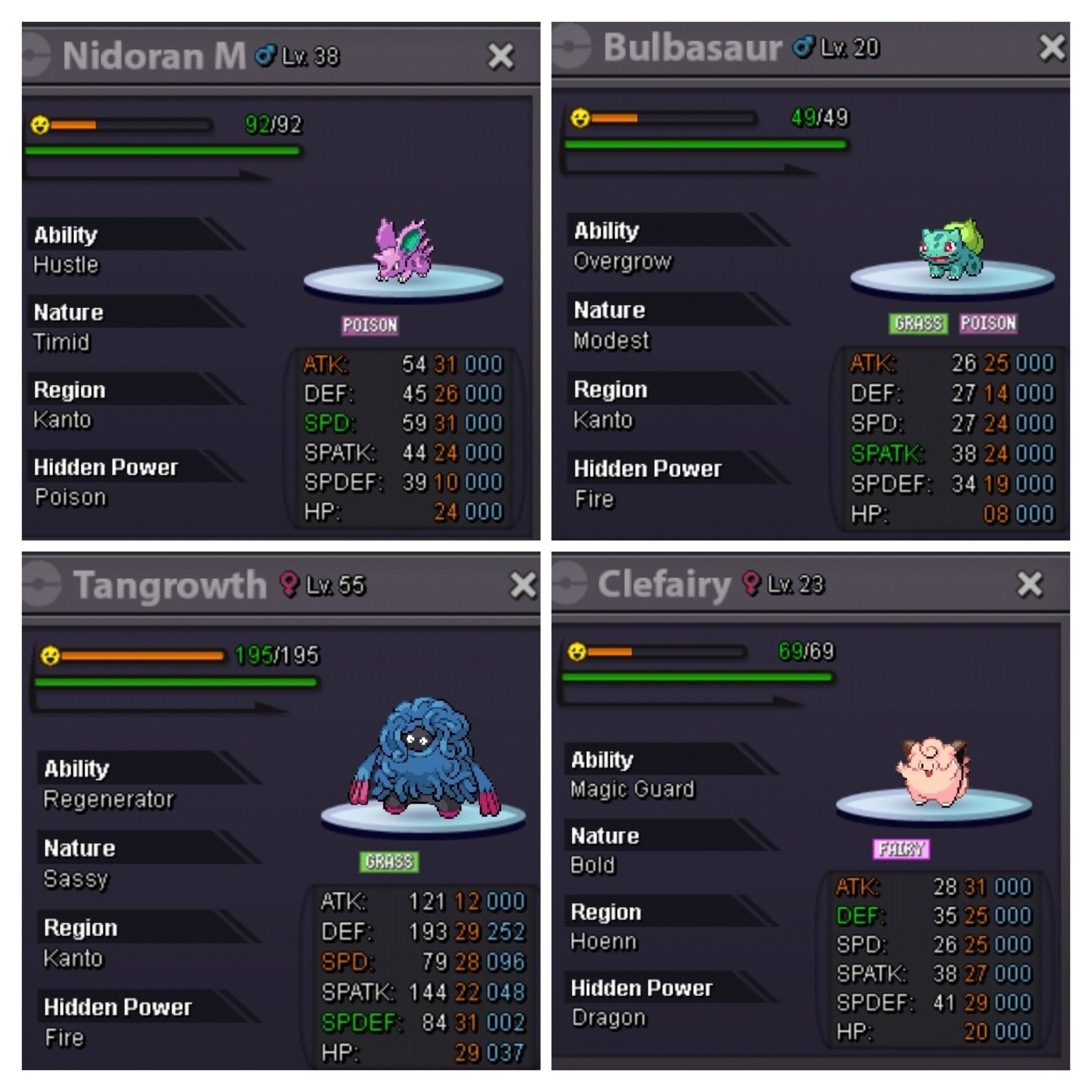
.jpg.6437c28596e57ae14f9fee24c6535e74.jpg)
-
Bump
-
2.5m innit
-
Bump
-
@Ownaz nah it's 1m to start
-
@Ownaz Hp fire
-
Bump
-
Bump
-
Bump
-
Bump
-
Start 700k Min bid 200k 48h auction from start Insta 5m Accepted payments: pokedollars, cc 370k, rare candy 7k, bms 160k, mball 50k *Item not included
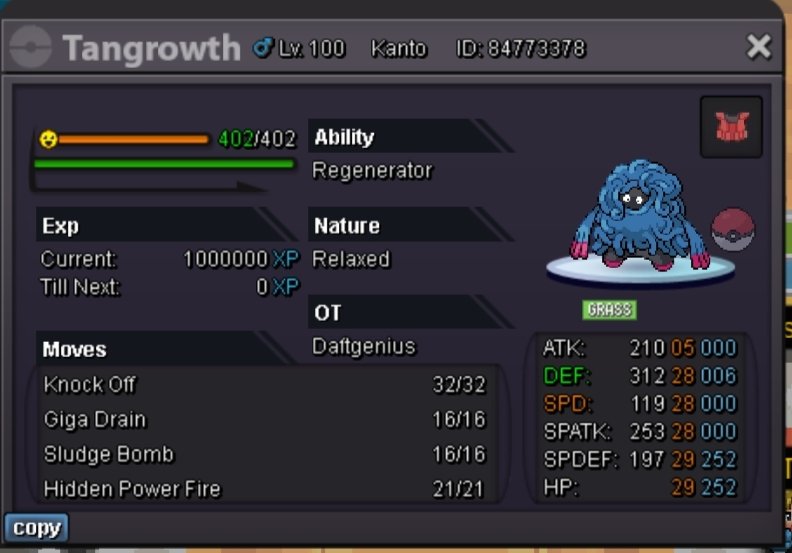
-
2m2 diggersby
-
650k
-
Start
-
@Yash4shree Hi, yes I accept rare candy 7k each
-
@Blacktroved I'm waiting for your response. If we are not able to communicate I will contact trade mods for help
-
Start 500k Min bid 50k 24hours from first bid

-
@Blacktroved When can we trade for alakazam? Let me know. My discord: daftgenius#3502
-
Start
-
Buy alakazam 1m

