




New Trade Zone
Trade Zone is now live
Use the new Trade Zone for auctions and instant-price trades so Pokemon and item offers are easy to find.


Norex
Discord Moderator
-
Joined
-
Last visited
Everything posted by Norex
-
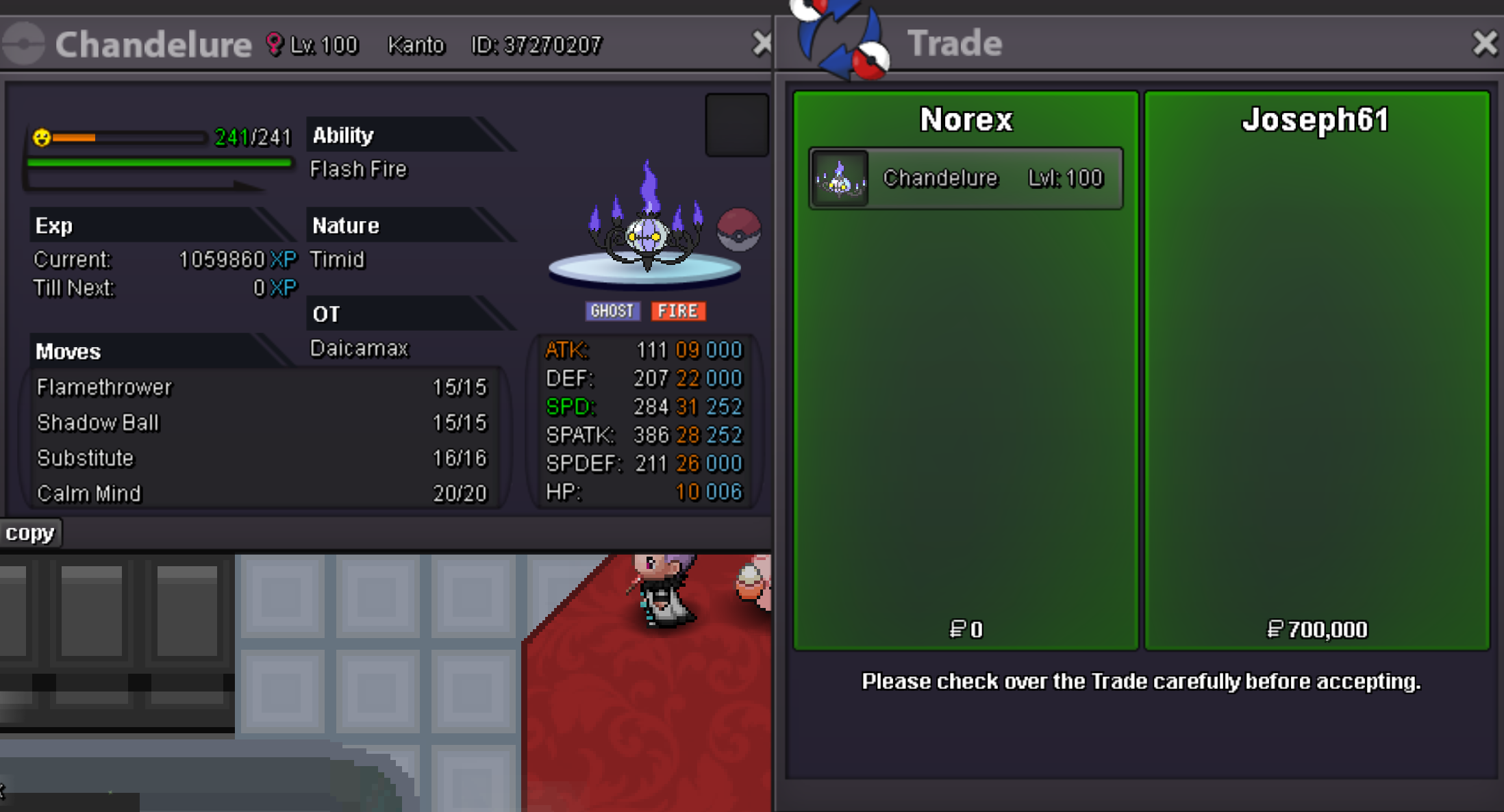
Duration: 24h after first bid Start offer: 300k Min Bid: 100k Insta: 700k Accepted payments Coin Capsule = 450k Reroll Ticket = 500k Contact Ingame: Norex Discord: norex1234 If you want to bid from Silver Server make sure to mention that when bidding.
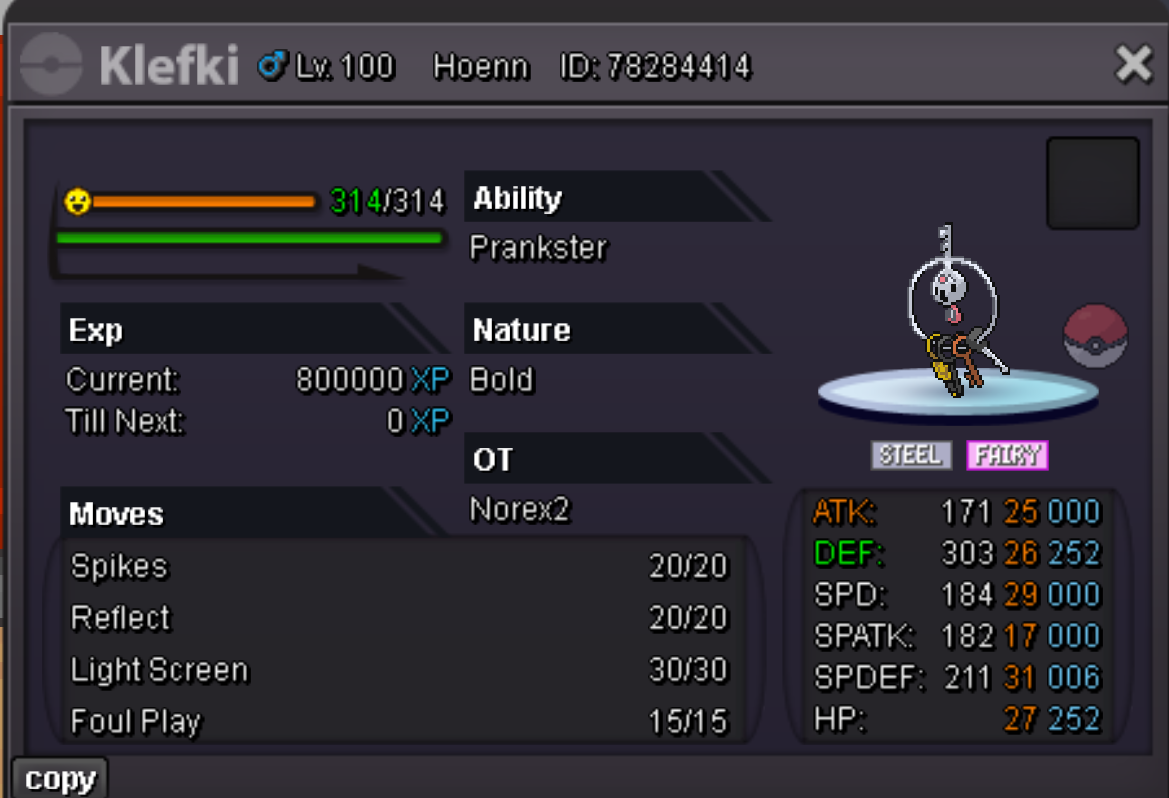
-
@Phucs you won the auction, please contact me ingame or on discord so we can arrange the trade
-
-
-
Duration: 24h after first bid Start offer: 500k Min Bid: 100k Insta: 2m Accepted payments Coin Capsule = 450k Reroll Ticket = 500k Contact Ingame: Norex Discord: norex1234 If you want to bid from Silver Server make sure to mention that when bidding.
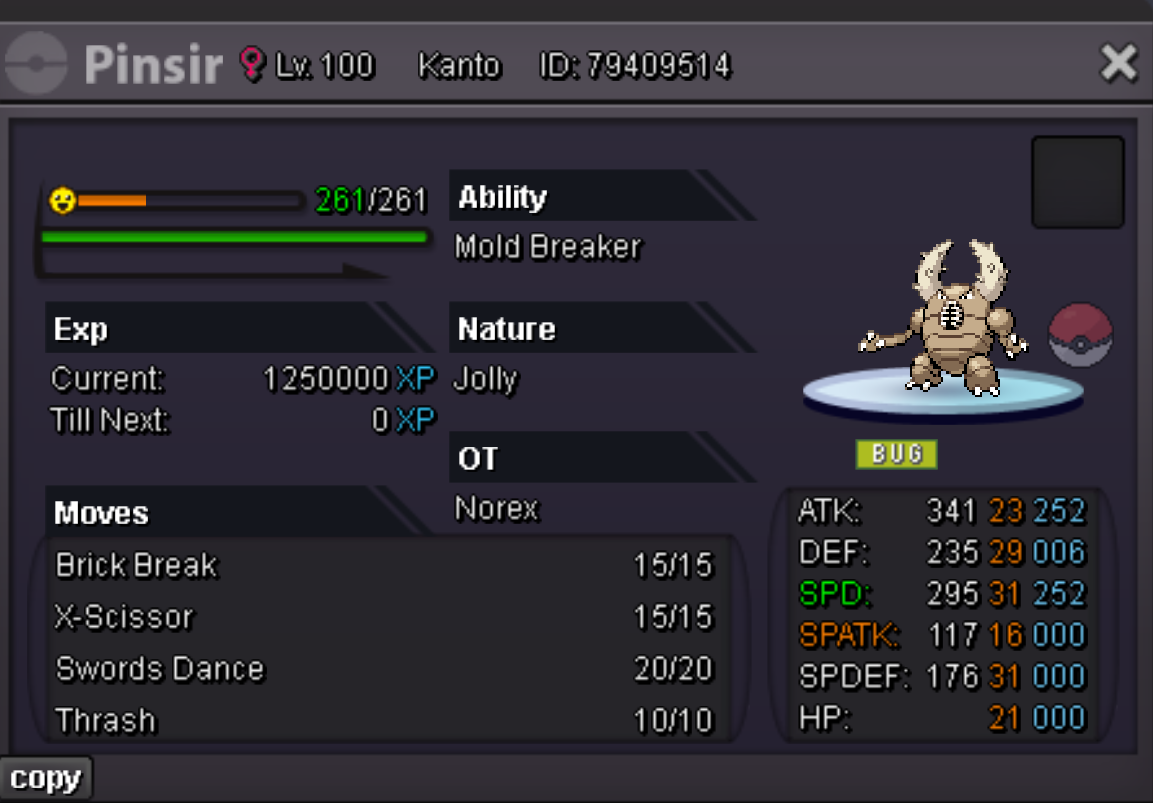
-
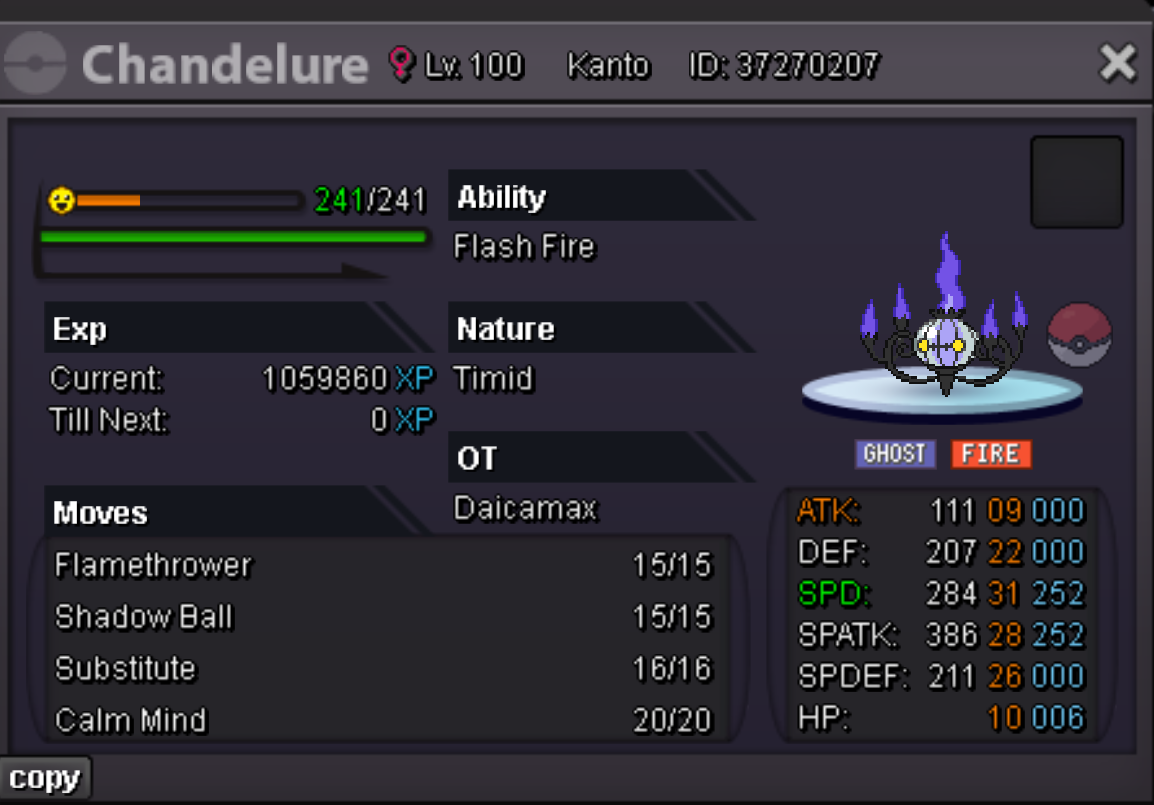
Sounds like you gave it to one of your pokemon as held item by dragging it onto it in your party on the left-side. Did you check for that?Duration: 24h after first bid Start offer: 400k Min Bid: 100k Insta: 1.2m Accepted payments Coin Capsule = 450k Reroll Ticket = 500k Contact Ingame: Norex Discord: norex1234 If you want to bid from Silver Server make sure to mention that when bidding.
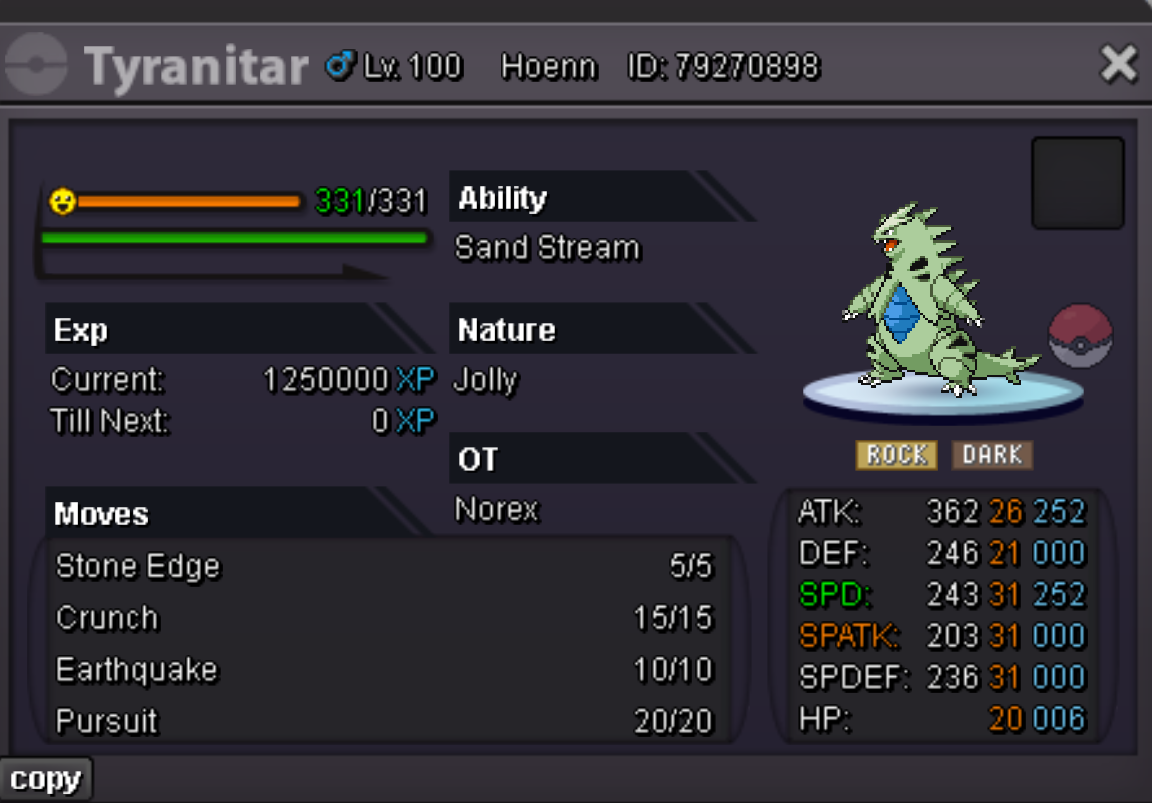
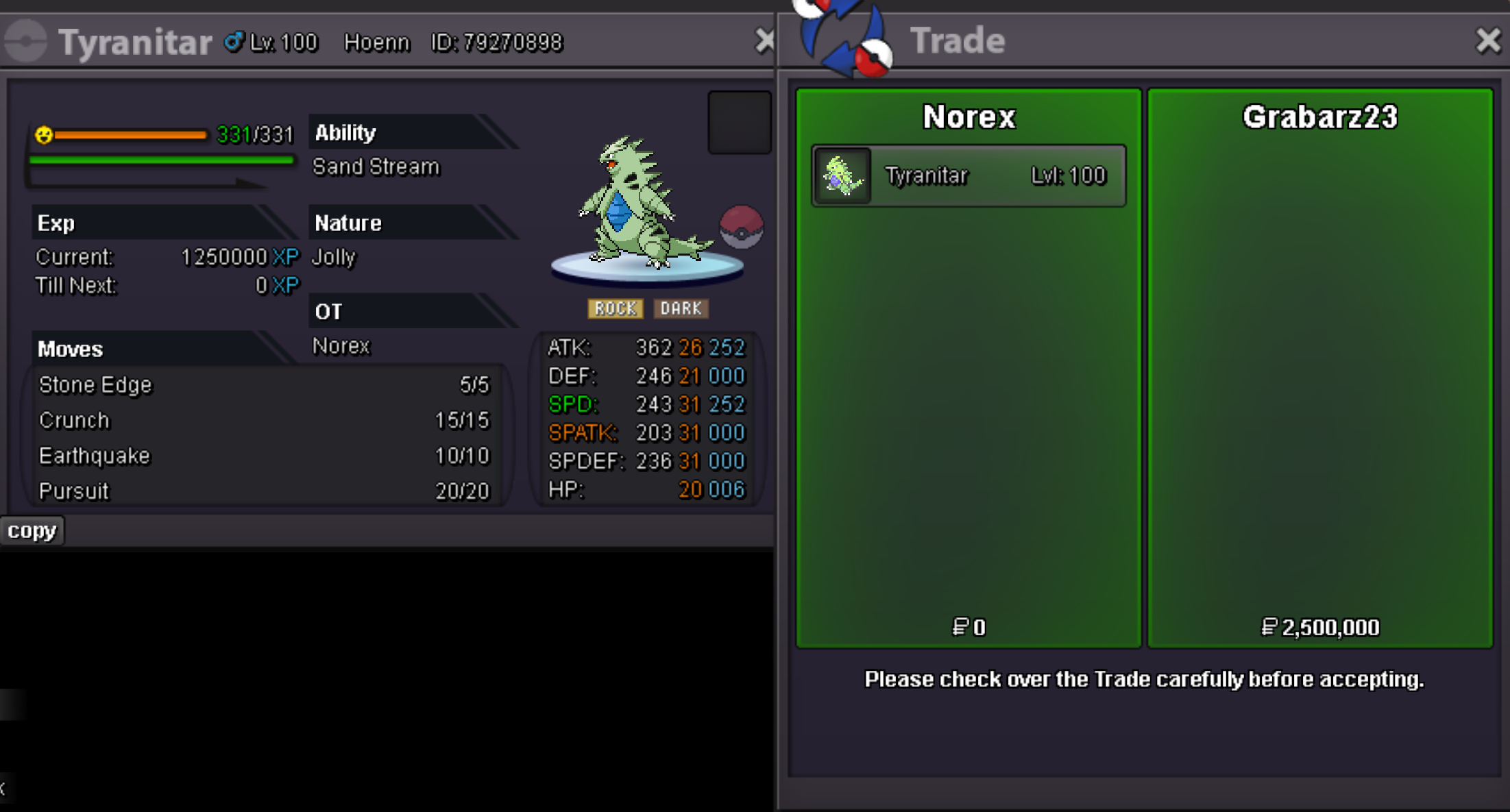
 Duration: 24h after first bid Start offer: 1m Min Bid: 100k Insta: 2.5m Accepted payments Coin Capsule = 400k Reroll Ticket = 500k Contact Ingame: Norex Discord: norex1234 If you want to bid from Silver Server make sure to mention that when bidding.
 Hey, I am on Gold15.5m13.5m12.5m12.1m10.1mVenonat 70k sold.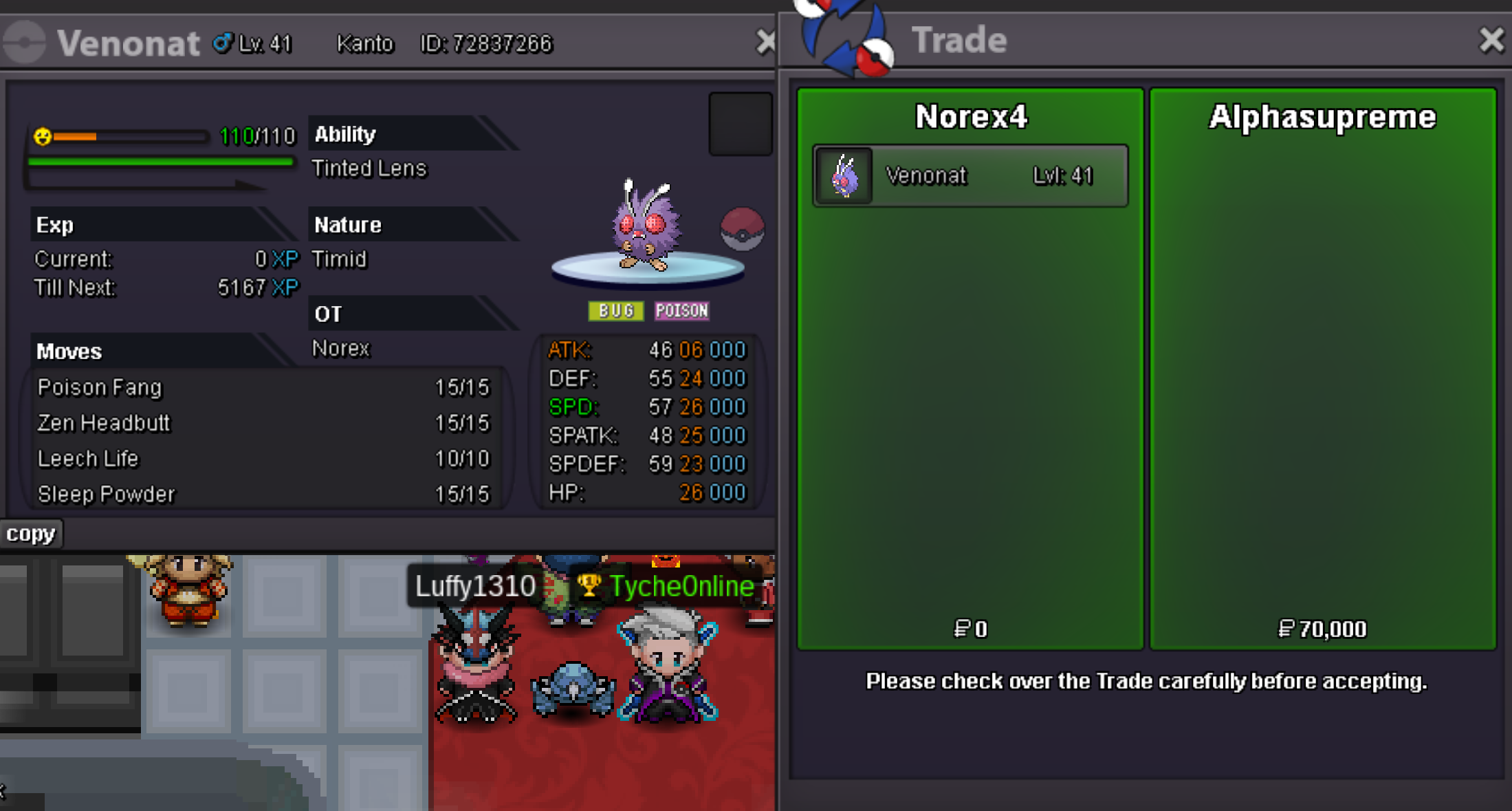


Account
Navigation
Search
Configure browser push notifications
Chrome (Android)
- Tap the lock icon next to the address bar.
- Tap Permissions → Notifications.
- Adjust your preference.
Chrome (Desktop)
- Click the padlock icon in the address bar.
- Select Site settings.
- Find Notifications and adjust your preference.
Safari (iOS 16.4+)
- Ensure the site is installed via Add to Home Screen.
- Open Settings App → Notifications.
- Find your app name and adjust your preference.
Safari (macOS)
- Go to Safari → Preferences.
- Click the Websites tab.
- Select Notifications in the sidebar.
- Find this website and adjust your preference.
Edge (Android)
- Tap the lock icon next to the address bar.
- Tap Permissions.
- Find Notifications and adjust your preference.
Edge (Desktop)
- Click the padlock icon in the address bar.
- Click Permissions for this site.
- Find Notifications and adjust your preference.
Firefox (Android)
- Go to Settings → Site permissions.
- Tap Notifications.
- Find this site in the list and adjust your preference.
Firefox (Desktop)
- Open Firefox Settings.
- Search for Notifications.
- Find this site in the list and adjust your preference.