New Trade Zone
Trade Zone is now live
Use the new Trade Zone for auctions and instant-price trades so Pokemon and item offers are easy to find.


Norex
Discord Moderator
-
Joined
-
Last visited
Everything posted by Norex
-
-
-
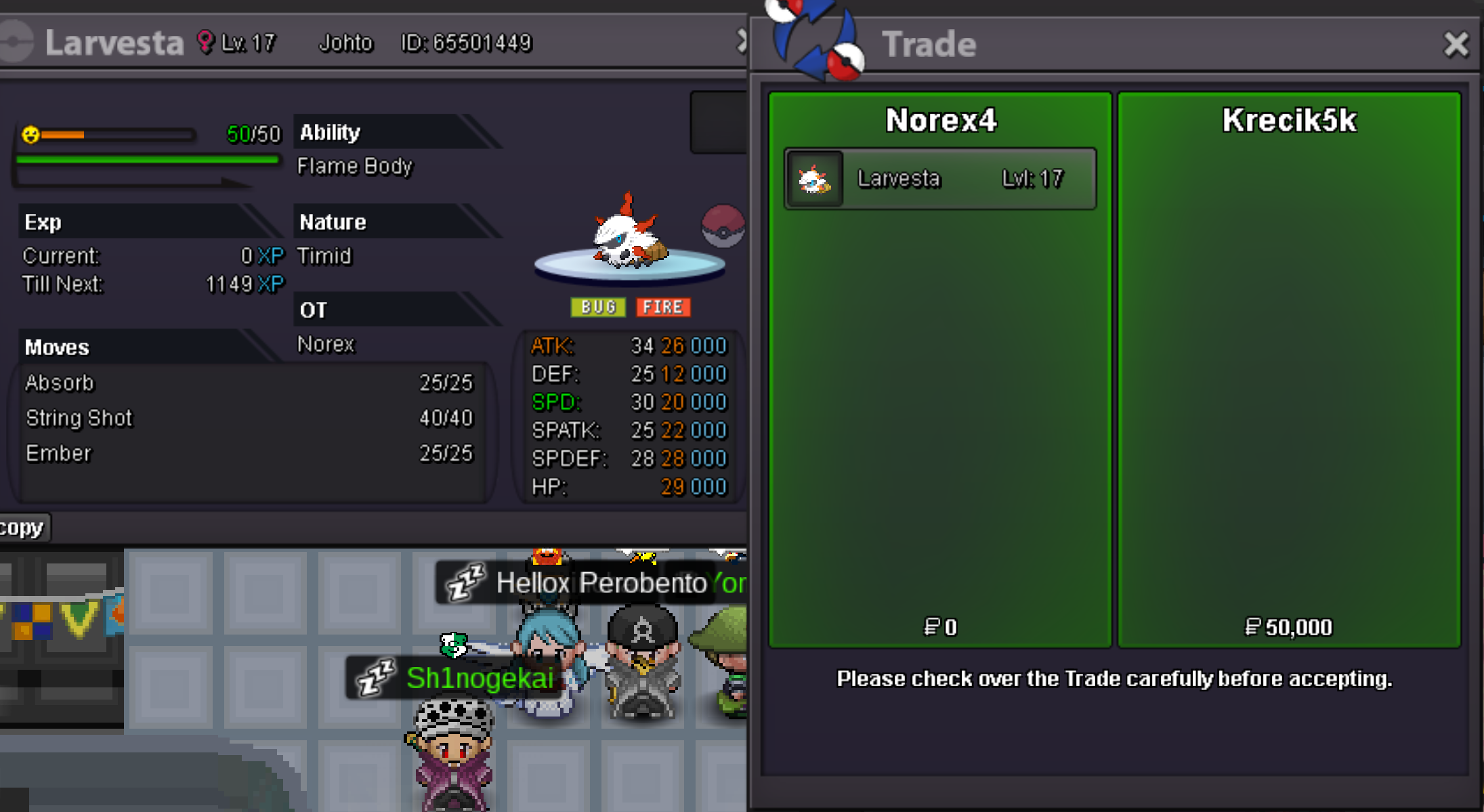
Larvesta 50k sold.
-
-
-
-
-
-
-
-
-
-
The spawns are fixed and the rotation remains non-functional. The spawns will change occasionally from time to time without a set duration. I am not sure for the wiki but the Reborn bot will always be updated with new spawns, it may need some time after an update first though. There were no changes regarding that, so yes you can still enter Guild Island that way.
-
That would be something for the box-rework which is already on the devs to-do list: https://pokemonrevolution.net/forum/topic/159019-dev-to-do-list/#comment-881115
-
Hey, usually event areas have pokecenters with a Collector Joro NPC right inside of it
-
-
-
-
Hey, we plan to add more regions in the future. For now you can enjoy all of the custom content as in quests, daily activities, dungeons, seasonal events, storylines and much more
-
-
-
-
Hey, Unova is planned for the future.
-
Hey, I agree with this. Currently we have a lot of custom maps for quests and events and not a lot of indicators where a specific location would be located. Maybe some improvements can be found in the future to make it easier. For the time being you can use the wiki for most the most part if you try to find a maps location: https://wiki.pokemonrevolution.net/index.php?title=Main_Page Greetings~
-