New Trade Zone
Trade Zone is now live
Use the new Trade Zone for auctions and instant-price trades so Pokemon and item offers are easy to find.

Alvaro17ghf
Registered User
-
Joined
-
Last visited
-
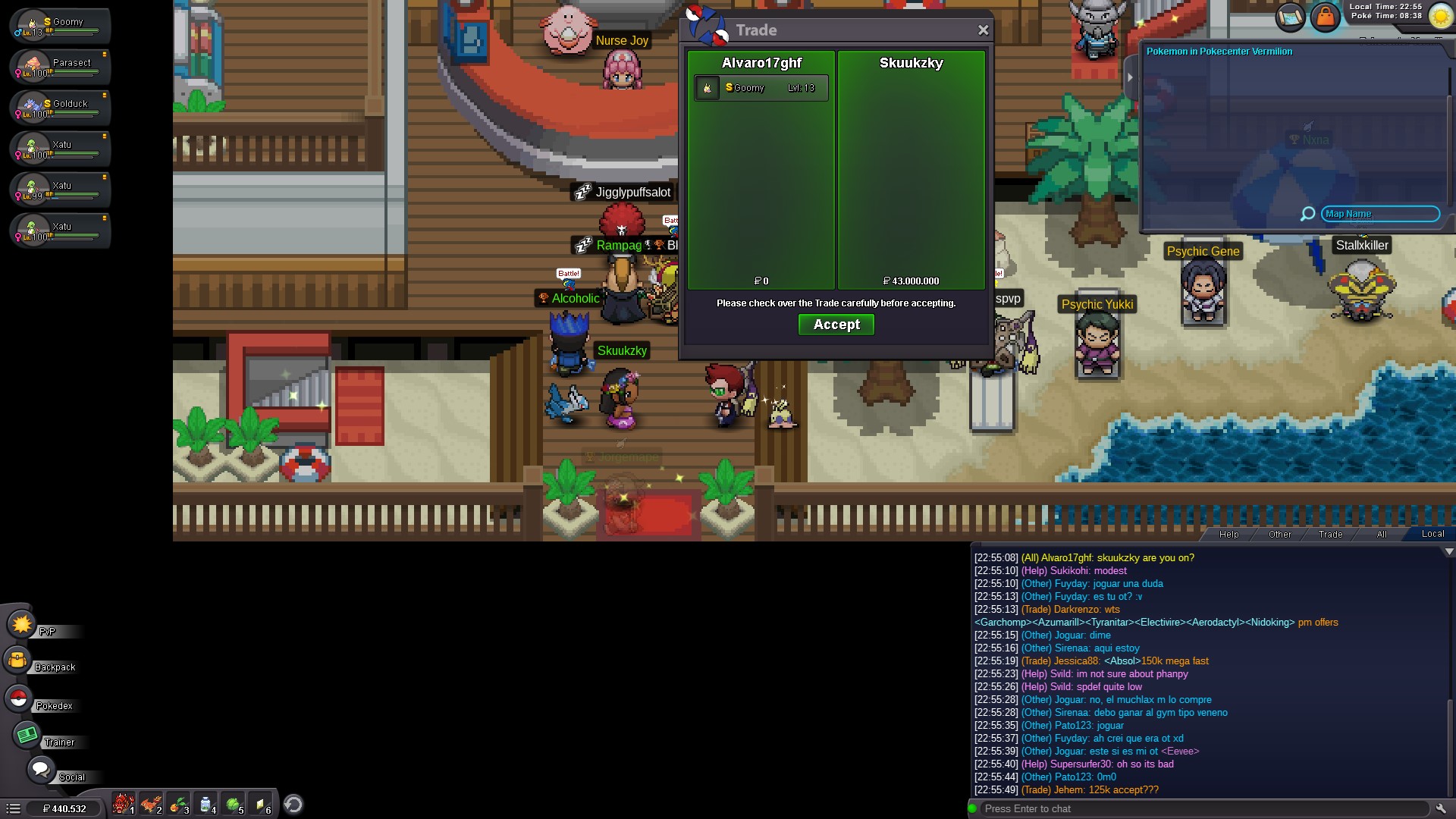
ok, sop right now according to forum auctions rules, time will extend 15min after any bid if i didnt understand wrong32m by Dianee
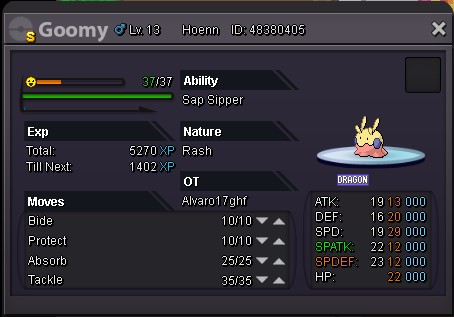
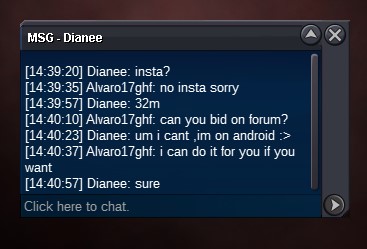 23 hours left :)No insta at allalready started 10m is the stating price, sorry if bad explainedStarting Price 10m Ending Point 48 hours No insta price Only accept Pokedollars Minimum Raise 250k Edit: Sold to @Skuukzky for 43 millons
 Nombre de Usuario: Alvaro17ghf Discord(Opcional): Mythor#7709 Horas Jugadas: 1034 ¿Juegas PvP o te interesaría aprender?: Juego poco PVP, sí me gusatría aprender más ¿Por qué te gustaría entrar?: Busco una comunidad de habla hispana con la que divertirme y aprenderUsername :Alvaro17ghf Server : Silver. Country : Spain, Central European Summer Time (GMT+2)thx and god luck everyoneHi, maybe a good a idea to reduce the queue in red even after blue open its allow migration from red to blue temporally, if it is possible of course, to help the balance of the population of both server, some people as me start playing a few time ago and dont have friend or guild yet and dont care about move but dont want to lose the hours of play and repeat all sorry for my bad english :D: