New Trade Zone
Trade Zone is now live
Use the new Trade Zone for auctions and instant-price trades so Pokemon and item offers are easy to find.

Hardlocked
Registered User
-
Joined
-
Last visited
Everything posted by Hardlocked
-
-1 I agree on that there could / should be a change to the entering of HOENN. but being that this is an MMO, i am not a fan of something for nothing. Instead of just giving it to us, i would suggest a new quest line. Maybe something with the boats, as once you unlock HOENN, you can start using the ships to travel there.
-
1. What's your Player name (IGN)? Hardlocked 2. Number of hours played? 184 hours 3. What's your favorite Pokemon? Fire types 4. How old are you? (Optional) 32
-
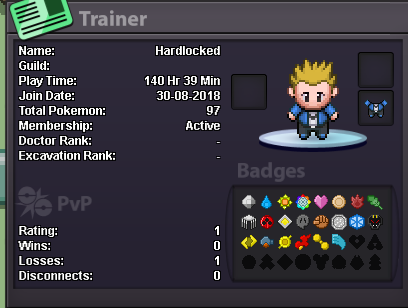
Hello, i would like to join your community Why do you want to join Eternity? I like the game and would like to have more people to talk to when i am playing [*]Real name / ingame name: real Name: Justin in game : Hardlocked [*]How old are you? 31 [*]Ur country/ which language(s) do you speak? United States / English [*]Discord name+tag / how often u r online there? hard locked#0904 on 24x7 minus weekends [*]What is your goal on pro/are you interested in pvp/already pvping? to be the best, i want to beat story before i pvp [*]Screenshot of your trainercard