




New Trade Zone
Trade Zone is now live
Use the new Trade Zone for auctions and instant-price trades so Pokemon and item offers are easy to find.

Fitri
Registered User
-
Joined
-
Last visited
-
-
-
-
ah i see okay thanks sir have a nice day 🙂
-
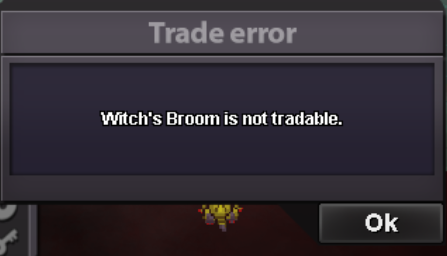
i bought witch broom with my alt and wanna move to my main character, and i dont know this broom not trade able there is no explanation about it. pls i want to move it to my main id 😞
-
bump
-
yeah i buy at pokecenter sorry maybe its a bug or sumtin
-
after battle with Maribela sinnoh boss, she make me to choose the prize diva dresses(for girl)/punk jacket(for boy) and wrong clicked choosing punk jacket, but my character is a girl so its useless, please make it change into diva dresses because its really cannot wearable for my character :'(yes its not in your bag but you can try the travel is free for surei click the invite link but nothing happened oh noFitri 150hr Mimiku (Mimikyu + Miku) 21 yr150 hr playtime, champion of 4 region and currently doesnt know what to do since theres no 5th region in pro yet :p im not doing pvp yet i still building my teamyayIt would be very nice and much easier if we could manage & place certain pokemon in certain slot :) so we can separate between PvP poke, Shiny Poke, Special Poke, Poke for sell etc. sometimes I accidentally sell my "meaningful" pokemon that i want to keep forever, like poke from my friend with their OT and my starter a PC storage UI rework contest would be nice too :o just like battle UI rework some weeks ago


