




New Trade Zone
Trade Zone is now live
Use the new Trade Zone for auctions and instant-price trades so Pokemon and item offers are easy to find.

Pedrohage
Registered User
-
Joined
-
Last visited
Everything posted by Pedrohage
-
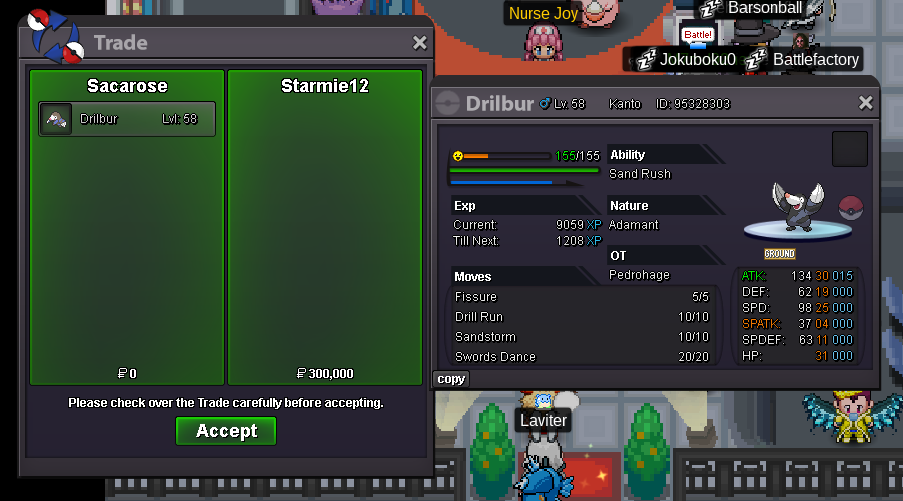
300K SOLD
-
700k
-
500k
-
450k
-
won! Discord: hortinha contact me there 😉
-
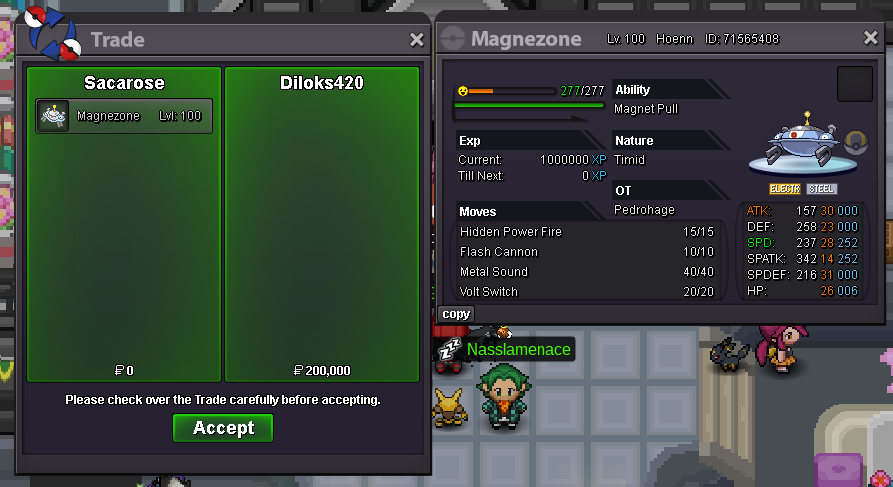
SOLD 200K
 wtb these User: Pedrohage Discord: hortinha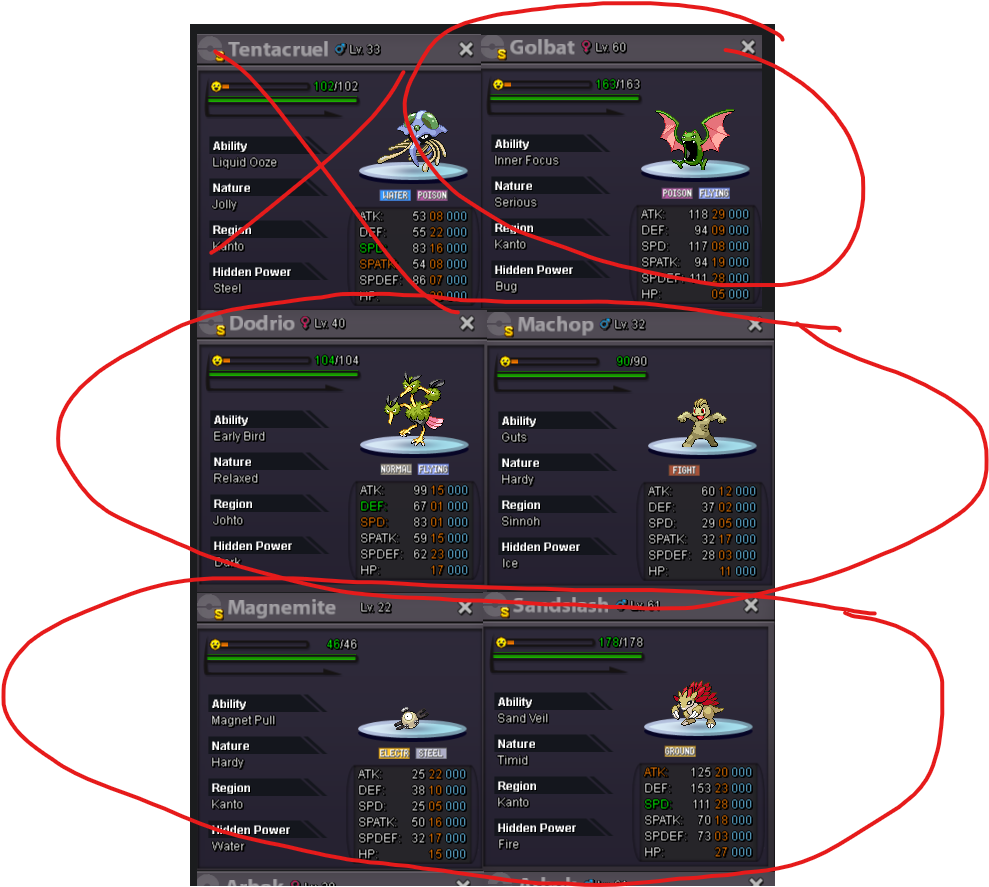
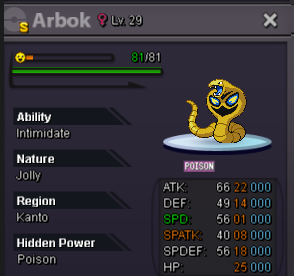 User: PedroHage Discord: Hortinha wtb
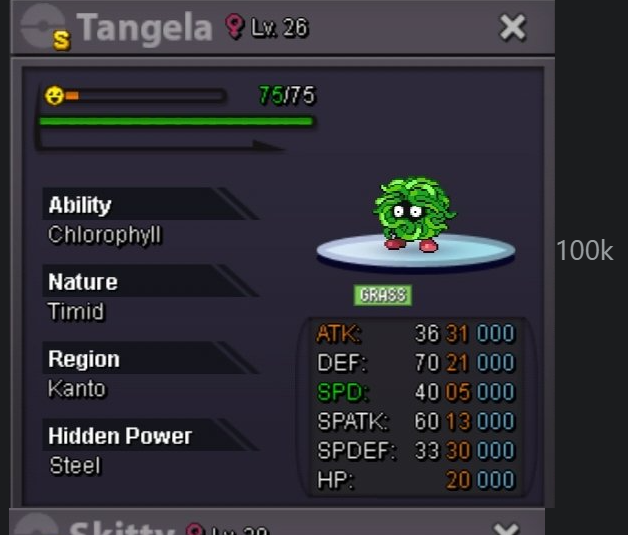 wtb these User: PedroHage Discord: Hortinha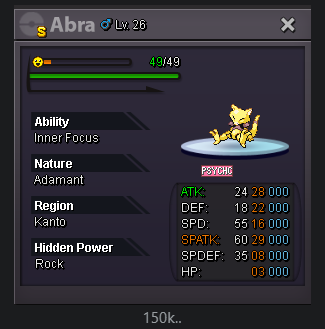
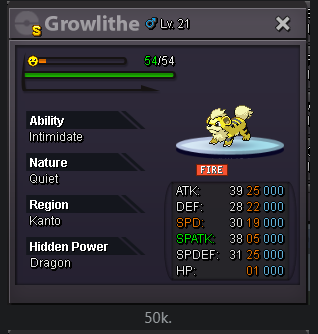 SOLD 300K
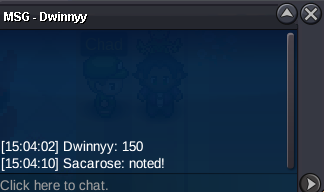
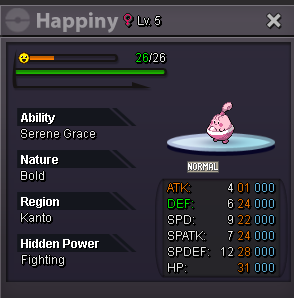
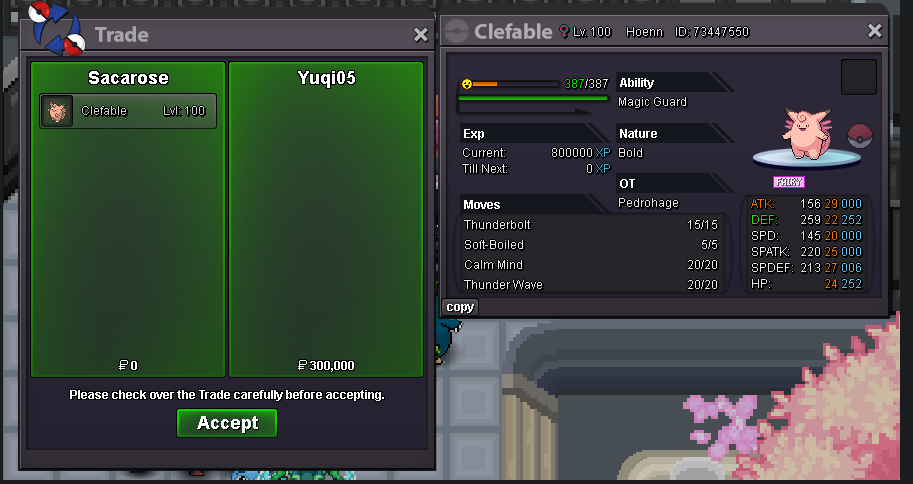 pumpc.o. 150k by Dwinnyy min raise: 50k insta: 600k ends in 48h after first bid (GMT +01:00) ACCEPTED PAYMENT METHODS : PokeDollars - Coin Capsule = 500k - IV Reroll Ticket = 700k In-game user: PedroHage / Sacarose Discord user: hortinha
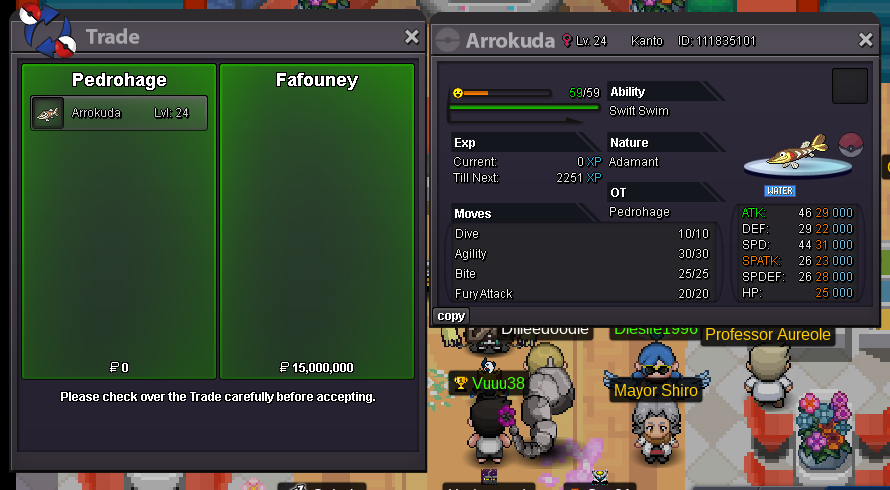
 2m150kStarting offer: 1.5m Ends in 72h after first bid (GMT +01:00) Minimum raise: 100k No Insta 15m by Fafouney ACCEPTED PAYMENT METHODS : PokeDollars - Coin Capsule = 500k - IV Reroll Ticket = 700k In-game user: PedroHage / Sacarose Discord user: hortinha
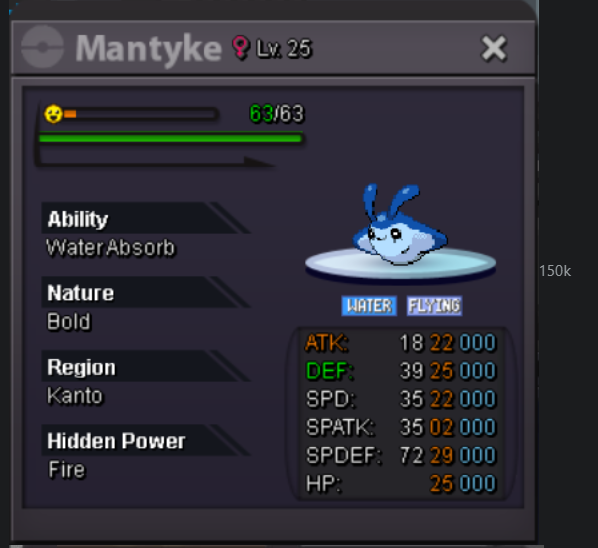
 wtb this one
 contact me on discord please to rearrange the meeting in pro :)) discord username: hortinhacontact me on discord please to rearrange the meeting in pro :)) discord username: hortinhaWelcome to Hage's Shop! Shop Rules: 1. Be respectful 2. Only way of payment is through POKEDOLLARS 3. No Fake offers 4. SILVER server only 5. Prices can be negotiable 6. All trades are realized in VERMILION city 7. All trades are realized through my 2nd account Sacarose Contacts: Discord username (faster): hortinha In-game username: PedroHage 2nd account username: Sacarose PM in forum (slower) PedroHage Sacarose Shiny / Form Spoiler A Spoiler B Spoiler C Spoiler D Spoiler E Spoiler F Spoiler G Spoiler H Spoiler I Spoiler J Spoiler K Spoiler L Spoiler M Spoiler N Spoiler O Spoiler P Spoiler Q Spoiler R Spoiler S Spoiler T Spoiler U Spoiler V Spoiler W Spoiler X Spoiler Y Spoiler Z Spoiler Sold Spoiler

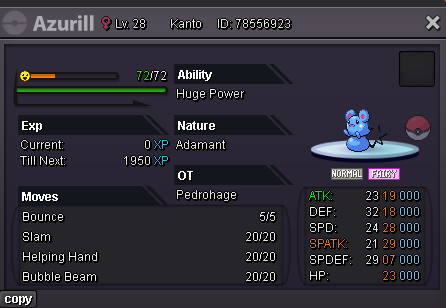
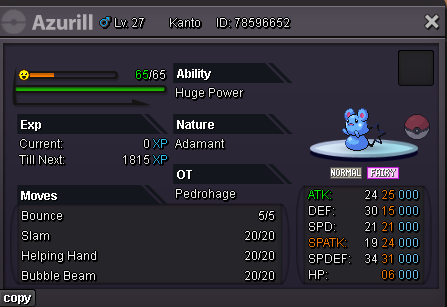
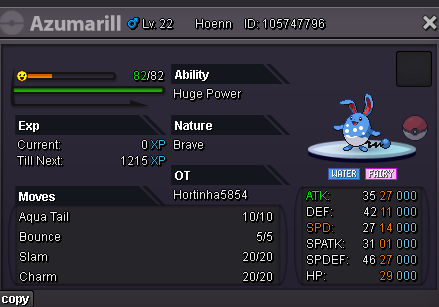
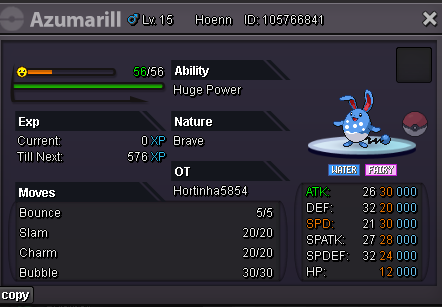
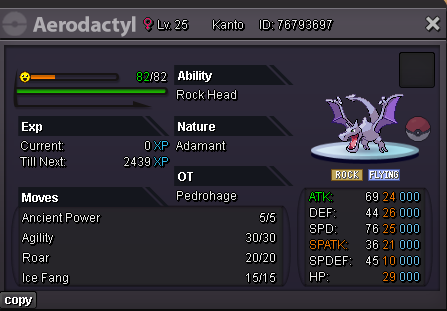
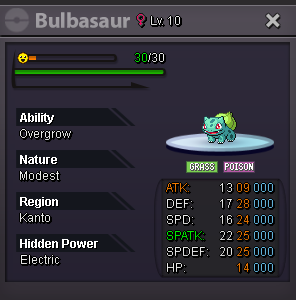
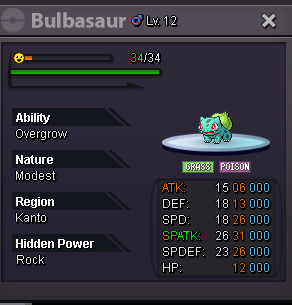
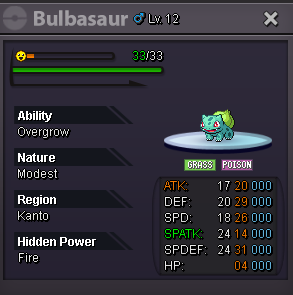
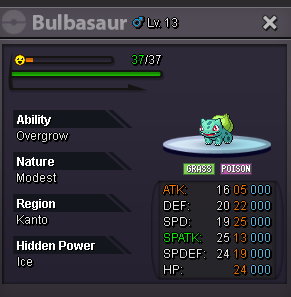
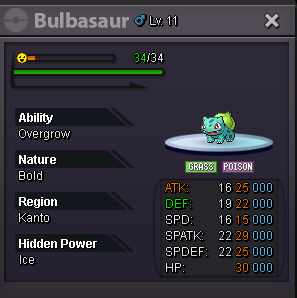
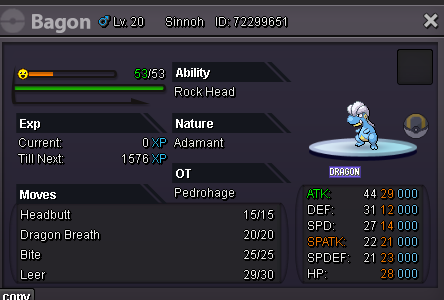
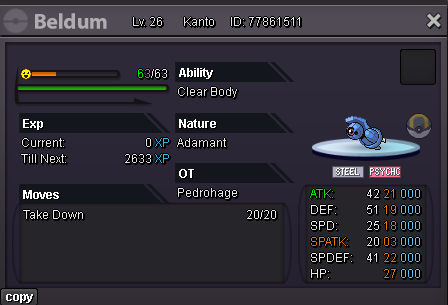
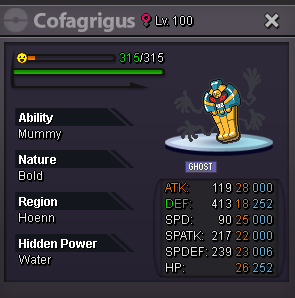
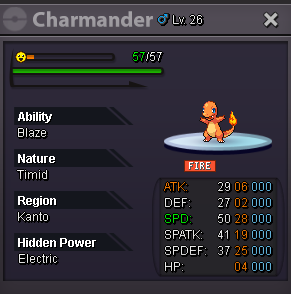
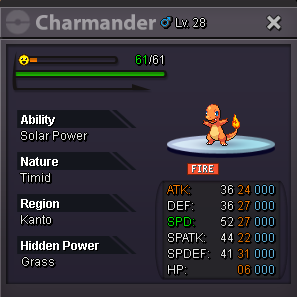
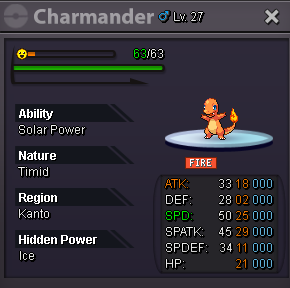
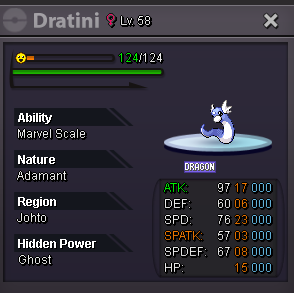
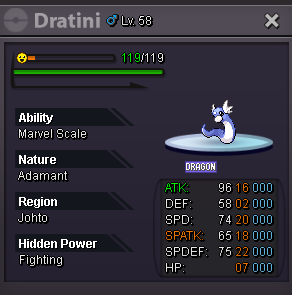
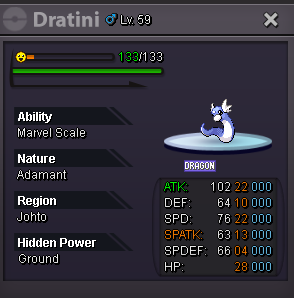
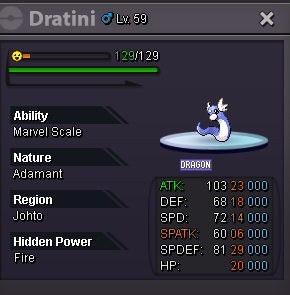
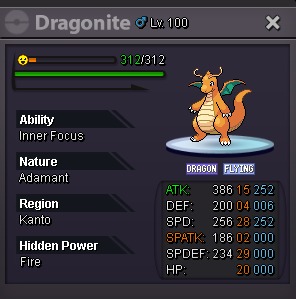
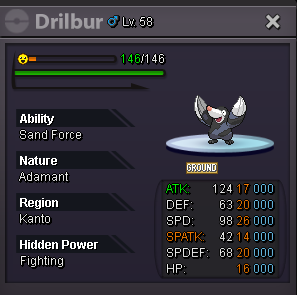
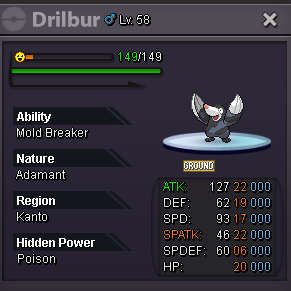
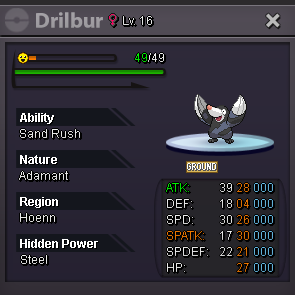
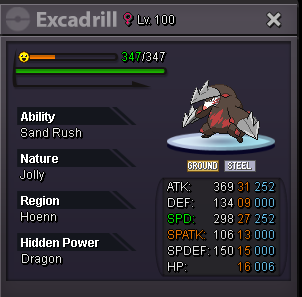
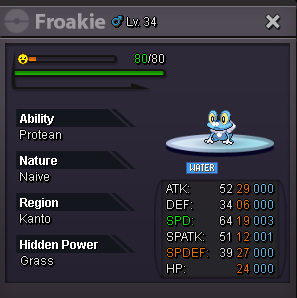
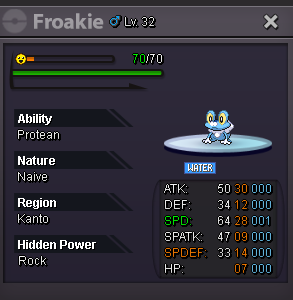
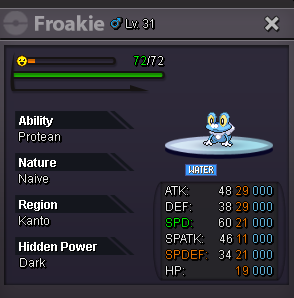
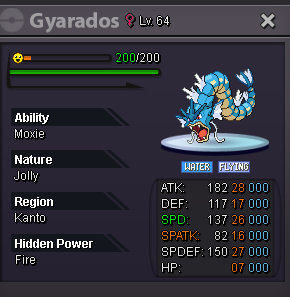
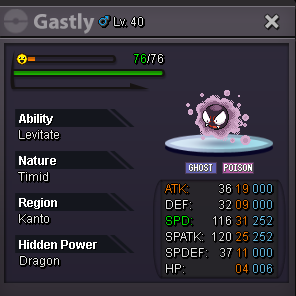
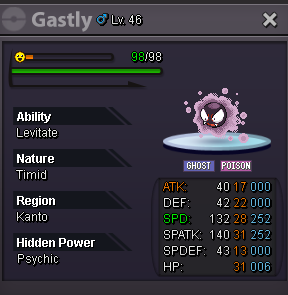
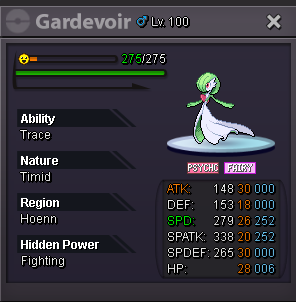
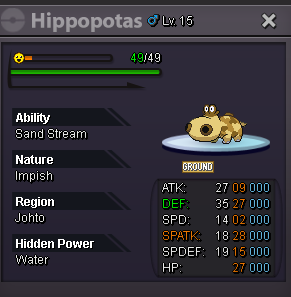
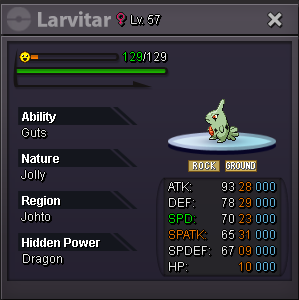
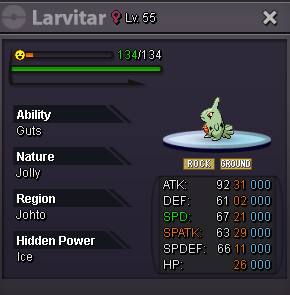
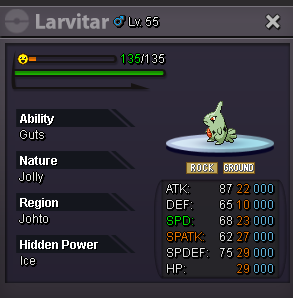
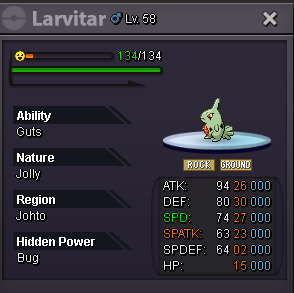
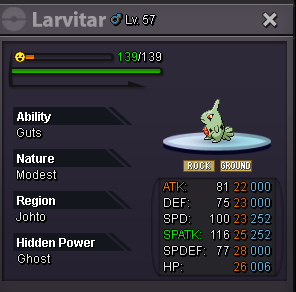
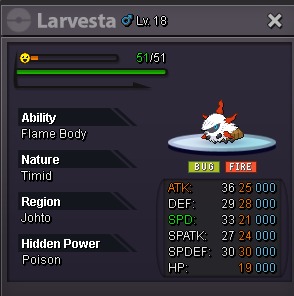
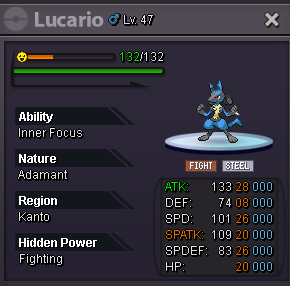
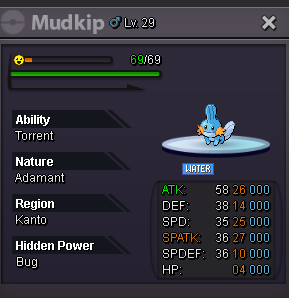
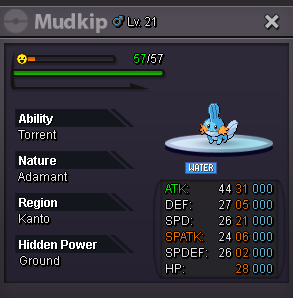
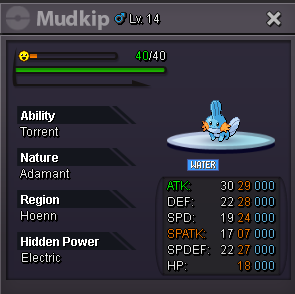
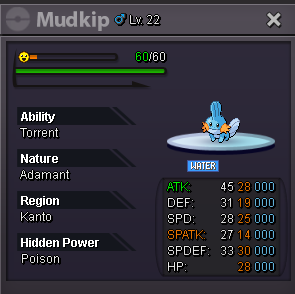
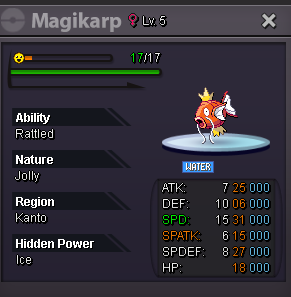
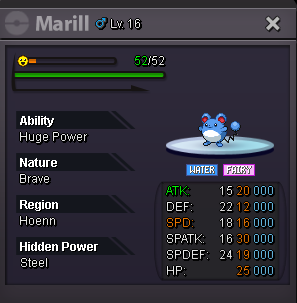
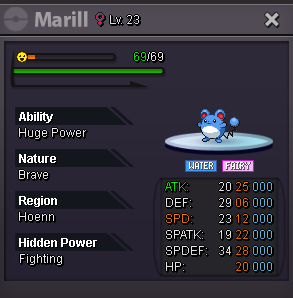
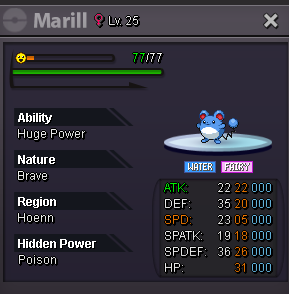
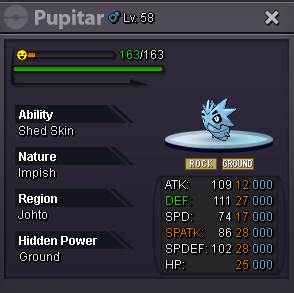
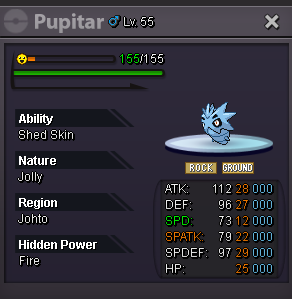
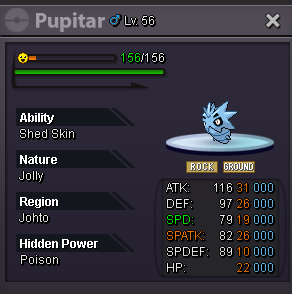
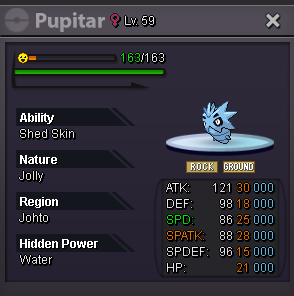
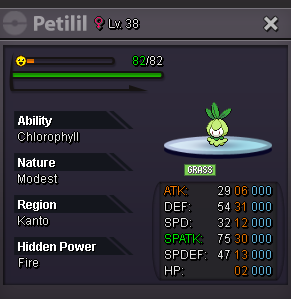
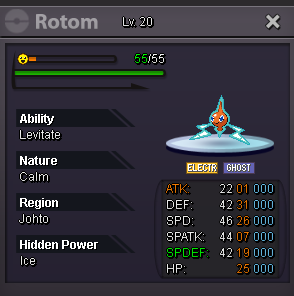
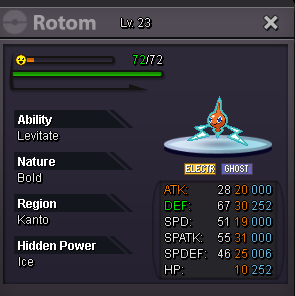
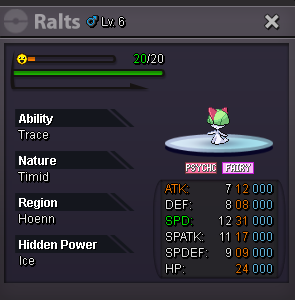
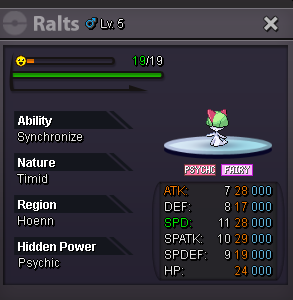
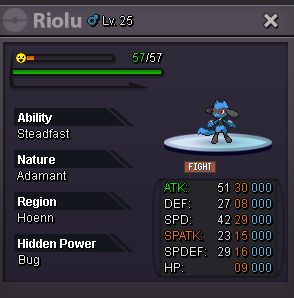
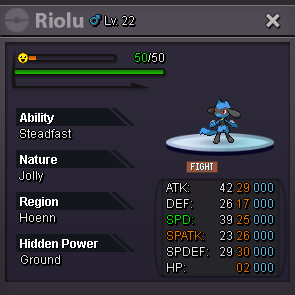
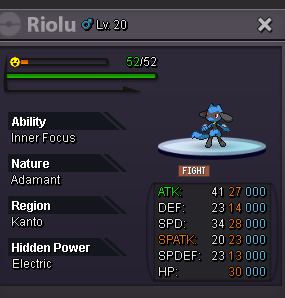
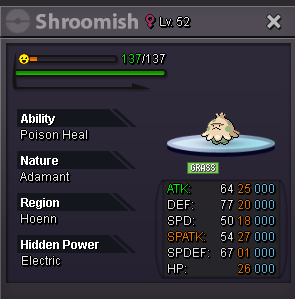
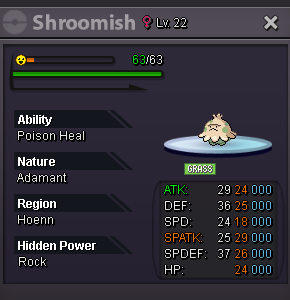
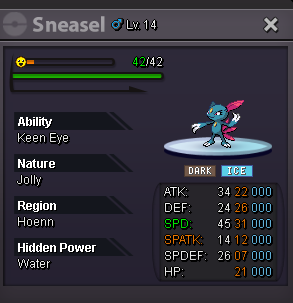
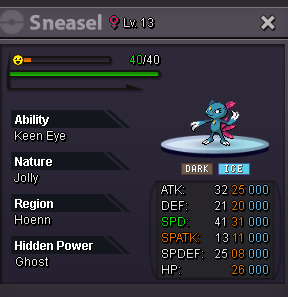
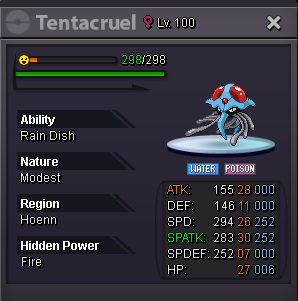
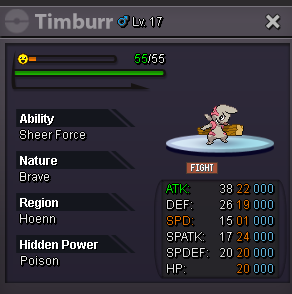
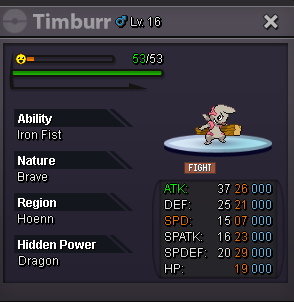
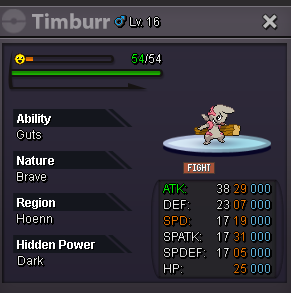
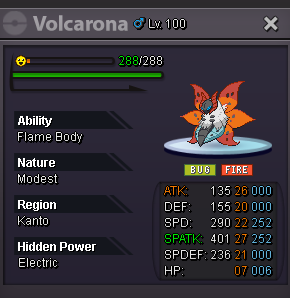
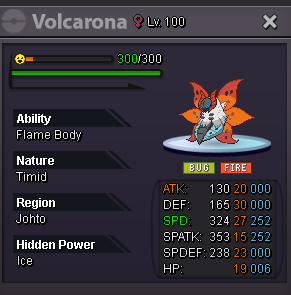

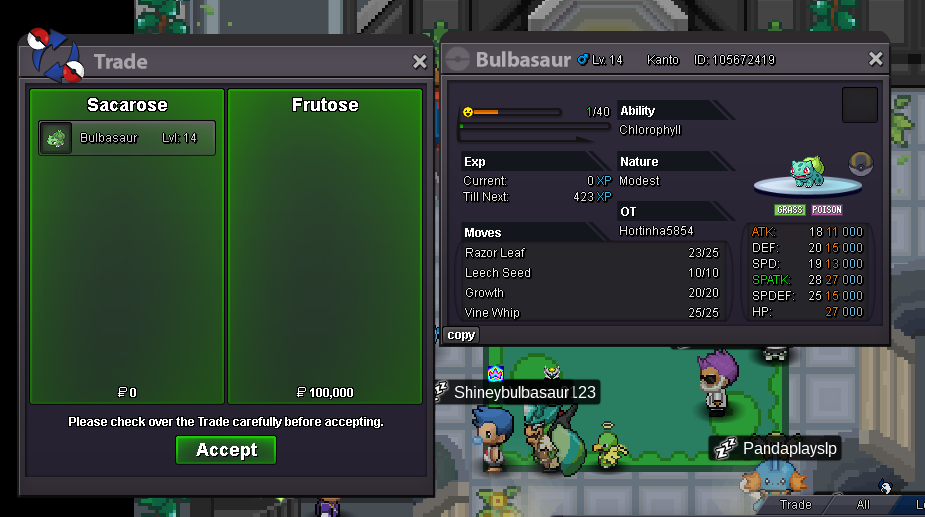
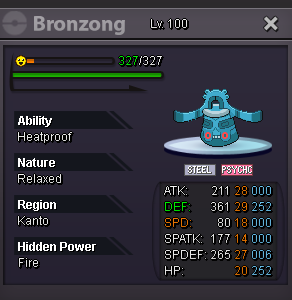
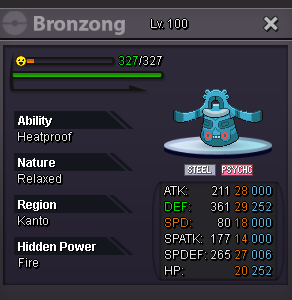
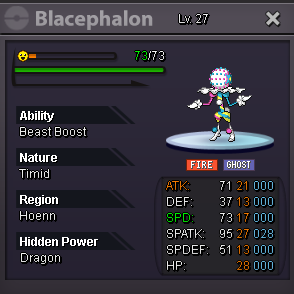
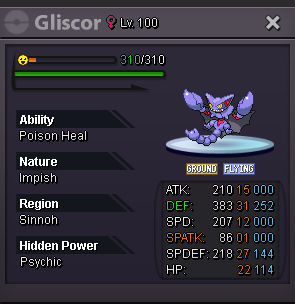
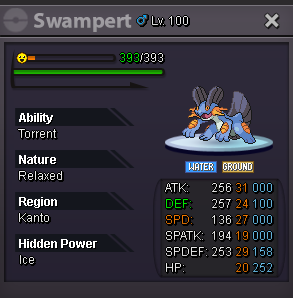
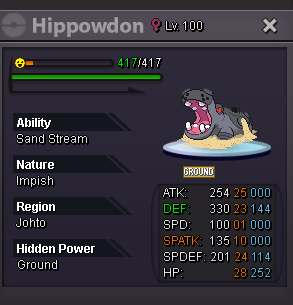
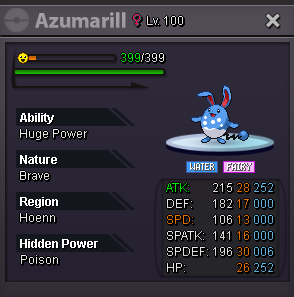
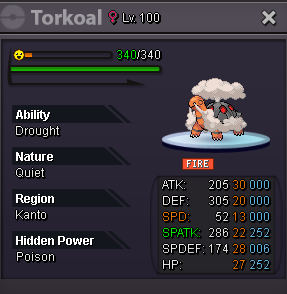
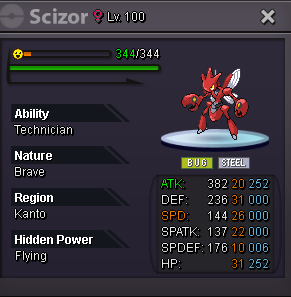
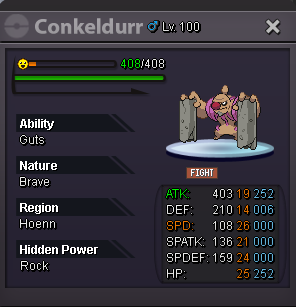
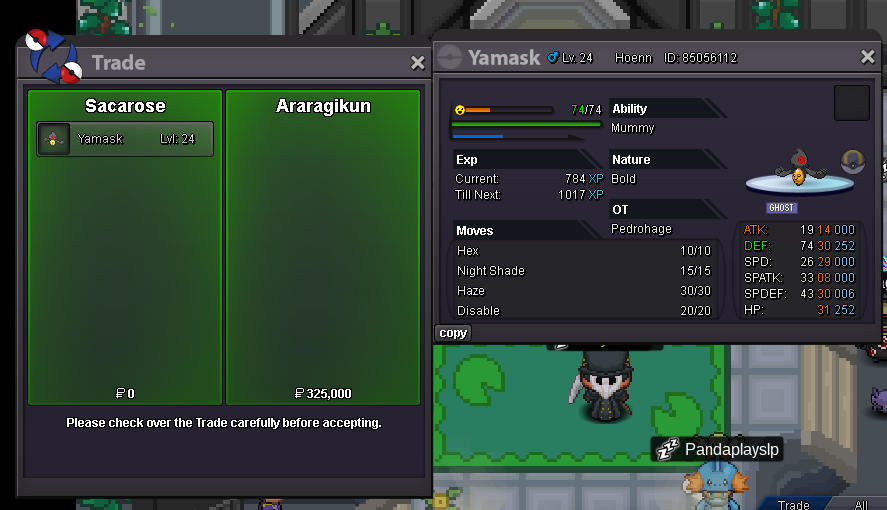
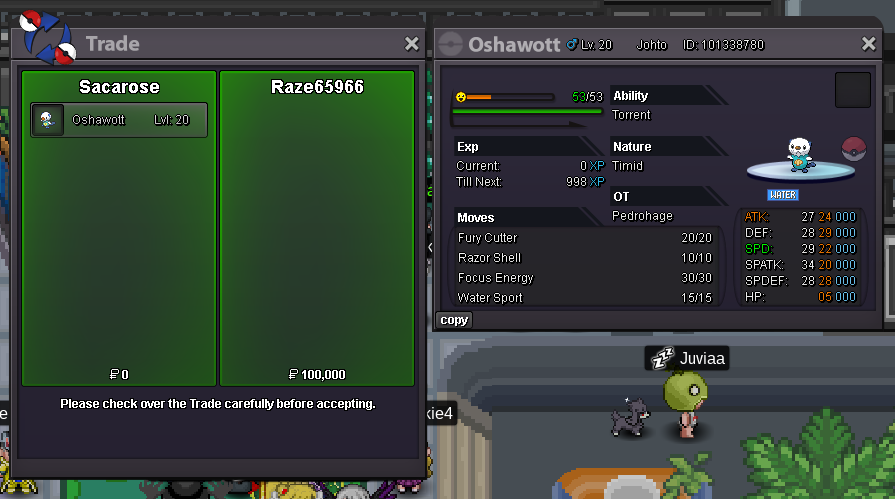
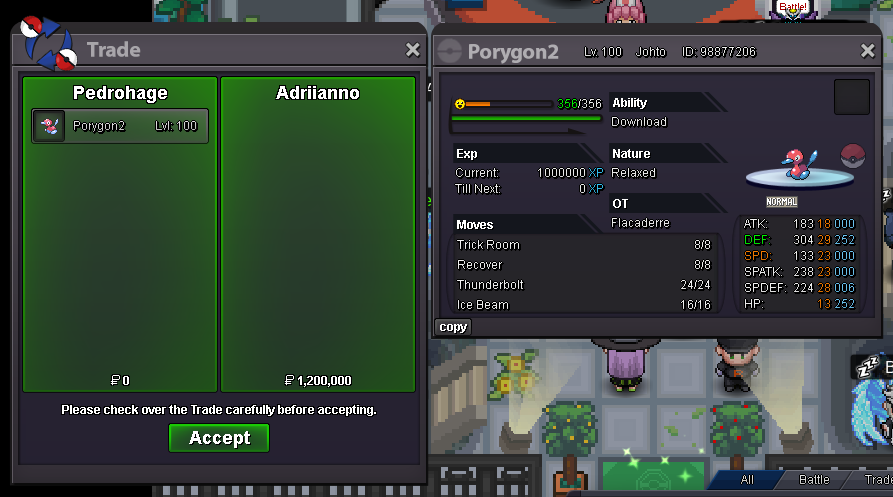
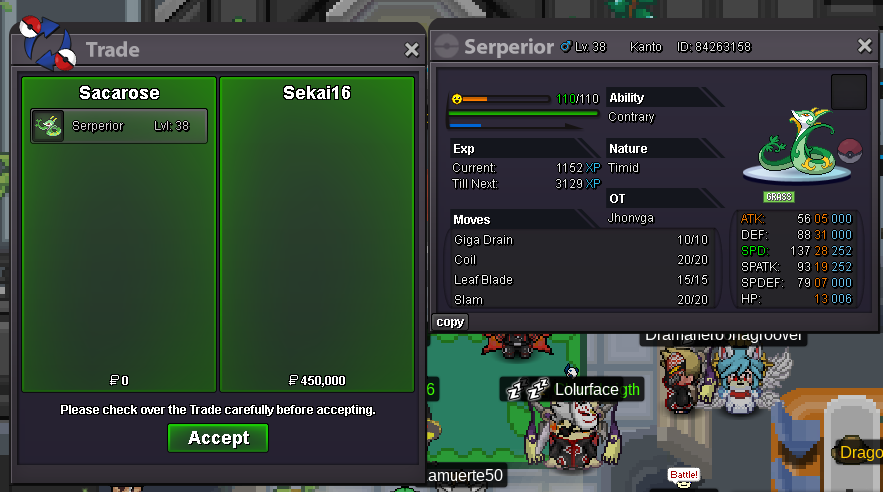
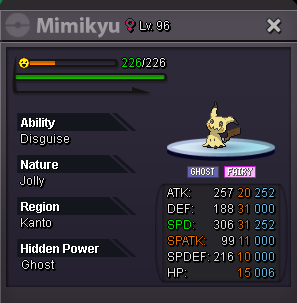
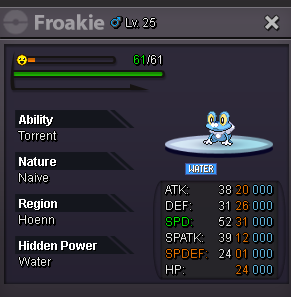
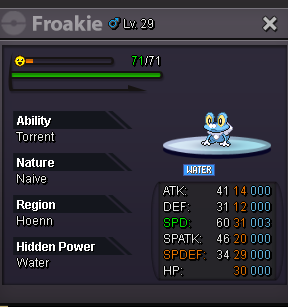
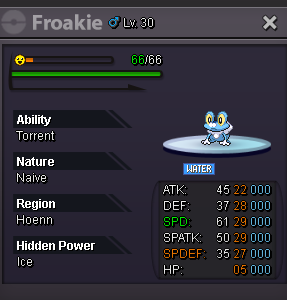
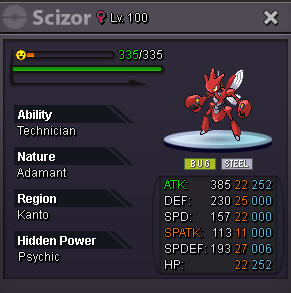
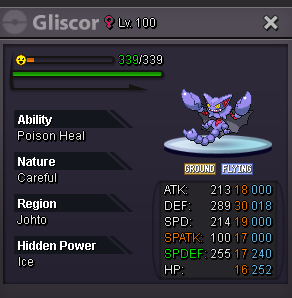
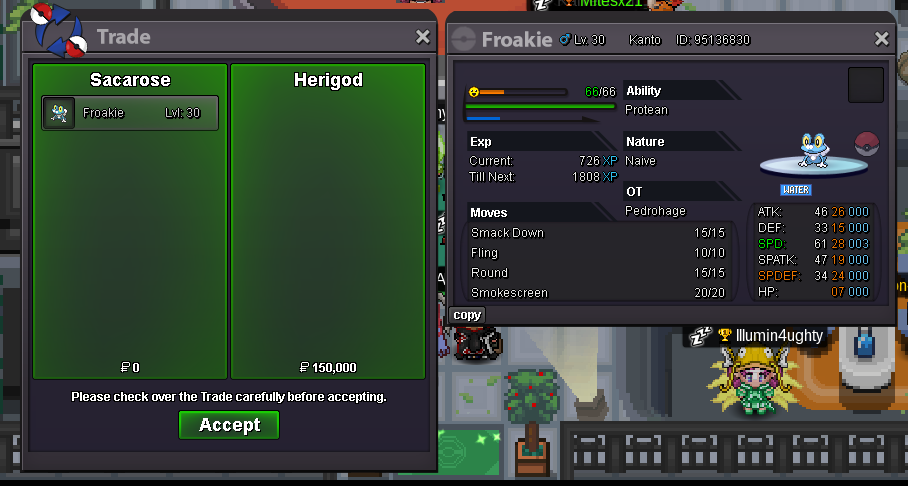
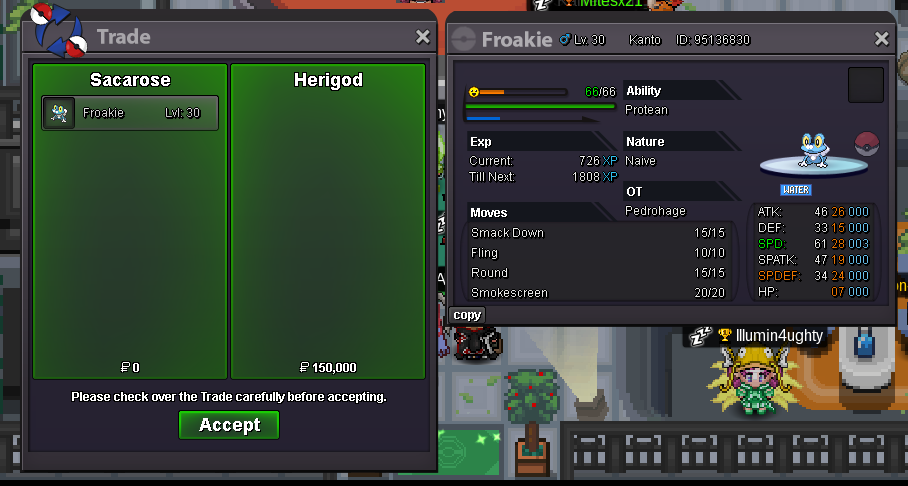
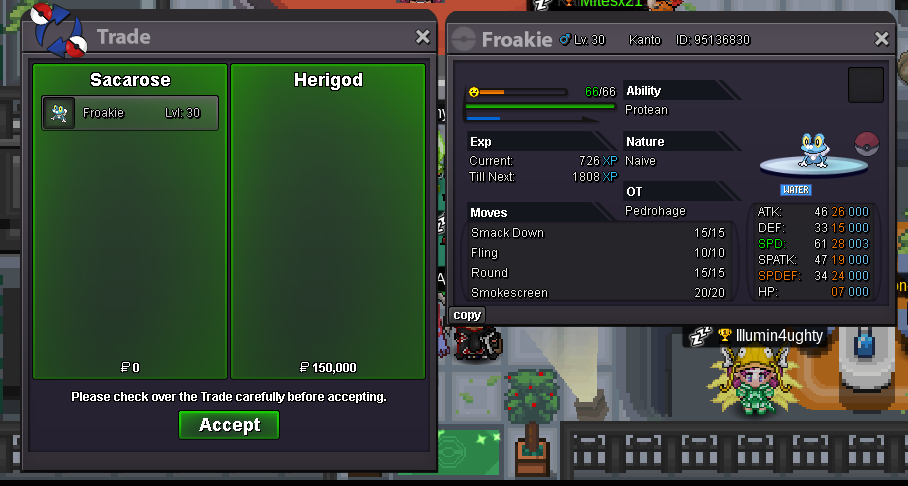
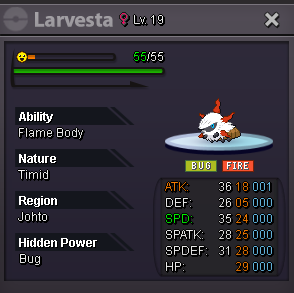
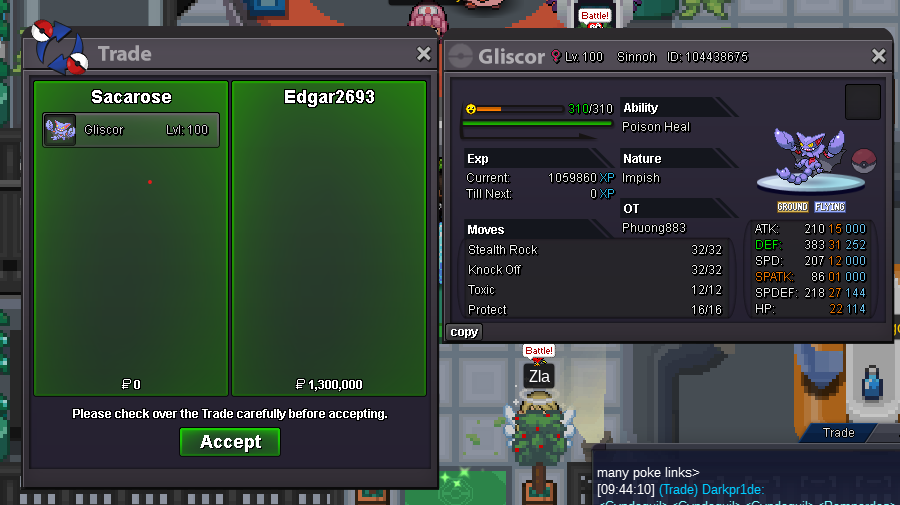
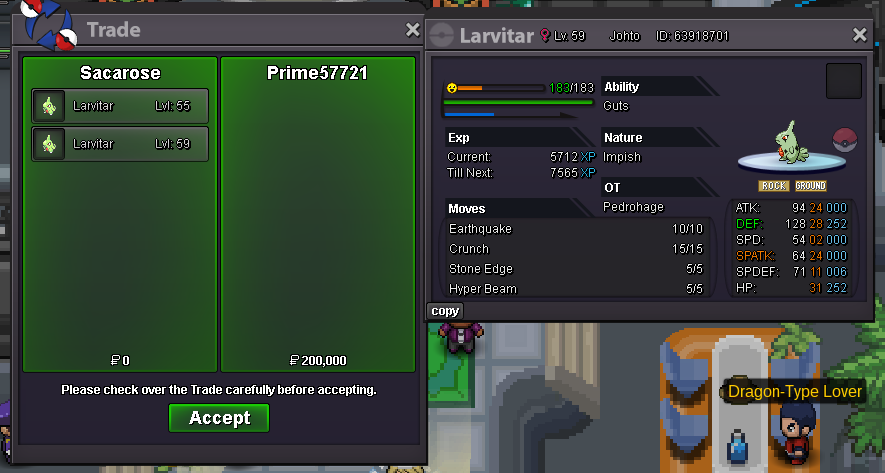
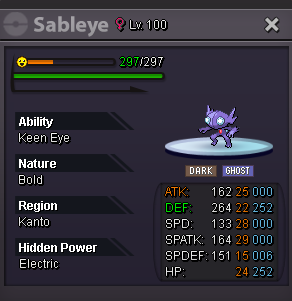
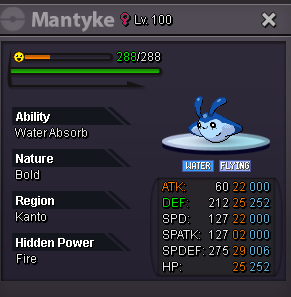
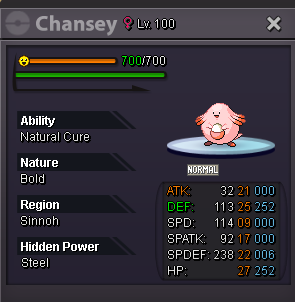
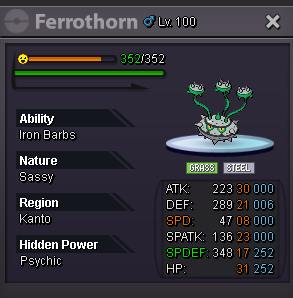
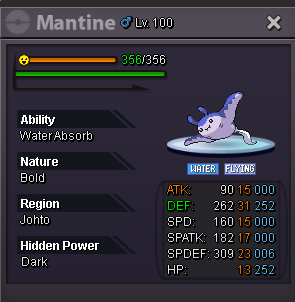
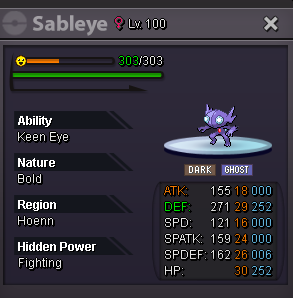
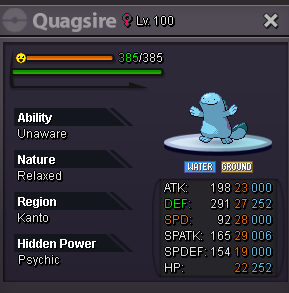
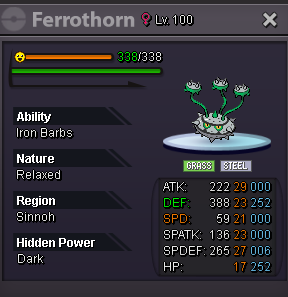
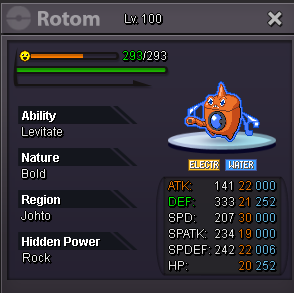
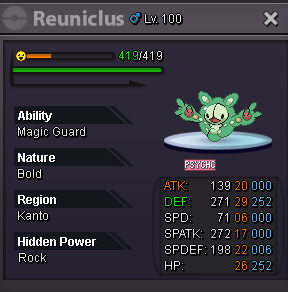
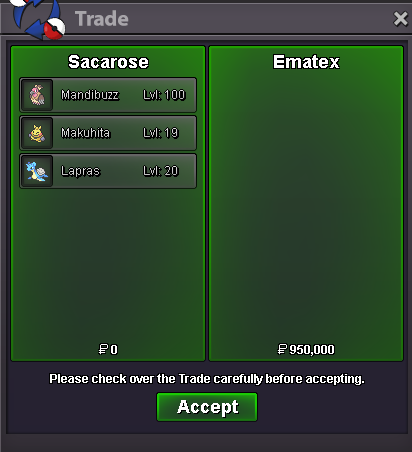
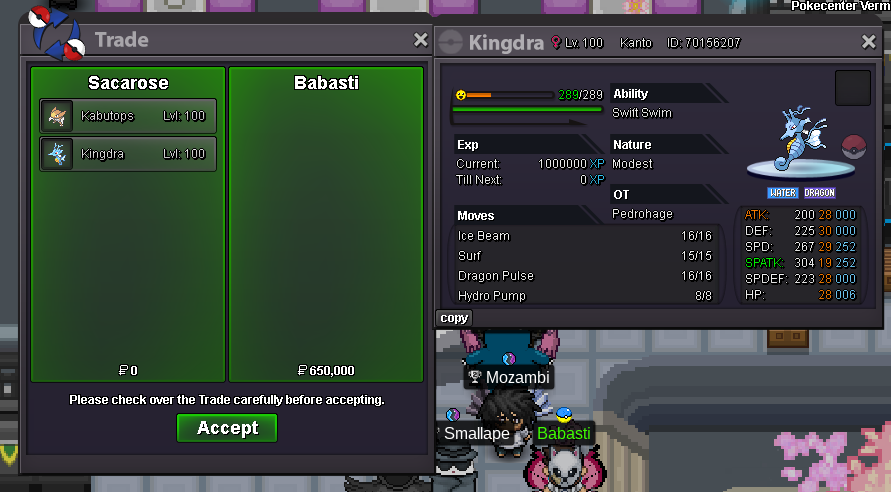
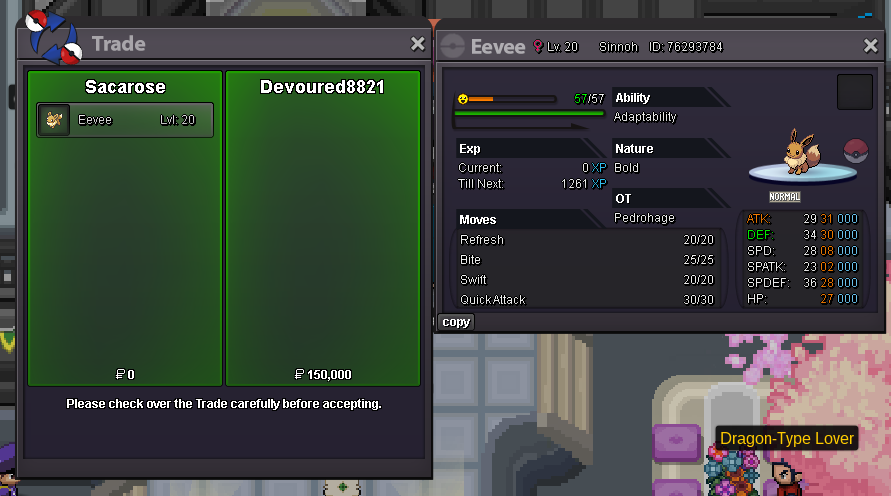
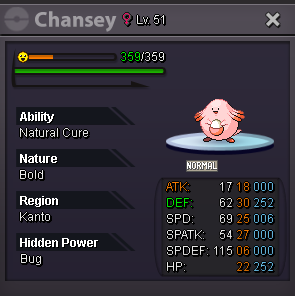
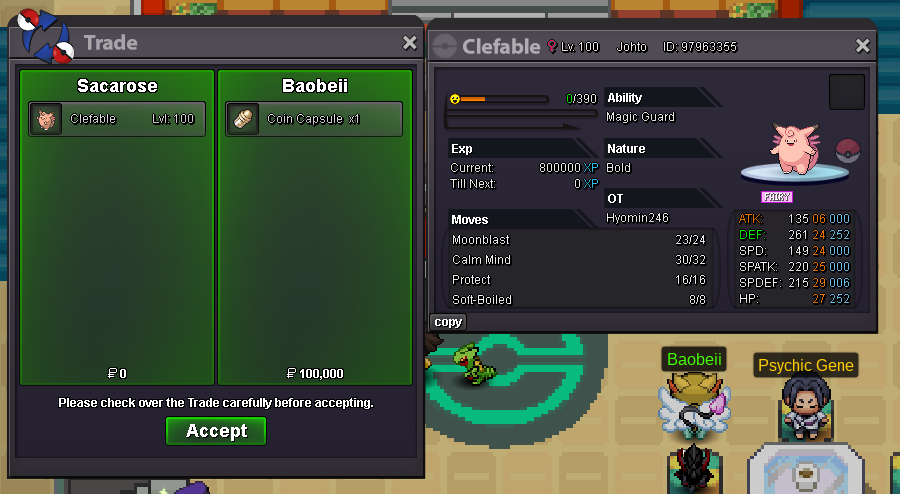
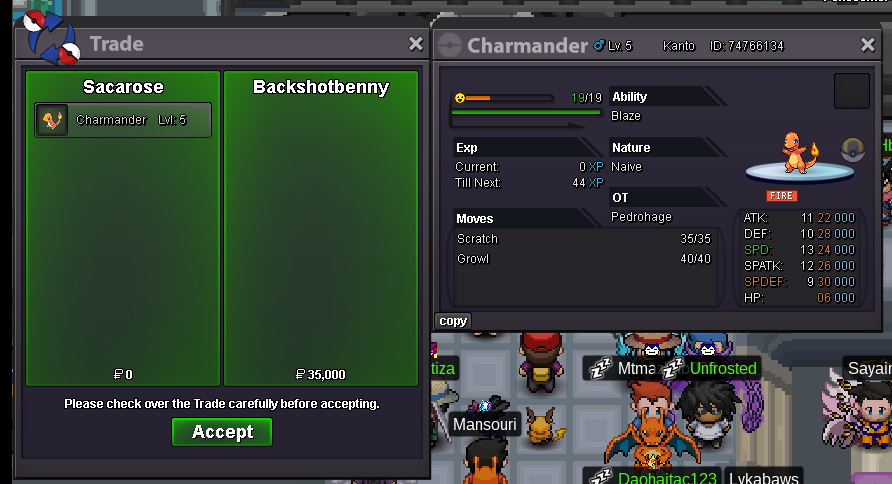
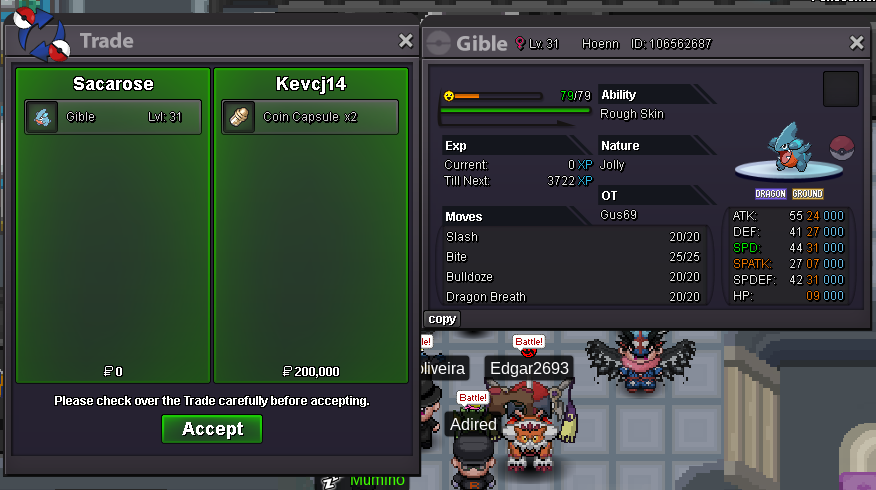
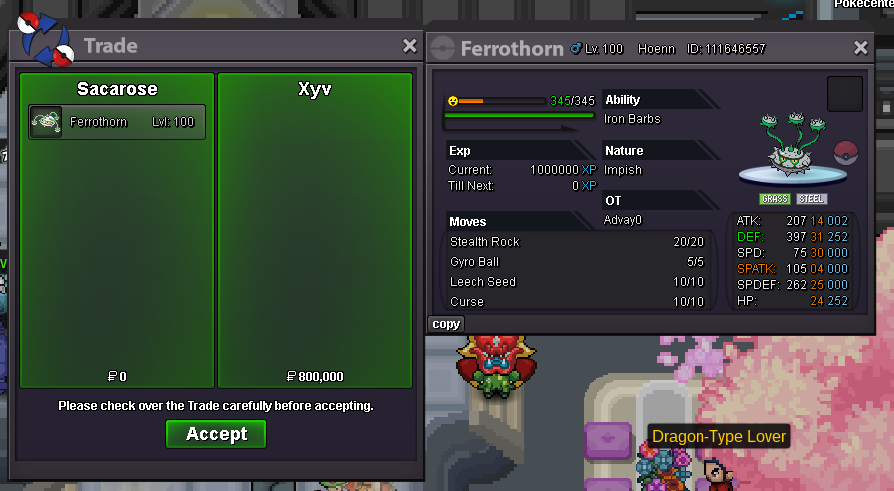
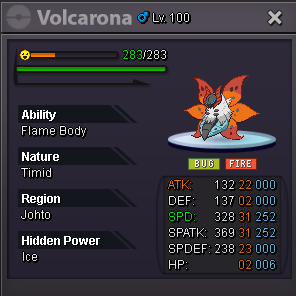 300k
300k


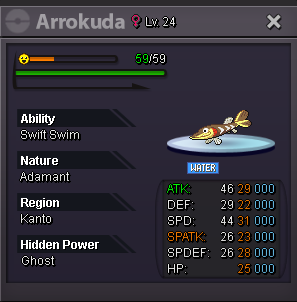
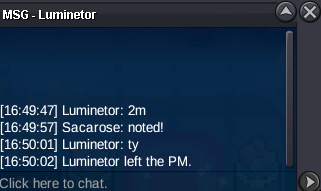
Account
Navigation
Search
Configure browser push notifications
Chrome (Android)
- Tap the lock icon next to the address bar.
- Tap Permissions → Notifications.
- Adjust your preference.
Chrome (Desktop)
- Click the padlock icon in the address bar.
- Select Site settings.
- Find Notifications and adjust your preference.
Safari (iOS 16.4+)
- Ensure the site is installed via Add to Home Screen.
- Open Settings App → Notifications.
- Find your app name and adjust your preference.
Safari (macOS)
- Go to Safari → Preferences.
- Click the Websites tab.
- Select Notifications in the sidebar.
- Find this website and adjust your preference.
Edge (Android)
- Tap the lock icon next to the address bar.
- Tap Permissions.
- Find Notifications and adjust your preference.
Edge (Desktop)
- Click the padlock icon in the address bar.
- Click Permissions for this site.
- Find Notifications and adjust your preference.
Firefox (Android)
- Go to Settings → Site permissions.
- Tap Notifications.
- Find this site in the list and adjust your preference.
Firefox (Desktop)
- Open Firefox Settings.
- Search for Notifications.
- Find this site in the list and adjust your preference.