New Trade Zone
Trade Zone is now live
Use the new Trade Zone for auctions and instant-price trades so Pokemon and item offers are easy to find.

Johann14
Suspended
-
Joined
-
Last visited
Everything posted by Johann14
-
800k
-
600k
-
1.3M Rotom.
-
Player name: Johann14 Showdown name: JohannES14 Server: gold Rank on ladder: 8
-
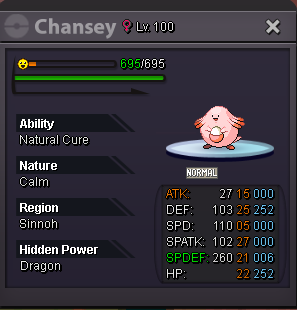
Sell Chansey with TM Thunderbolt. Price: 300k. PM me Johann14 on game or JohannES14#3699 on Discord to get it.
-
Sell Dragon Scale for 40k - PM Johann14 in game or JohannES14#3699 on discord.
-
I think, if you disable animations, that you should remove the guy throwing the pokeball animation. It would make it faster for hunting and level up.
-
Water, indeed. <3
-
Hello! First, I want to say sorry if I am in the wrong section. I am here to apologize for what I said to Panda after our pvp match. Even tho you might not understand my language, I know I was rude and you didn't deserve at all to read those words. I got punished and I am muted til now, but even so I wanted to come here to make a public apologize. I know I did a very wrong thing and deserved the mute. So, once again, sorry Panda.
-
Thanks for the help! It worked!
-
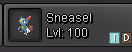
Delevel request: Code: In-game name: Johann14 Server: Gold Pokemon ID and/or screenshot: Hey. I messed up by putting a Sneasel to level 100. I didn't know I had to level up at night with item to evolve it. Can you guys put it to level 99 again? And, only if possible, return my last rare candy used? Pokemon ID: