New Trade Zone
Trade Zone is now live
Use the new Trade Zone for auctions and instant-price trades so Pokemon and item offers are easy to find.

Harlem100
Registered User
-
Joined
-
Last visited
-
-
same name ingame good iv pm here or friend invite me ingame harlem100 name
-
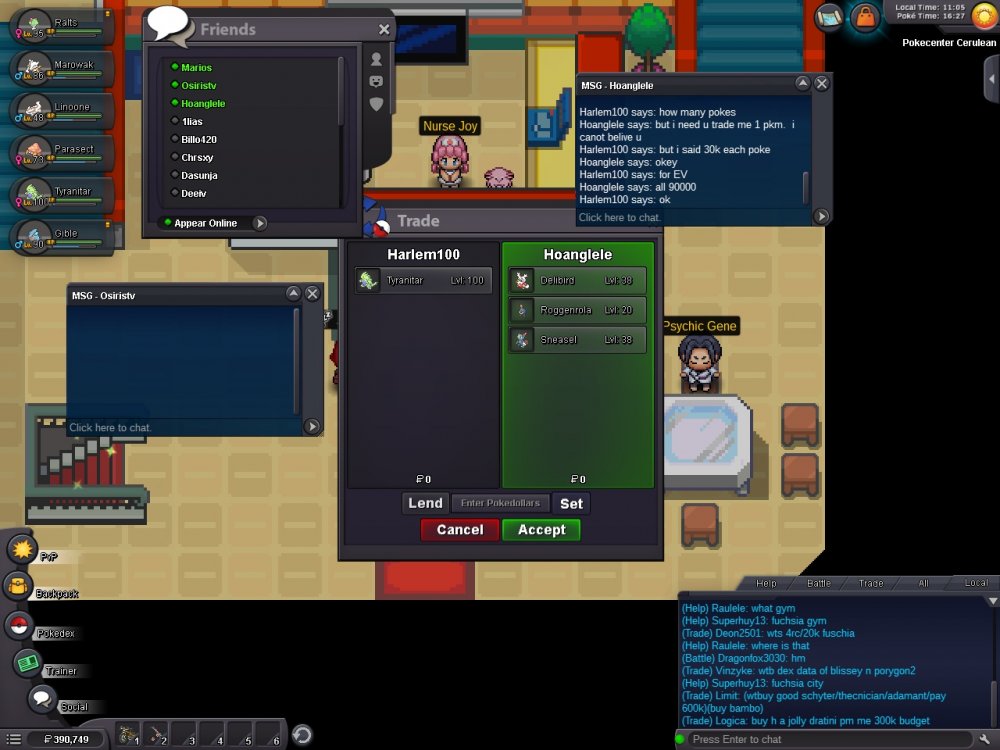
hello i have 2 locked pokes in my computer and as you can see the names are deliber and roggenrola i return the sneasel and he give me tyranitar please return the rest ty
-
we traded back the 2 pokes but the deliber and rogenrota are still in my pc can you sent them back to him ty
-
im online i dont see you online
-
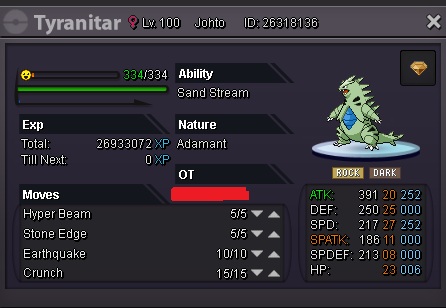
the tyranitar is mine and the other 3 are from the other guy and we wanted to trade for EV training i give him my tyranitar and he gived me the 3 other pokes the 2 of them are from sinnoh area i havent finished with sinnoh and i cant take them out and give them back can some admin revert the trade
-
Hello we have this problem with the trading we wanted to do Ev training and he didnt told me intime that he had 2 pokes from sinnoh like you can see from here and we cant reverse the trade cause i cant take them out of computer can some admin reverse the trades for both of us the tyranitar is mine and the other 3 pokes are from the other guy ty very much pls help us