New Trade Zone
Trade Zone is now live
Use the new Trade Zone for auctions and instant-price trades so Pokemon and item offers are easy to find.

Phuongismylife
Registered User
-
Joined
-
Last visited
Everything posted by Phuongismylife
-
start
-
1m1
-
Start auction bro
-
-
goodluck mah friend.
-
price updated
-
Auction ended, masterZOE won it for 2m6 . The evidence of trade will be posted right after i meet him ingame. TY and good day for all biders
-
13hours left
-
s.o. by Aggs
-
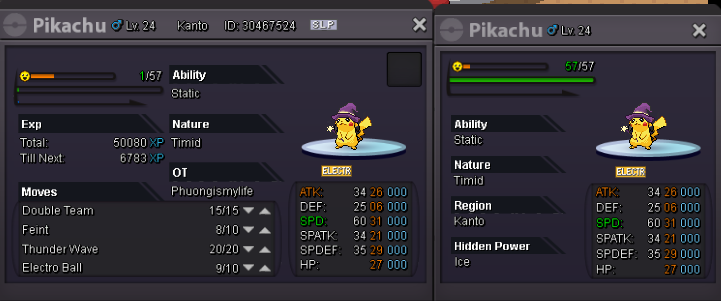
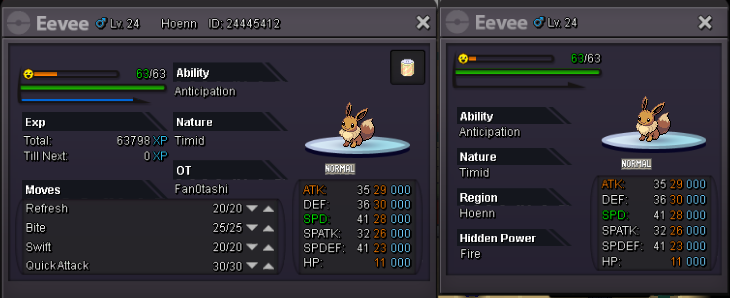
C.O: 2m by Aggs Min. raise: 50k Insta: 3m5 End at: 9:00 AM GMT +1 14/10/2019 Avaiable Payment: - Pokedollars - CC: 270k/ea My Contact [spoiler=Contact] [spoiler=Contact] Ingame Name : Phuongismylife Timezone : GMT/UTC +7 Discord tag : Feitan#2528 Use command: /pm <your username>-=-<phuongismylife> to pm me ingame Thanks and good luck!
-
.
-
No comment just -100
-
I've done by using this walkthrough, thanks bro, clearly guide !
-
again
-
bump
-
Try /pm playername ( there is a space between the "/pm" and " playername).If you want to pm someone in trade chat, try right clicking on his name.
-
ok let's say it's a semi-godly lol
-
Deleted and will be sold privately due to noone bid
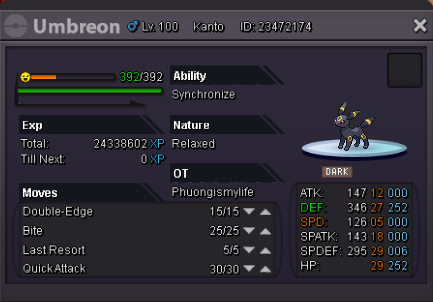
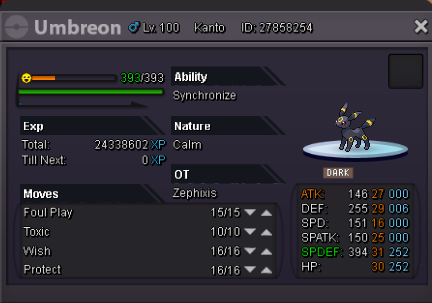
-
Can be closed
-
got it ty bro
-
bump
-
Can any Trade Mod could help me, I can't connect to the winner ( IGN: Mexo). Thanks!
-
I can't connect Mexo so far; still waiting for him to complete the trade
-
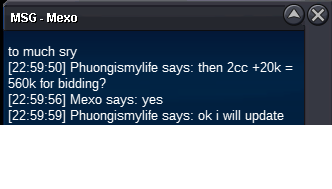
560k by Mexo ( 2cc +20k)
-
500k by Fakestam1