




New Trade Zone
Trade Zone is now live
Use the new Trade Zone for auctions and instant-price trades so Pokemon and item offers are easy to find.

Lonewarrior20
Registered User
-
Joined
-
Last visited
-
500k on serp
-
Start serperior
-
But not everyone is rich and this will just make things tougher for an already tough game. I have only 400 hours in this game and it took me atleast 100 hours of that gameplay just to make a team and collect all legends. Changing pokes every season will be too hectic and for casual people who only want to pvp once in a while in their free time is gonna make it really difficult for them to play and hence force them to discontinue. The spawns in this game are not too good either for some meta pokes which makes it all the more annoying for making another new team. All in all a decent suggestion but i think this will never be possible for a game like PRO 😅. So its a -1 from me sorry.
-
i would like to buy the froakie. the one i have attached is it still available?

-
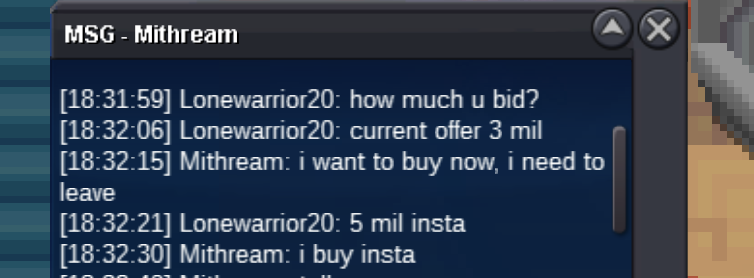
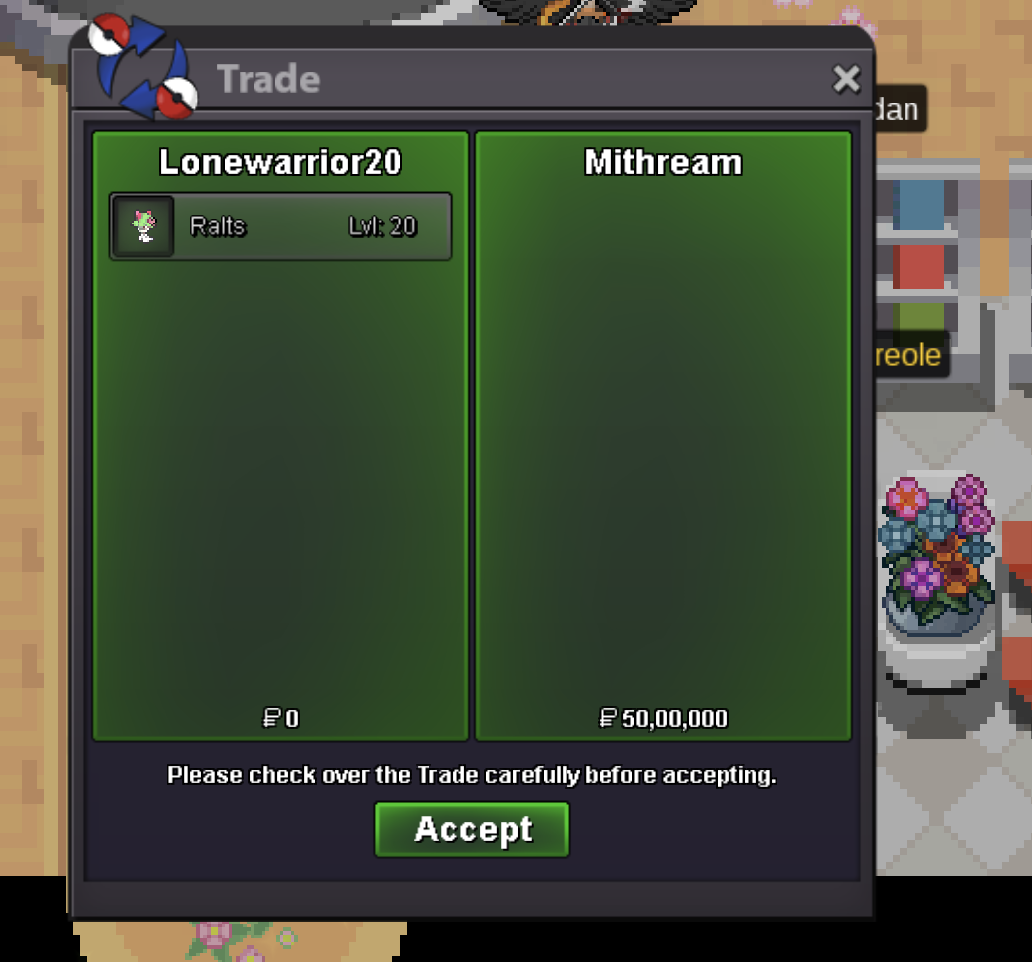
Ralts has been insta sold for 5 mil to Mithream. Auction can be closed.
-
Bump 1 day remaining for the auction.
-
Bump 31 hours left.
-
Bump 42 hours left.
-
noted.
-
C.o 1 million by Badhon00007

-
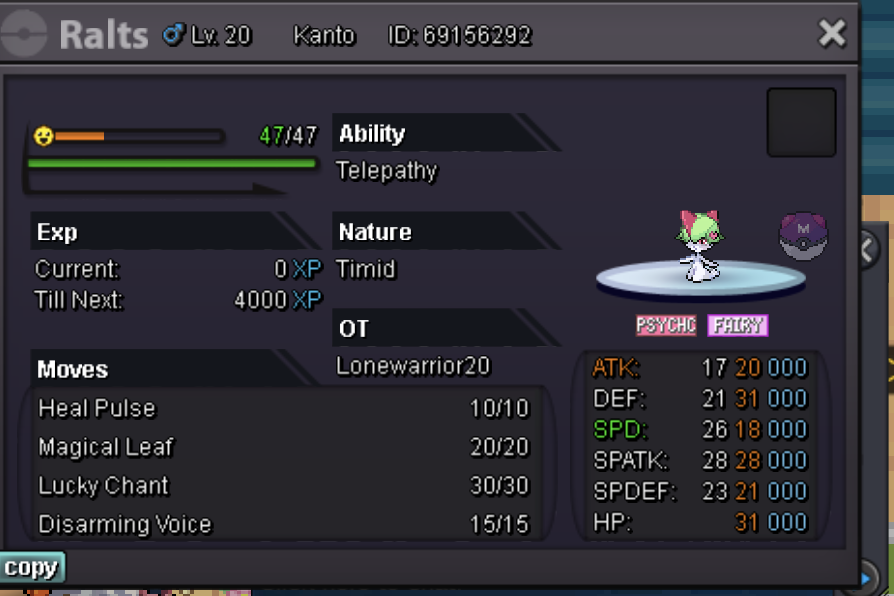
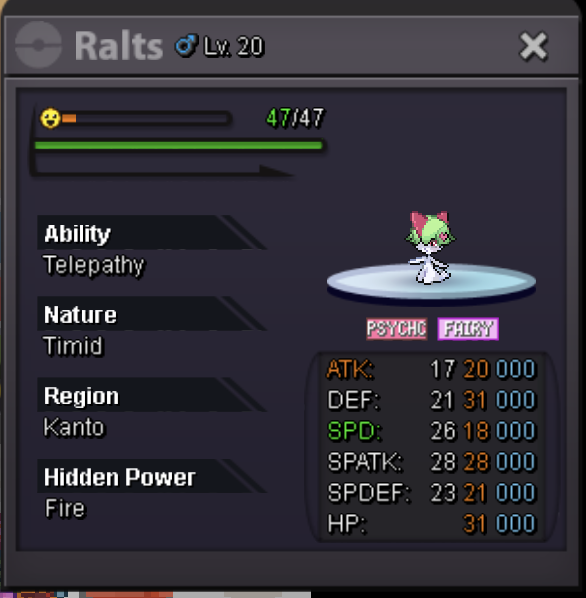
C.o 5cc+1mil(3 million) Accepted payment: cc=400k reroll ticket=700k nature reroll=300k Minimum bid 100k Insta 5 million Discord: Kokushibo#5199 ign: Lonewarrior20 Time Limit: 48 hours
-
I dont care much about the ivs just need these pokes for boss. Discord: Kokushibo#5199, ign:Lonewarrior20
-
raise 25k on greninja (100k)
-
the sneasel for 200k still available? pm if available discord: Yoriichi#5199

