




New Trade Zone
Trade Zone is now live
Use the new Trade Zone for auctions and instant-price trades so Pokemon and item offers are easy to find.

Kisslove098
Registered User
-
Joined
-
Last visited
Everything posted by Kisslove098
-
I’m from VietNam bro. And i saw your post at 19h ago. That time is 9pm at my country, I think we can meet at that time tonight
-
I sent u my timezone when u asked me 25/9. Now u ask me again bro. My timezone is gmt +7
-
i waited for him for almost 2 weeks but couldn't pm him many times, here and on the Discore account he sent me. And i had to switch to Gold to make my new trade. You can't ask me pay for this transfer. Because that's not my fault. So now i think he can trade with me by the account "Tlooowolf098". Thank you!
-
i pm u everyday but u not online bro. I think we should ask GM help we trade it. And i'm Gold now, u can trade it with Tlooowolf098, plz
-
7m
-
6m
-
"if we can trade at Gold", i bid 5m
-
Actually i pm u everyday bro. But u not onl here or discore

-
i pm too many times bro. And now i have to transfer to GOld for trade other pokemon i bid. So i think we can ask gm help us to trade pokemon we were deal.
-
-
im online now bro
-
Buy insta but i’m silver
-
I’ll pm u when i can log in game bro. Now i just log in forum cause i use iphone
-
8m2
-
7m
-
Doesn’t bid after 48h. Topic close!
-
Bump
-
550k
-
Start: 10m min rise: 300k Insta: 20m Accept cc = 400k auction 48h after first bid
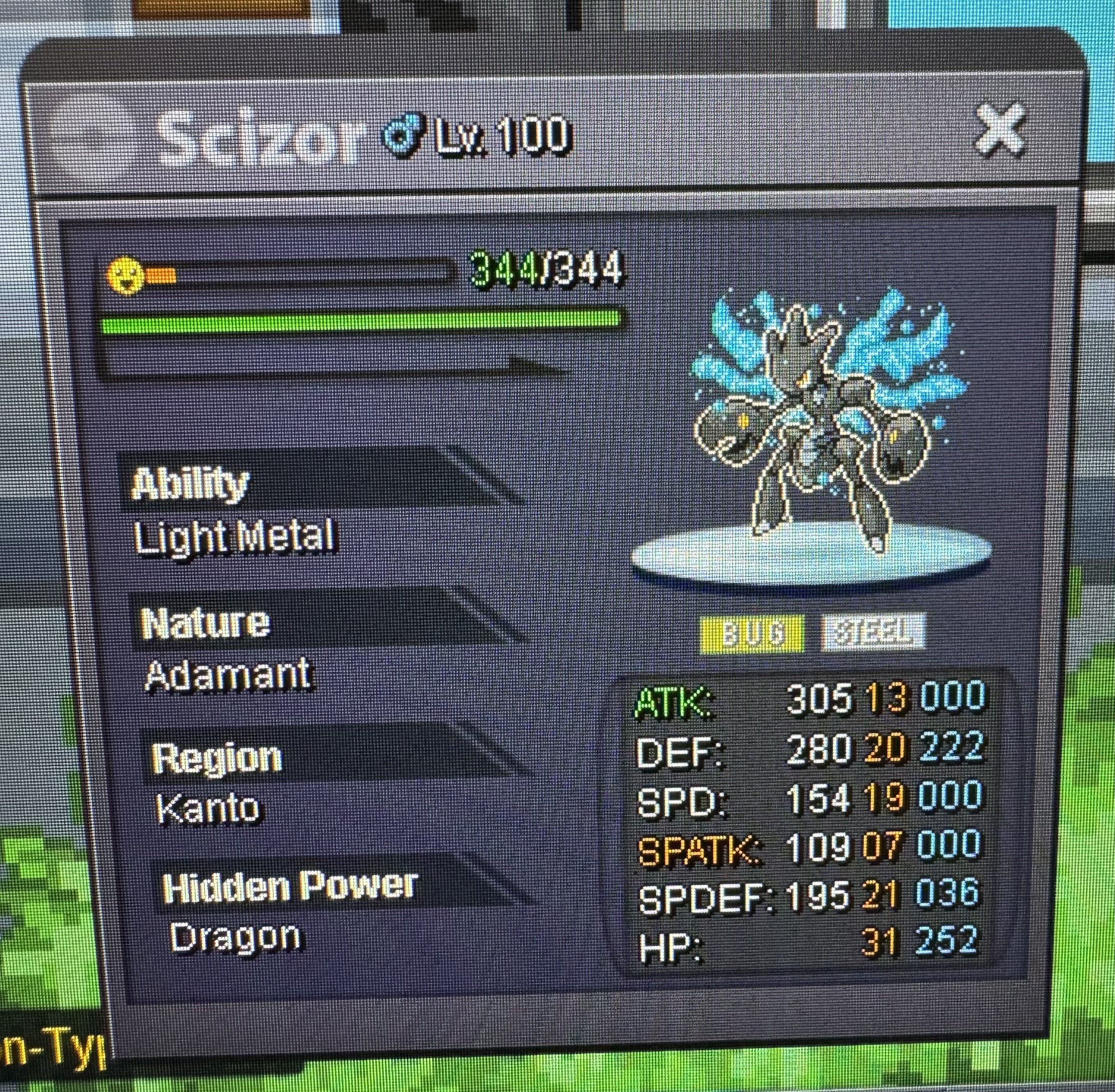
-
250k torkoal
-
1m3
-
5m1
-
4m
-
3m
-
2m
