




New Trade Zone
Trade Zone is now live
Use the new Trade Zone for auctions and instant-price trades so Pokemon and item offers are easy to find.

Go1denp1kachu
Registered User
-
Joined
-
Last visited
Everything posted by Go1denp1kachu
-
Username: GoldenP1kachu Server: Gold Country/Timezone: Sweden GMT+2
-
Auction for this beautiful Pokemon! -Current Offer: 2,5M by @srbhnj99 -Insta Price: 6M -Minimum Raise: 100K -Auction Ends: 16.44 +2GMT Wednesday 21st July Acceptable Payments: IV Reroll - 750K Coin Capsule- 350K Pokedollars Contact Information: IGN: GoldenP1kachu Discord: GoldenP1kachu#1874 Have a great bidding War!
.png.53432f7df92bc399d71ad095d5221d9b.png)
-
@Eon can be closed
.png.608b5c6c79ae61e25be473aa05dbc028.png)
-
2 hours left
-
bump
-
bumpish
-
Auction for this beautiful Pokemon! -Current Offer: 4M by @srbhnj99 -Insta Price: 10M -Minimum Raise: 200K -Auction End: Monday/19th July/16.17 +2 GMT Acceptable Payments: IV Reroll - 750K Coin Capsule- 350K Pokedollars Contact Information: IGN: GoldenP1kachu Discord: GoldenP1kachu#1874 Have a great bidding War!
_LI.jpg.0d7914fcd259472174b9f8bf945c8475.jpg)
-
Thanks for the bidding! Thia can now be closed. @Eon
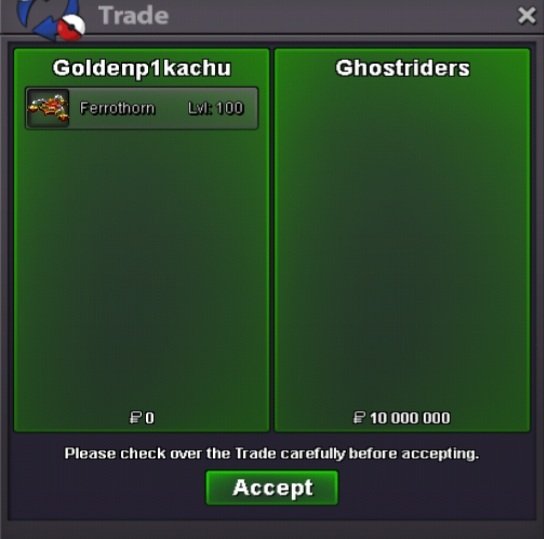 BUMPWill do Eon! Thanks for the note!6Mnoted!Auction for this beautiful Pokemon -Current Bid: 5M by @aybycy -Insta Price: 10M -Minimum Raise: 200K -Auction End: 04.43 GMT +2 Saturday July 17th Acceptable Payments: IV Reroll - 750K Coin Capsule- 350K Pokedollars Contact Information: IGN: GoldenP1kachu Discord: GoldenP1kachu#1874 Have a great bidding War!
_LI.jpg.61695e890d20b9c1adb72ccfd66b509e.jpg) UPDATEDFirst 5 to make an order will only pay 150K PokedollarsWait was it over? I says 13 past on my forum I was about to raise woth 100k 5.6M if not over4.1M8M7M5M3.5M
UPDATEDFirst 5 to make an order will only pay 150K PokedollarsWait was it over? I says 13 past on my forum I was about to raise woth 100k 5.6M if not over4.1M8M7M5M3.5M




















poiuygtfrdesadfghjkl.png.7ffc0816e822eba3904e4d43ae176d95.png)


Account
Navigation
Search
Configure browser push notifications
Chrome (Android)
- Tap the lock icon next to the address bar.
- Tap Permissions → Notifications.
- Adjust your preference.
Chrome (Desktop)
- Click the padlock icon in the address bar.
- Select Site settings.
- Find Notifications and adjust your preference.
Safari (iOS 16.4+)
- Ensure the site is installed via Add to Home Screen.
- Open Settings App → Notifications.
- Find your app name and adjust your preference.
Safari (macOS)
- Go to Safari → Preferences.
- Click the Websites tab.
- Select Notifications in the sidebar.
- Find this website and adjust your preference.
Edge (Android)
- Tap the lock icon next to the address bar.
- Tap Permissions.
- Find Notifications and adjust your preference.
Edge (Desktop)
- Click the padlock icon in the address bar.
- Click Permissions for this site.
- Find Notifications and adjust your preference.
Firefox (Android)
- Go to Settings → Site permissions.
- Tap Notifications.
- Find this site in the list and adjust your preference.
Firefox (Desktop)
- Open Firefox Settings.
- Search for Notifications.
- Find this site in the list and adjust your preference.