




New Trade Zone
Trade Zone is now live
Use the new Trade Zone for auctions and instant-price trades so Pokemon and item offers are easy to find.


Pokemonking44
Registered User
-
Joined
-
Last visited
Everything posted by Pokemonking44
-
Bump
-
Bump
-
Bump
-
-
yes it is nice idea +1
-
Bump looking for active pvp player.
-
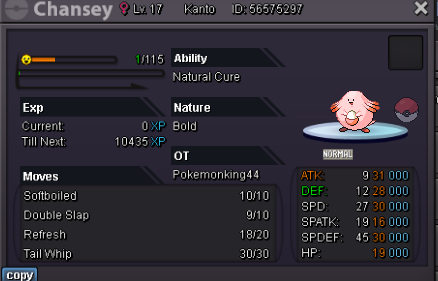
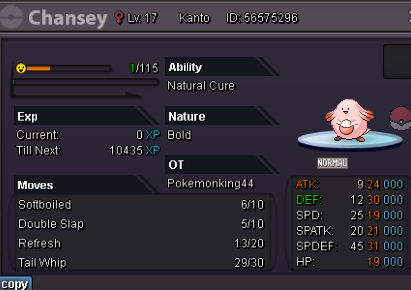
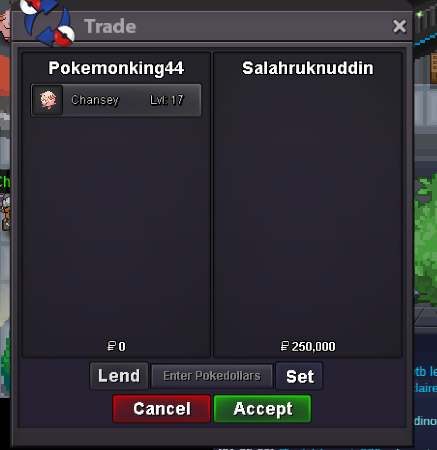
2hrs left9hrs leftWhat's your Player name (IGN)? pokemonKING44 Number of hours played?What's your favourite Pokemon? 1.8khrs or fav poke keldeo What country are you from? india How old are you? 17 Which server do you play on? silver@Dangergamerffdm me in discord pokemonKING44#1640 for your beldum .@Salahruknuddinyou won chansey 5 and @Bnoapo7 you won chansey 4 dm me on discord pokemonKING44#1640 . If don't have discord then say me when you come online in game.minbid is 50k4th chansey 200k by
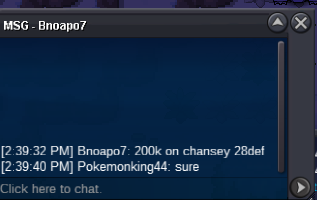 current chansey 4 is 100k and 5th is 250k did i add 50k in thatType number bro 4 or 5All poke start 50k Minbid - 50k End time - 48hrs from 1st bid Accept item rc 7k , nr 320k , rr 620k , cc 350k . Type poke number when u bid 1. Current 50k by Dangergamerff 2. Current 50k Dangergamerff 3. Current -//- 4.Current 200k by bnoapo7 5. Current 250k by Salahruknuddin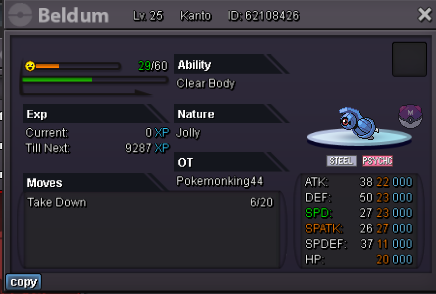
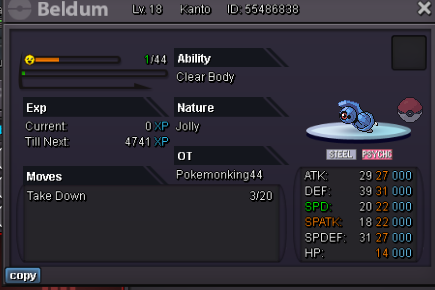
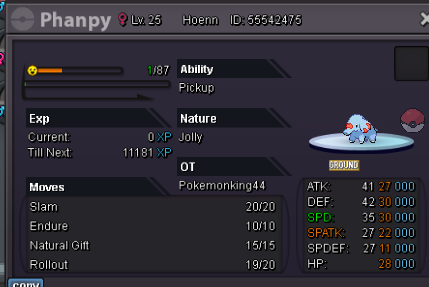
 Bumpbump1.5Ravinity looking for new members to join guild !!!! hurry up 1. We are looking for new member to join our newly guild Ravinity . 2. Were we teach you pvp , team building for boss and pvp , help you in pve too . 3. For our RVT members Giveaways , tournaments and events . 1. Just need 50rating and little bit pvp experience . 2. A screenshot of trainer card and discord tag . Our server link - https://discord.gg/rZQ43qAHSu



Account
Navigation
Search
Configure browser push notifications
Chrome (Android)
- Tap the lock icon next to the address bar.
- Tap Permissions → Notifications.
- Adjust your preference.
Chrome (Desktop)
- Click the padlock icon in the address bar.
- Select Site settings.
- Find Notifications and adjust your preference.
Safari (iOS 16.4+)
- Ensure the site is installed via Add to Home Screen.
- Open Settings App → Notifications.
- Find your app name and adjust your preference.
Safari (macOS)
- Go to Safari → Preferences.
- Click the Websites tab.
- Select Notifications in the sidebar.
- Find this website and adjust your preference.
Edge (Android)
- Tap the lock icon next to the address bar.
- Tap Permissions.
- Find Notifications and adjust your preference.
Edge (Desktop)
- Click the padlock icon in the address bar.
- Click Permissions for this site.
- Find Notifications and adjust your preference.
Firefox (Android)
- Go to Settings → Site permissions.
- Tap Notifications.
- Find this site in the list and adjust your preference.
Firefox (Desktop)
- Open Firefox Settings.
- Search for Notifications.
- Find this site in the list and adjust your preference.