




New Trade Zone
Trade Zone is now live
Use the new Trade Zone for auctions and instant-price trades so Pokemon and item offers are easy to find.
Ownaz
Registered User
-
Joined
-
Last visited
Everything posted by Ownaz
-
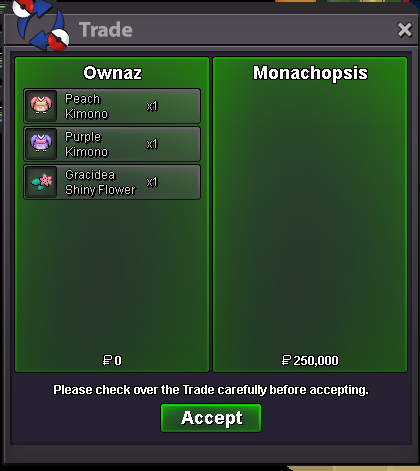
Hello, this is my Clothes & Mount Shop. IMPORTANT RULES : 1) I don't wanna trade items. 2) We can negotiate some prices 3) If you comment to buy anyting and after 2 days you dont give me a reply i will put back items on sale. Payment Accepted Pokedollars Coin Capsule = 500k Rare Candy = 7k Have a Good Shopping ❤️ OUTFIT MARKET IS DEAD, SOLD EVREYTHING. HALLOWEEN DIGLETT OUTFIT ------------------------------------------------------------------------------------------------ GHOST OUTFIT & PUMPKIN HAT ------------------------------------------------------------------------------------------------ WINGS AND ACCESSORIES ------------------------------------------------------------------------------------------------ HEAD / HAT ACCESSORY ------------------------------------------------------------------------------------------------ CLOTHES ------------------------------------------------------------------------------------------------ MISTERY BOX ACCESSORY ------------------------------------------------------------------------------------------------ MOUNTS ------------------------------------------------------------------------------------------------ ⬇️ SOLD ITEMS IN THE COMMENTS ⬇️


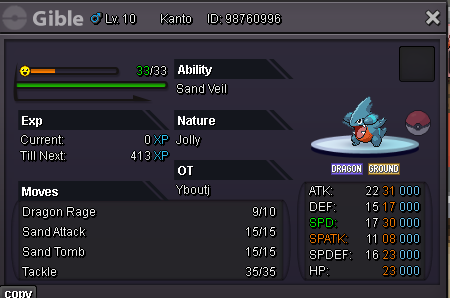
 StartWill buy istant when i came online. 2.5m1.5m1.2m30 spd 31 atk Gible S.O 200k Min Bid. 25k Auction during 48 hrs after first bid.
 90 k Glameow
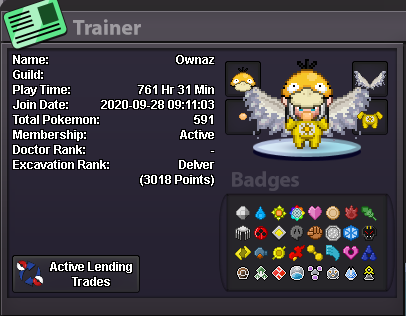
 I was alredy in this guild but i left the game for the summer. ●What's your IGN? Ownaz ● How old are you? 24 ● Where are you from? Italy ● What's your total playtime? 760hrs ● What do you enjoy doing in the game? Hunting and money ● Would you like to offer some kind of service to the guild? not for now And the most important question of them all: Which Bidoof Form do you like the most? Raidoof
 .Start
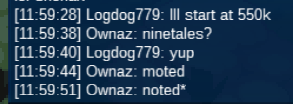
 800kyeah, i got the money, thanksThe auction for slowbro end. Im trying to contact the winneru won bro, contact me in game, OwnazBump






Account
Navigation
Search
Configure browser push notifications
Chrome (Android)
- Tap the lock icon next to the address bar.
- Tap Permissions → Notifications.
- Adjust your preference.
Chrome (Desktop)
- Click the padlock icon in the address bar.
- Select Site settings.
- Find Notifications and adjust your preference.
Safari (iOS 16.4+)
- Ensure the site is installed via Add to Home Screen.
- Open Settings App → Notifications.
- Find your app name and adjust your preference.
Safari (macOS)
- Go to Safari → Preferences.
- Click the Websites tab.
- Select Notifications in the sidebar.
- Find this website and adjust your preference.
Edge (Android)
- Tap the lock icon next to the address bar.
- Tap Permissions.
- Find Notifications and adjust your preference.
Edge (Desktop)
- Click the padlock icon in the address bar.
- Click Permissions for this site.
- Find Notifications and adjust your preference.
Firefox (Android)
- Go to Settings → Site permissions.
- Tap Notifications.
- Find this site in the list and adjust your preference.
Firefox (Desktop)
- Open Firefox Settings.
- Search for Notifications.
- Find this site in the list and adjust your preference.