New Trade Zone
Trade Zone is now live
Use the new Trade Zone for auctions and instant-price trades so Pokemon and item offers are easy to find.

Thenotoriousjye
Suspended
-
Joined
-
Last visited
-
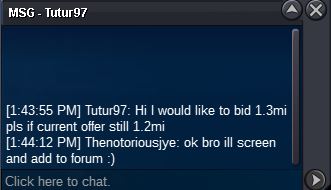
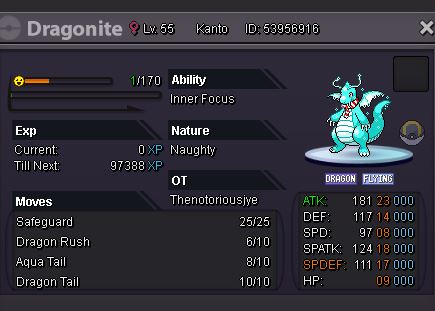
S.o 2m / Insta 6m / 300k min raise 2 day auction
-
bump
-
s.o 2.5m min raise 100k. insta 6m auction ends 2 days after s.o

-
bump
-
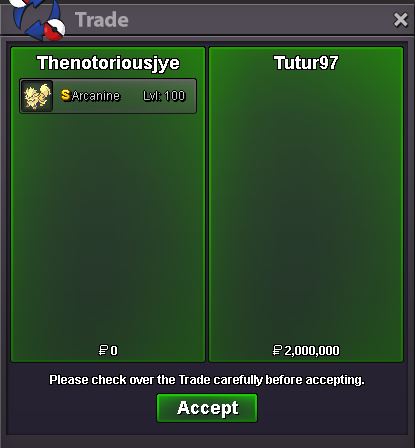
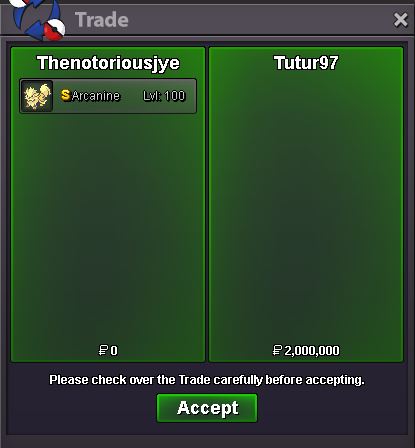
insta to tutur97 2m
-
bumpbump 1 day leftStartedS.o - 500k min raise 100k - insta 1.5m Auction ends 2 days after s.o
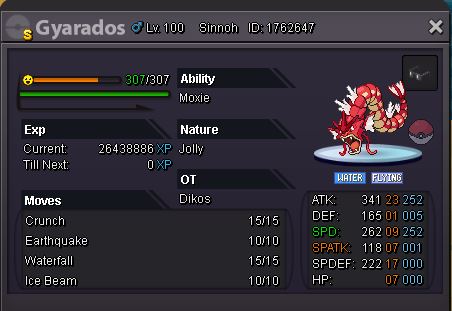 S.O- 1.2m min raise 100k insta 2m Auction ends 2 days after s.o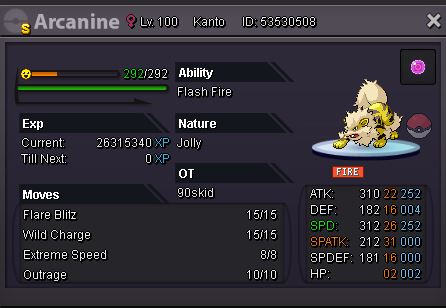
 @Agresivity discord link doesnt work, im interested in hydreigon10/10 super fast and easy● What's your Name/IGN? Thenotoriousjye ● How old are you? 23 ● Are you active in Discord? yes ● Where are you from? Australia ● What's your playtime?/How often do you play PRO? All day every day/ 150hrs *only had the game for 2 weeks ● What's your goal in PRO? Have fun/catch my favourite legendaries ● Why do you want to be part of Chaos? Guilds make all games more fun, make friends, meet people ● What's your favorite Pokemon and why? Latios ever since i saw the movie when i was a kid, beast pokemon that looks great ● What's your favorite animal and why? Sharks, super misunderstood and beautiful creaturescant pm you says youre offline, can you message me please