




New Trade Zone
Trade Zone is now live
Use the new Trade Zone for auctions and instant-price trades so Pokemon and item offers are easy to find.


Schattenvulpix
Registered User
-
Joined
-
Last visited
-
Speed + Nature Baton Pass Shell Smash Disable Encore
-
Thanks, now I can full my Dex with wonderful Pokemons thanks! Have a splendid day too! ;3
-
Dear Team, after the free safari weekend, I cant get into any Safari Zone anymore. So here Some Pictures and small Videos. Hope u can help me. Yours sincerely, SchattenVulpix https://gyazo.com/87124d163d43667c666b1660621f98f4 https://gyazo.com/95e0fd08757621eccefd18fcc3f03ef1
-
WTB Galvantula for 280k
-
Start
-
Fav. Nature: Jolly Ingame-Name: SchattenVulpix Write me on Discord: SchattenVulpix#5122
-
Buy your Froakie for 300k
-
Start
-
Which HP?
-
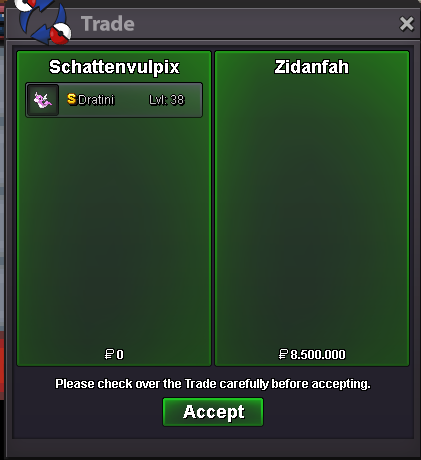
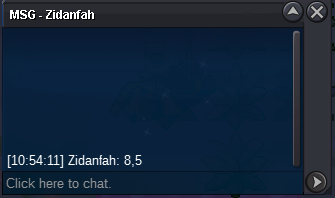
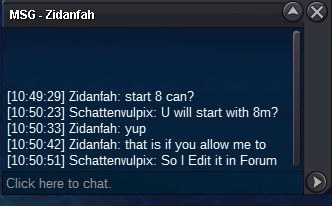
Congrats! Auction Ends. I Post the Trade after we trade it!
 Bump!
Bump!


Account
Navigation
Search
Configure browser push notifications
Chrome (Android)
- Tap the lock icon next to the address bar.
- Tap Permissions → Notifications.
- Adjust your preference.
Chrome (Desktop)
- Click the padlock icon in the address bar.
- Select Site settings.
- Find Notifications and adjust your preference.
Safari (iOS 16.4+)
- Ensure the site is installed via Add to Home Screen.
- Open Settings App → Notifications.
- Find your app name and adjust your preference.
Safari (macOS)
- Go to Safari → Preferences.
- Click the Websites tab.
- Select Notifications in the sidebar.
- Find this website and adjust your preference.
Edge (Android)
- Tap the lock icon next to the address bar.
- Tap Permissions.
- Find Notifications and adjust your preference.
Edge (Desktop)
- Click the padlock icon in the address bar.
- Click Permissions for this site.
- Find Notifications and adjust your preference.
Firefox (Android)
- Go to Settings → Site permissions.
- Tap Notifications.
- Find this site in the list and adjust your preference.
Firefox (Desktop)
- Open Firefox Settings.
- Search for Notifications.
- Find this site in the list and adjust your preference.