New Trade Zone
Trade Zone is now live
Use the new Trade Zone for auctions and instant-price trades so Pokemon and item offers are easy to find.


Aditya118
Registered User
-
Joined
-
Last visited
Everything posted by Aditya118
-
-
Yeah bro same problem, but no one has solution to that now😐
-
-
Bro try this steps, this May work: https://pokemonrevolution.net/forum/topic/198448-login-error/?do=findComment&comment=1135673
-
Now, the guys named Dmtam1403 & alrich1604 are facing this issue, it keeps spreading in PRO. Hoping this problem to be solved...
-
Bump hoping reply from dev...
-
delete it & install again, i did this and it worked...
-
-
-
I meant to just transfer pokes to my another account Phantom3305 , if it takes to lose all progress or anything i did, I'm ready! ; There are already multiple people who faced this problem, i see it on discord. And it is still happening like the guy kemdz on discord also got this error and cheefsweetleef who has been stuck in pro for months, and now Eetaachee also had this problem but luckily got resolved and now me who also got caught in this irritating problem. If this problem still continues then many people shall leave pro in rage. So, this problem can be dangerous for the future of PRO and needs to be resolved ASAP!🙂
-
Yeah, the problem is in our accounts. If the Dev's are unable to solve this problem, the last option would be to transfer mons and money to another account (if they can do it...). I will be ready to do story and legend quest again if they can bring my old mons to my another account🤞
-
-
I don't have a PC now, but will check it out soon.
-
Well i won't change my password if i didn't face this issue, the first client update came on 1st July and got failed: ;I was not able to connect to pro, even after changing the password

-
This problem happened when the new cilent update came, i didn't changed the password before this happened; i tried those options and still shows like this: I mean no change at all...

-
Thanks for replying @Midsommar, sorry for bumping as wq (now finished) & summer event started. I was waiting to do wq but due to this irritating problem, i had to get this problem solved quicker and so it didn't happened. And also, I would not bump everytime or wait if someone didn't atleast reply, just wanted to confirm if the staff can notice me or not or i would have to create new thread on "General Support" section. ;Now, You listed the following options to try: And i already tried everything above when I was facing those problem+ did transfer & it didn't work. The problem is like i can login with my account Aditya118(Gold) but not Aditya118(Silver) and my main ID is the Silver one. I also tried login with different devices and still same problem.
-
-
-
If can't do anything, atleast reply something. I didn't even stepped in summer island, only staring at loading screen and doing random battle from my alternate account.
-
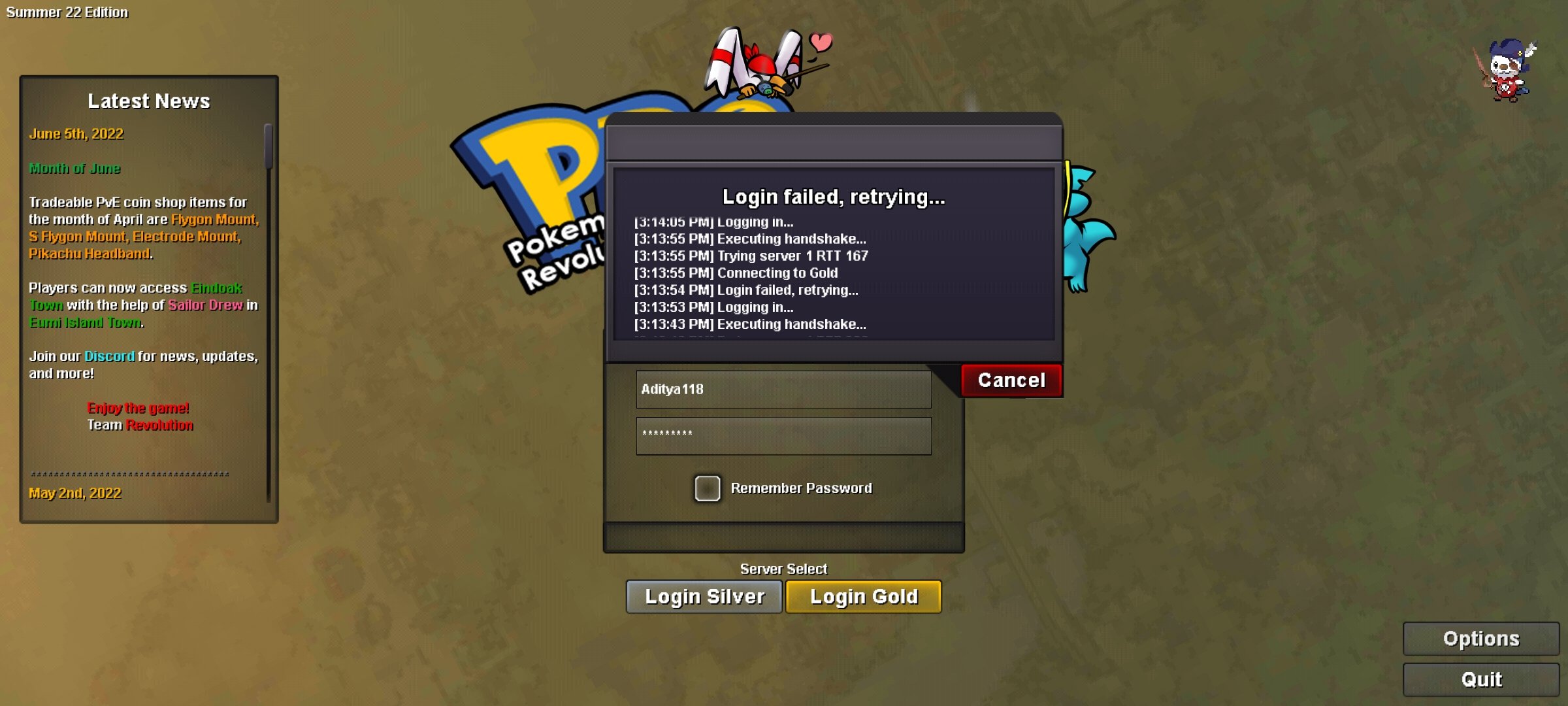
Event started, wq started & ended, and I'm still on this irritating login screen. Please someone help... Edit: I tried to transfer from gold to silver as silver was running fine for me. After transfer, gold server is running fine but silver isn't. So it clearly states something is wrong with my account.
-
-
Bump Please fix this ASAP🙏
-
Hello, I can't login in my account Aditya118 from gold server, it just keeps loading and loading again whereas my 2nd account named Phantom3305, I can log in easily. So please help with this issue.
-
Mega Metagross dies from Mega Garchomp's Earthquake
-